
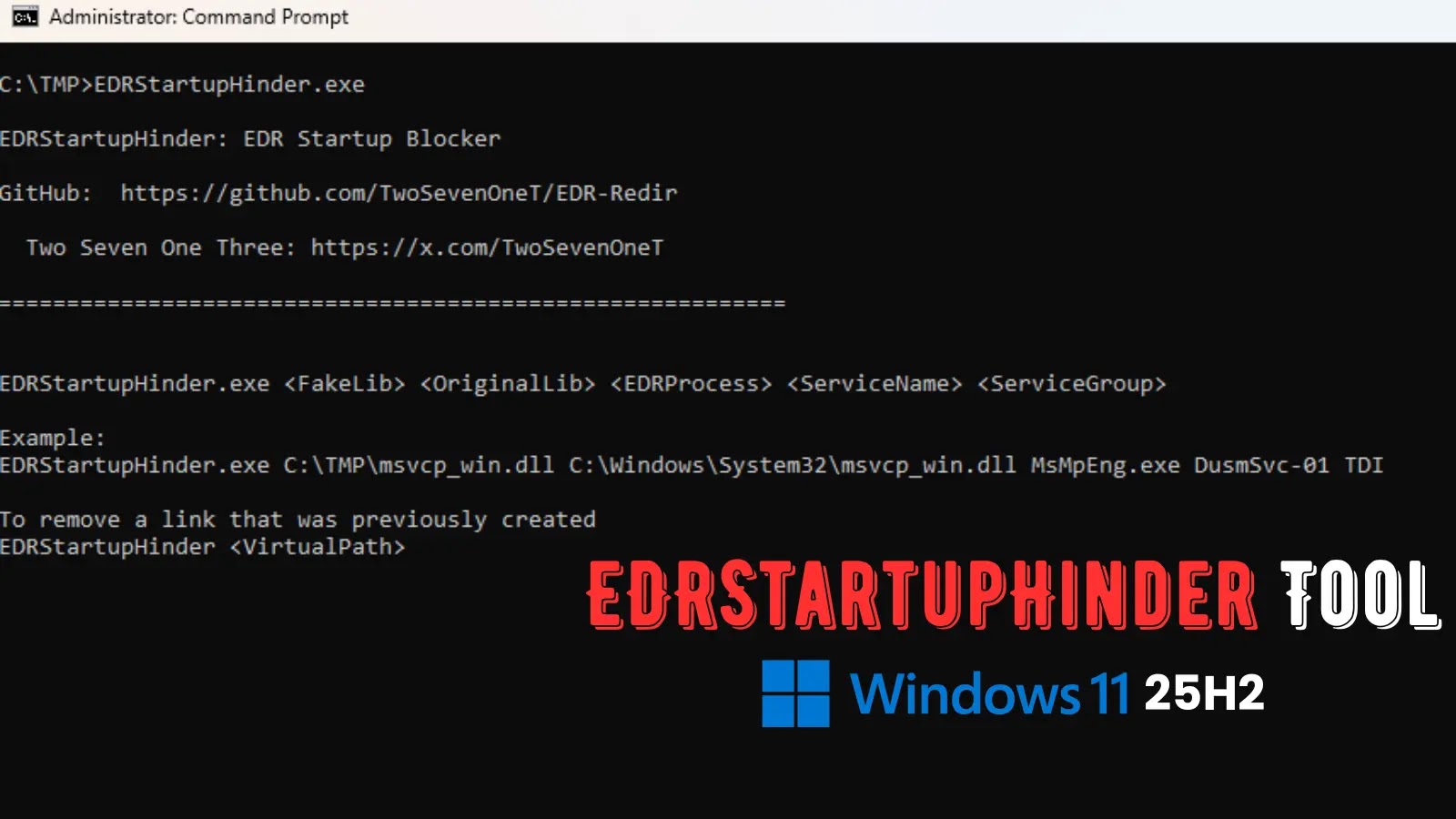
New EDRStartupHinder Tool blocks antivirus and EDR services at startup on Windows 11 25H2 Defender
EDRStartupHinder: A New Threat Disables Antivirus at Windows Startup
The landscape of endpoint security is constantly shifting, with adversaries developing new methods to evade detection. This week, cybersecurity researcher TwoSevenOneT, a name recognized for prior EDR (Endpoint Detection and Response) evasion tools like EDR-Freeze and EDR-Redir, unveiled a concerning new utility: EDRStartupHinder. This tool explicitly targets the integrity of antivirus and EDR solutions by blocking their services right at the critical Windows startup phase.
The implications of such a tool are significant. By disabling an organization’s primary line of defense before it can even fully initialize, EDRStartupHinder presents a formidable challenge for security teams. Understanding its mechanism and potential impact is crucial for developing robust countermeasures.
How EDRStartupHinder Operates: Windows Bindlink Exploitation
EDRStartupHinder leverages a little-known but powerful Windows feature: Bindlink. This mechanism allows for the redirection of critical system files, specifically System32 DLLs, at a low level during the operating system’s boot sequence. Antivirus and EDR services, while operating as standard Windows services, rely heavily on these core system components to initialize properly and maintain their enhanced protective capabilities.
TwoSevenOneT demonstrated the tool’s effectiveness by successfully blocking Windows Defender on Windows 11 25H2. This indicates a sophisticated understanding of the Windows boot process and how to interject malicious operations before security software can establish its hooks into the system kernel. By redirecting essential DLLs, EDRStartupHinder essentially pulls the rug out from under these security services, preventing them from loading correctly or even at all.
The Impact on Endpoint Security
- Early Evasion: The primary danger lies in the tool’s ability to operate before most security mechanisms are fully active. This provides attackers with a crucial window of opportunity to execute malicious payloads without immediate detection.
- Persistent Disablement: If EDRStartupHinder successfully disables security services at startup, they may remain disabled until manual intervention or a system reboot, leaving the system vulnerable for extended periods.
- Stealthy Persistence: An attacker could potentially combine EDRStartupHinder with other persistence mechanisms to ensure that every system reboot leaves the endpoint unprotected.
- Sophisticated Attack Chains: This tool could become a critical component in more elaborate attack chains, allowing attackers to establish a foothold and then operate with reduced risk of detection.
Remediation Actions and Proactive Defense
While the specifics of EDRStartupHinder’s bindlink manipulation are still being analyzed by the broader security community, several proactive measures can significantly reduce the risk posed by such tools:
- Implement Strong Boot Integrity Checks: Utilize features like Secure Boot and Measured Boot to ensure that the boot chain has not been tampered with. These technologies can detect unauthorized modifications to critical boot components.
- Monitor System32 DLL Integrity: Employ file integrity monitoring (FIM) solutions to continuously monitor critical system directories, including System32, for unauthorized changes or redirections. Anomalous modifications to DLLs, especially those linked to security products, should trigger immediate alerts.
- Advance EDR Capabilities: Ensure your EDR solution has advanced capabilities to detect and prevent unauthorized modifications to its own service files and critical system components, even during the boot phase. Behavioral analysis should be sophisticated enough to flag unusual process interactions.
- Regular Patching and Updates: Keep your operating systems, antivirus software, and EDR solutions fully patched and updated. Vendors often release updates to counter new evasion techniques.
- Host-Based Firewall Rules: Implement strict host-based firewall rules to limit outbound communication from unknown or suspicious processes, even if EDR/AV are temporarily incapacitated.
- Behavioral Monitoring: Beyond traditional signature-based detection, focus on behavioral monitoring. Unusual process creation, unauthorized access to system resources, or suspicious network connections should be flagged regardless of whether the primary AV/EDR is active.
- Investigate with Tools:
| Tool Name | Purpose | Link |
|---|---|---|
| Sysmon | Advanced Windows system monitoring for suspicious activity. | https://learn.microsoft.com/en-us/sysinternals/downloads/sysmon |
| Process Monitor | Real-time file system, Registry, and process/thread activity monitoring. | https://learn.microsoft.com/en-us/sysinternals/downloads/procmon |
| Autoruns | Displays all startup programs, including those hidden from standard tools. | https://learn.microsoft.com/en-us/sysinternals/downloads/autoruns |
Conclusion
EDRStartupHinder represents an evolving threat that targets the very foundation of endpoint protection by disabling antivirus and EDR services at Windows startup. The use of Windows Bindlink for critical System32 DLL redirection highlights the creativity of adversaries in exploiting low-level system functionalities. Organizations must move beyond traditional reactive defenses and proactively implement robust boot integrity checks, advanced EDR capabilities, and vigilant file integrity monitoring to counter such sophisticated evasion techniques. Continuous vigilance and a layered security approach remain paramount in defending against these persistent threats.




