
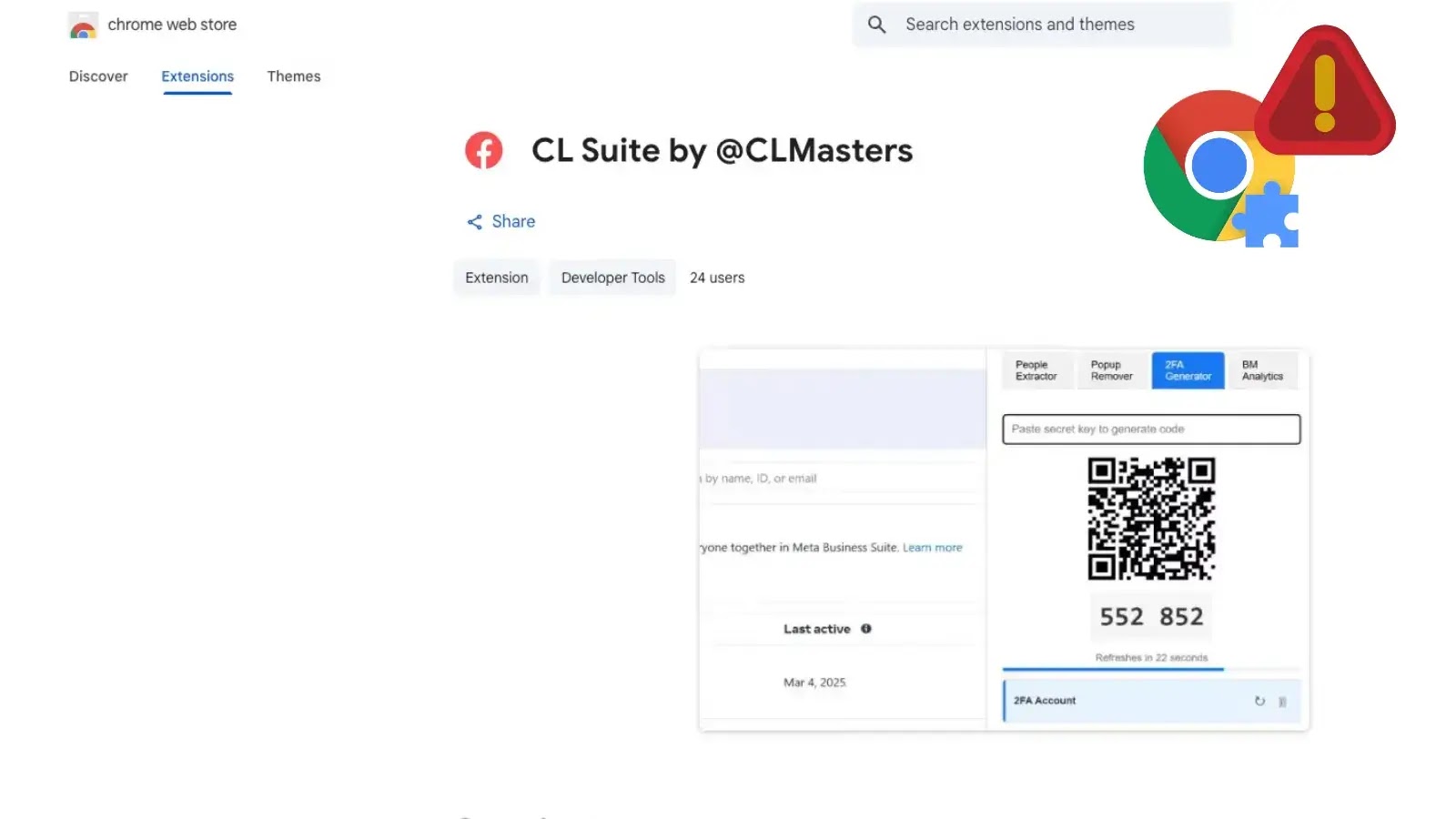
Malicious Chrome Extension Steals Facebook Business Manage 2FA Codes and Analytics Data
In the world of digital advertising, quick access and seamless workflow are paramount. Unfortunately, this necessity often creates tempting targets for malicious actors. A recent discovery has brought to light a particularly insidious threat: a malicious Chrome extension designed to pilfer sensitive data from Meta Business users, specifically targeting Facebook Business Manager 2FA codes and analytics data.
The Malicious Chrome Extension: “CL Suite by @CLMasters”
Cybersecurity researchers have identified a Chrome extension, deceptively named “CL Suite by @CLMasters”, with the ID jkphinfhmfkckkcnifhjiplhfoiefffl, as a significant threat to businesses operating within the Meta ecosystem. This extension, despite its dangerous capabilities, was reportedly still available in the Chrome Web Store at the time of the initial reporting. Its primary function, while masquerading as a utility for Meta Business users, is to surreptitiously exfiltrate critical information.
The core danger lies in its ability to compromise high-value ad accounts. By targeting Meta Business Suite and Facebook Business Manager environments, the extension gains access to data that can be leveraged for account takeovers, fraudulent ad campaigns, and exposure of sensitive business intelligence.
Mechanics of the Attack
The specific technical details of how the “CL Suite by @CLMasters” extension operates are concerning. Once installed, it exploits the privileges granted to browser extensions to interact with the Facebook Business Manager interface. This interaction allows it to:
- Steal Two-Factor Authentication (2FA) Codes: This is a critical blow to account security. Even with robust passwords, 2FA is often the last line of defense. By capturing these codes, attackers can bypass this security measure, gaining full unauthorized access to Facebook Business accounts.
- Exfiltrate Analytics Data: Beyond account access, the extension also siphons off valuable analytics data. This could include campaign performance, audience demographics, spending patterns, and other proprietary business insights. Such data can be sold, used for competitive espionage, or leveraged to conduct more targeted phishing attacks.
The silent nature of this data exfiltration means that victims may not realize their accounts are compromised until significant damage has been done, such as fraudulent charges or complete loss of control over ad campaigns.
Impact on Facebook Business Manager Accounts
The implications of this malicious extension are far-reaching for businesses relying on Meta’s advertising platforms:
- Financial Loss: Unauthorized ad spend, fraudulent campaigns, and loss of control over advertising budgets.
- Reputational Damage: Publication of inappropriate or misleading ads under the company’s name.
- Data Breach: Exposure of sensitive business analytics, client data, and strategic campaign information.
- Loss of Account Control: Complete lockout from critical advertising assets, leading to operational paralysis.
Remediation Actions
If you or your organization utilize Meta Business Suite or Facebook Business Manager, immediate action is required to mitigate this threat:
- Audit Installed Extensions: Regularly review all installed Chrome extensions. Uninstall any that are not strictly necessary, seem suspicious, or have unknown origins. Specifically search for “CL Suite by @CLMasters” (ID:
jkphinfhmfkckkcnifhjiplhfoiefffl) and remove it immediately if found. - Educate Employees: Train staff on the risks of installing unverified browser extensions, especially those promising enhanced functionality for business tools. Emphasize the importance of only installing extensions from trusted sources and after proper vetting.
- Enable and Monitor 2FA: While this extension targets 2FA codes, it’s crucial to still have 2FA enabled on all business accounts. Furthermore, monitor for unusual 2FA attempts or notifications.
- Review Account Activity: Regularly check Facebook Business Manager activity logs for any unauthorized logins, ad campaign changes, or unusual spending patterns.
- Change Passwords: In the event of a suspected compromise, or as a proactive measure, change passwords for all Facebook and Meta Business accounts.
- Report to Google and Meta: If you identify the malicious extension in the Chrome Web Store or suspect your account has been compromised, report it to both Google and Meta’s security teams.
Tools for Detection and Mitigation
While direct detection of this specific extension’s malicious activity often comes after the fact, several practices and tools can aid in overall browser security and incident response:
| Tool Name | Purpose | Link |
|---|---|---|
| Google Chrome Extension Management | Review and remove installed extensions | chrome://extensions/ |
| Browser Security Extensions (e.g., uBlock Origin) | Block malicious scripts and ads, improve browsing security | https://ublockorigin.com/ |
| Endpoint Detection and Response (EDR) Solutions | Monitor user activity and detect suspicious processes on endpoints | (Vendor Specific – e.g., CrowdStrike, SentinelOne) |
| Security Information and Event Management (SIEM) | Aggregate and analyze security logs for anomalies | (Vendor Specific – e.g., Splunk, QRadar) |
Conclusion
The discovery of the “CL Suite by @CLMasters” Chrome extension serves as a stark reminder that even seemingly harmless browser additions can harbor serious threats. Its ability to compromise 2FA codes and sensitive analytics data places valuable Facebook Business Manager accounts at significant risk. Vigilance in extension management, coupled with robust security practices and employee education, remains critical in defending against such sophisticated attacks and safeguarding your digital advertising infrastructure.




