
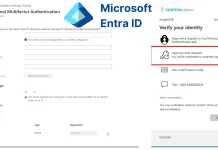
Microsoft Entra ID New Feature Removes MFA Limitations for Users
Multifactor authentication (MFA) stands as a foundational pillar in modern cybersecurity, particularly when safeguarding user identities against the relentless tide of targeted cyberattacks. The statistics are unequivocal: Microsoft consistently reports that a well-implemented MFA strategy can slash the risk of account compromise by over 99%. This isn’t just a best practice; it’s a critical defense mechanism in today’s threat landscape. Extending this vital protection across all user types has long been an objective for many organizations. Now, Microsoft has unveiled a significant advancement, directly addressing a long-standing challenge for enterprises large and small.
Microsoft has announced the General Availability of external multifactor authentication for Microsoft Entra ID. This pivotal release effectively eliminates previous platform limitations, allowing organizations to deploy seamless and robust MFA protections to a broader spectrum of users, including those outside the immediate organizational boundary. This development marks a substantial step forward in securing the extended enterprise, encompassing partners, customers, and other external collaborators.
The Evolution of MFA and Entra ID
Historically, extending MFA to external users in complex environments presented considerable hurdles, often involving fragmented identity solutions or less-than-ideal user experiences. Microsoft Entra ID (formerly Azure Active Directory) has been at the forefront of identity and access management, continually evolving to meet the demands of a cloud-first world. This latest feature underscores Microsoft’s commitment to providing a unified, secure, and user-friendly identity experience across all user types.
The “external multifactor authentication” capability refers to the ability to enforce MFA policies on users who are not directly managed within the primary Entra ID tenant but are collaborating through Entra B2B (Business-to-Business) capabilities. Previously, there could be complexities in universally applying the same strong MFA requirements to these external identities as were applied to internal employees, leading to potential security gaps.
Addressing Previous MFA Limitations
The core of this announcement lies in the removal of prior limitations. In many scenarios, organizations struggled to impose their stringent MFA policies on external guests or partner accounts with the same efficacy and simplicity as they did for internal staff. This often necessitated workarounds, compromised security posture, or degraded user experience for external collaborators. With the General Availability of external MFA for Microsoft Entra ID, these barriers are largely dissolved.
This means that security administrators can now:
- Apply consistent MFA policies to both internal and external users leveraging Entra B2B.
- Ensure that external collaborators meet the organization’s security standards before accessing sensitive resources.
- Simplify the onboarding and access management for external users by integrating MFA directly into their authentication flow.
- Reduce the attack surface associated with external accounts, which are frequently targeted in phishing and credential stuffing attacks due to less rigorous security enforcement.
Impact on Enterprise Security Posture
The direct consequence of this feature is a significantly bolstered enterprise security posture. By uniformly applying strong MFA, organizations can dramatically reduce the risk of credential theft and unauthorized access across their entire digital ecosystem. This is particularly crucial in supply chain attacks, where compromised external accounts can serve as entry points into a primary organization’s network.
Furthermore, this enhancement supports a Zero Trust security model, where every access request, regardless of origin, is explicitly verified. The ability to enforce robust MFA on external identities aligns perfectly with the “never trust, always verify” principle, ensuring that trust is earned through strong authentication before granting access to resources.
Remediation Actions and Best Practices
While this feature is a significant step forward, its effectiveness hinges on proper implementation and ongoing management. Organizations should consider the following actions:
- Audit Existing B2B Collaborations: Review current external user accounts and guest access policies within Entra ID. Identify accounts that may not currently be subject to stringent MFA requirements.
- Define Granular MFA Policies: Leverage Entra ID’s Conditional Access policies to enforce MFA based on user type (internal vs. external), resource being accessed, device compliance, location, and risk signals.
- Communicate with External Partners: Clearly communicate new MFA requirements to external collaborators to ensure a smooth transition and minimize disruption. Provide guidance on setting up MFA for their accounts.
- Implement User Training: While primarily for internal users, basic security awareness for external collaborators regarding the importance of MFA and how to manage their accounts can be beneficial.
- Monitor Authentication Logs: Regularly review Entra ID sign-in logs to detect unusual patterns or failed MFA attempts, which could indicate attempted compromise.
- Stay Updated with Microsoft Entra ID Features: Microsoft continuously releases updates and new features. Staying abreast of these developments ensures that your organization can leverage the latest security enhancements.
Conclusion
The General Availability of external multifactor authentication for Microsoft Entra ID is more than just another feature release; it’s a strategic enhancement that fundamentally strengthens the security posture of organizations leveraging Microsoft’s identity platform. By democratizing robust MFA and eliminating previous limitations for external users, Microsoft has provided a powerful tool for IT and security professionals. This advancement enables a more comprehensive Zero Trust approach, reduces the attack surface, and ultimately provides greater protection against the ever-present threat of account compromise. Embracing and properly implementing this capability is now a critical step for any organization serious about securing its digital perimeter.




