
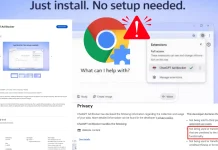
Malicious Chrome Extension “ChatGPT Ad Blocker” Steals ChatGPT Conversations
The Trojan within: Malicious “ChatGPT Ad Blocker” Steals Your Conversations
In an era where digital communication is paramount, the security of our online interactions is under constant threat. As platforms like OpenAI’s ChatGPT integrate new monetization strategies, bad actors are quick to exploit these changes, masquerading as helpful utilities. This is precisely the case with the recently discovered malicious Google Chrome extension, “ChatGPT Ad Blocker,” which, despite its appealing name, serves a far more sinister purpose: the surreptitious theft of your private ChatGPT conversations.
The Deceptive Lure of “ChatGPT Ad Blocker”
The rise of advertisements within OpenAI’s free ChatGPT tier has created a new pain point for users, which cybercriminals are leveraging with cunning precision. The “ChatGPT Ad Blocker” extension promises to eliminate these unwanted ads, offering a seemingly convenient solution. However, this utility is nothing more than a trojan horse, designed to compromise user privacy rather than enhance it.
Security researchers have uncovered that this fraudulent extension secretly exfiltrates users’ private ChatGPT conversations. Instead of blocking ads, it siphons off sensitive interactions, transmitting them to an undisclosed, likely malicious, third-party server. This data could contain a wealth of personal and professional information, making users vulnerable to various forms of exploitation, including targeted phishing, identity theft, and corporate espionage.
How the Malicious Extension Operates
Upon installation, the “ChatGPT Ad Blocker” gains access to your browser’s activities within the ChatGPT interface. Instead of performing its advertised function of ad blocking, it includes carefully crafted code designed to intercept and record ongoing conversations. This data is then discreetly packaged and transmitted to a remote server controlled by the attackers. The process is often seamless and undetected by the average user, making the threat particularly insidious.
The motivation behind such an attack is multifaceted. Stolen conversations can be exploited for intelligence gathering, used to train other malicious AI models, or sold on dark web markets to other cybercriminals. The lack of an assigned CVE for this specific extension highlights the rapid and evolving nature of these browser-based threats, often emerging faster than official vulnerability tracking mechanisms can catalog them.
Remediation Actions and Proactive Security Measures
Protecting yourself from malicious browser extensions like “ChatGPT Ad Blocker” requires a multi-layered approach to cybersecurity. Implementing these actions can significantly reduce your risk exposure:
- Immediate Uninstallation: If you have installed “ChatGPT Ad Blocker” or any other suspicious ad-blocking extension for ChatGPT, uninstall it immediately through your Chrome browser’s extension management page (`chrome://extensions/`).
- Review Permissions: Regularly review the permissions requested by all your browser extensions. Be wary of extensions that demand extensive access to your browsing data, especially if their stated purpose doesn’t necessitate such permissions.
- Source Verification: Only install extensions from trusted developers and official sources, such as the Chrome Web Store. Even then, exercise caution and scrutinize reviews and developer information.
- Security Software: Ensure your operating system and web browser are up to date. Utilize reputable antivirus and anti-malware software with real-time protection to detect and block malicious downloads and activities.
- Browser Security Features: Enable Chrome’s enhanced safe browsing features, which can warn you about potentially dangerous sites and extensions.
- Data Minimization: Be mindful of the sensitive information you share on public platforms, even those perceived as private. Assume that any online conversation could potentially be compromised.
Tools for Detection and Mitigation
While specific tools for detecting this particular extension are limited due to its novelty, general browser security practices and tools can help.
| Tool Name | Purpose | Link |
|---|---|---|
| Google Chrome’s Extension Management | Review and remove installed extensions. | chrome://extensions/ |
| Virustotal | Analyze suspicious files/URLs if you suspect a downloaded component. | https://www.virustotal.com/ |
| Malwarebytes Browser Guard | Blocks malicious ads, trackers, and websites; can help identify suspicious activity. | https://www.malwarebytes.com/browserguard |
| AdBlock Plus (or similar reputable ad blockers) | Legitimate ad blocking; important to differentiate from malicious look-alikes. | https://adblockplus.org/ |
Conclusion: Vigilance in the Evolving Digital Landscape
The discovery of the “ChatGPT Ad Blocker” highlights the ongoing cat-and-mouse game between legitimate software and malicious cyber activities. As AI tools become more prevalent, the attack surface for social engineering and deceptive tactics will only expand. Users must remain vigilant, questioning the true intent behind seemingly helpful utilities and prioritizing security best practices. Your digital conversations are a trove of personal information; protecting them from unseen adversaries is a critical component of personal and professional cybersecurity.




