
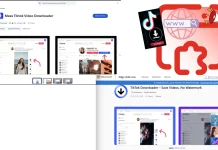
12 Browser Extensions Mimic as TikTok Video Downloaders Compromised 130k Users
Browser extensions offer immense utility, enhancing our online experience with a myriad of features. However, this convenience often comes with an inherent risk, particularly when malicious actors disguise themselves as helpful tools. A recent, alarming campaign dubbed “StealTok” underscores this danger, revealing how seemingly innocuous browser extensions can compromise user privacy and data security.
Security researchers at LayerX have uncovered a significant threat involving at least 12 interconnected browser extensions masquerading as TikTok video downloaders. These deceptive tools have surreptitiously tracked user activity and harvested sensitive information from over 130,000 individuals worldwide. With approximately 12,500 installations still active across Google Chrome and Microsoft Edge, the “StealTok” campaign represents a pervasive and ongoing cybersecurity concern for anyone utilizing browser extensions.
The Deceptive Nature of “StealTok”
The “StealTok” campaign leverages the popularity of platforms like TikTok, mimicking legitimate functionalities to trick users into installing malicious software. These 12 identified extensions, while appearing to offer video downloading capabilities, are in fact designed for covert surveillance and data exfiltration. Their primary objective is to gain unauthorized access to user browsing data, including sensitive credentials, financial information, and personal communications.
LayerX’s investigation revealed the intricate web connecting these extensions. Despite appearing as separate entities on browser marketplaces, they share underlying code and infrastructure, indicating a coordinated effort by a single threat actor or group. Their widespread distribution on official browser stores highlights the persistent challenge of adequately vetting and securing these ecosystems against sophisticated malware campaigns.
Impact on User Privacy and Data Security
The implications of the “StealTok” campaign are far-reaching. Users who have installed these malicious extensions risk significant compromise of their digital lives. The harvested data can be used for various nefarious purposes, including:
- Identity Theft: Personal information can be used to impersonate victims and open fraudulent accounts.
- Financial Fraud: Stolen banking credentials can lead to unauthorized transactions and financial loss.
- Account Takeovers: Credentials for social media, email, and other online services can be compromised.
- Corporate Espionage: For business users, harvested data could expose sensitive company information.
- Privacy Invasion: Extensive tracking of browsing habits provides a detailed profile of user behavior, which can be sold or exploited.
The sheer scale of the compromise, affecting over 130,000 users globally, emphasizes the need for heightened vigilance when interacting with browser extensions. Even seemingly minor tools can harbor significant risks.
Remediation Actions for Affected Users
If you suspect you may have been affected by the “StealTok” campaign or have installed any unofficial TikTok video downloader extensions, immediate action is crucial:
- Identify and Remove Malicious Extensions:
- For Google Chrome: Go to
chrome://extensions. - For Microsoft Edge: Go to
edge://extensions. - Carefully review your installed extensions and remove any suspicious ones, especially those posing as TikTok video downloaders or ones you don’t recall installing.
- For Google Chrome: Go to
- Change All Passwords: Assume that any passwords entered while the malicious extension was active might be compromised. Change passwords for all critical online accounts, including email, banking, social media, and any services storing sensitive personal or financial information. Utilize strong, unique passwords for each account.
- Enable Two-Factor Authentication (2FA): Where available, enable 2FA on all your online accounts to add an extra layer of security.
- Scan Your System for Malware: Run a full system scan using reputable antivirus and anti-malware software to detect and remove any lingering threats.
- Monitor Financial Accounts: Regularly check your bank and credit card statements for any unauthorized transactions. Report suspicious activity immediately.
- Be Wary of Phishing: Be extra cautious of unexpected emails, messages, or calls, as compromised data can be used for targeted phishing attacks.
Preventive Measures and Best Practices
Proactive security measures are the most effective defense against such campaigns:
- Install Extensions from Reputable Sources: Always download extensions from official browser web stores (Chrome Web Store, Microsoft Edge Add-ons) and verify the developer’s reputation.
- Read Reviews and Permissions: Before installing, thoroughly read user reviews, check the developer’s website, and carefully review the permissions an extension requests. If an extension for downloading videos requests access to “read and change all your data on all websites,” it’s a significant red flag.
- Use a Browser with Good Security Features: Modern browsers often include built-in security features to help detect and block malicious extensions. Keep your browser up to date.
- Employ Endpoint Security Solutions: Utilize comprehensive endpoint protection that can detect and prevent malicious software from running on your system.
- Regularly Audit Extensions: Periodically review your installed extensions and remove any that are no longer needed or seem suspicious. Less is often more when it comes to browser extensions.
The Broader Threat Landscape of Malicious Extensions
The “StealTok” campaign is not an isolated incident. Malicious browser extensions represent a consistent and evolving threat vector. These attacks often leverage social engineering tactics, exploiting user trust and the desire for enhanced functionality. The official marketplaces, while offering some level of vetting, cannot catch every sophisticated threat, especially those that initially appear benign and then update with malicious code.
Understanding the common tactics employed by these threats, such as overly broad permission requests or the promise of features that seem too good to be true, is vital for maintaining a secure browsing environment.
Conclusion: Vigilance is Key
The “StealTok” campaign serves as a stark reminder of the persistent threats lurking within our digital tools. While browser extensions can significantly enhance productivity and enjoyment, they also present a critical attack surface. The compromise of over 130,000 users due to seemingly harmless TikTok video downloader imposters underscores the need for continuous vigilance, informed decision-making, and robust security practices.
By adopting a skeptical approach to new installations, diligently reviewing permissions, and promptly addressing any suspicious activity, users can significantly reduce their risk of falling victim to such sophisticated malware campaigns. Staying informed about the latest cybersecurity threats and consistently applying best practices are invaluable in navigating the complex digital landscape securely.




