Windows Remote Desktop Leaves Behind Image Fragments Attackers Can Stitch Into Screenshots
Unmasking the Covert Traces: Remote Desktop’s Hidden Visual Fragments Exploited by Attackers
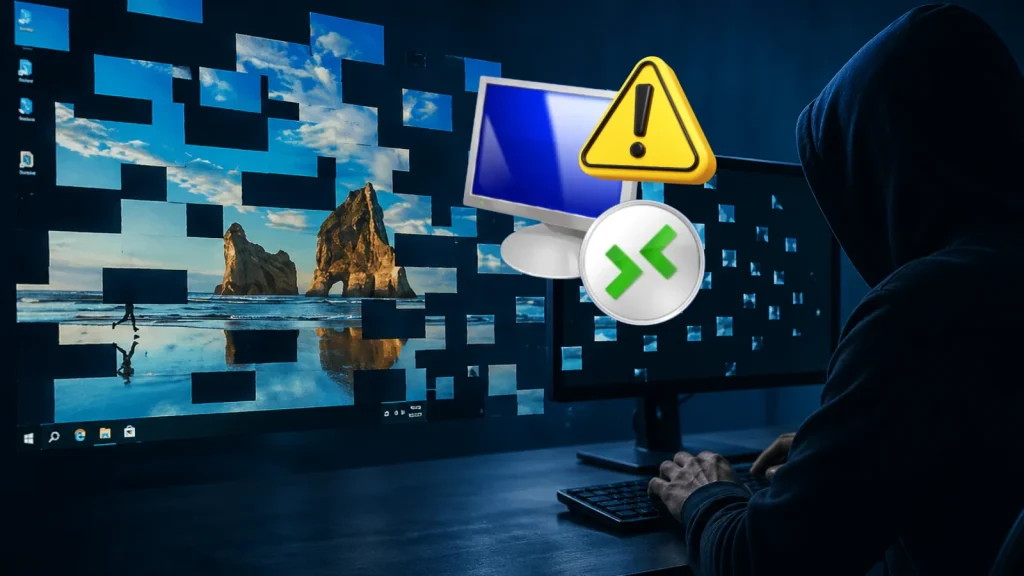
Windows Remote Desktop (RDP) is an indispensable tool for IT professionals and businesses, enabling seamless remote access and administration. However, a recent disclosure highlighted by SCYTHE Labs reveals a concerning security blind spot: RDP sessions quietly leave behind visual fragments that attackers can easily stitch together to reconstruct screenshots. This seemingly innocuous behavior presents a significant risk, allowing adversaries to glean sensitive information without elevated privileges and using readily available, free tools.
The ability to effortlessly piece together visual breadcrumbs from active RDP sessions poses a direct threat to data confidentiality and operational security. This technique requires minimal effort, takes only a few minutes, and underscores the continuous need for vigilance in even foundational system functionalities.
The Mechanism: How RDP Leaves Behind Visual Clues
During a standard Windows Remote Desktop session, the operating system handles graphical updates by sending visual data to the client. While the primary goal is efficient display, the underlying process can leave residual data on the disk. These “visual fragments” are not complete screenshots in themselves but rather small, discrete graphical elements or portions of the screen that were rendered during the session.
Cybersecurity researchers at SCYTHE Labs demonstrated that these fragments are often stored in temporary files or specific memory regions that can be accessed by a low-privileged user. The crucial aspect is that these fragments persist even after the RDP session terminates or the user logs off, creating a forensic trail that can be exploited. Attackers simply need to locate, extract, and reassemble these pieces to form a coherent visual representation of the compromised system’s activity during the RDP session.
The Attack Vector: Simplicity and Accessibility
What makes this vulnerability particularly concerning is the low barrier to entry for attackers. The process is straightforward, requiring no sophisticated exploits or zero-day vulnerabilities. Here’s a breakdown of the attack vector:
- No Special Privileges: An attacker who has gained even basic access to a system (e.g., via a phishing attack or malware execution) can often perform this operation without needing administrative rights. This significantly broadens the scope of potential attackers.
- Free and Common Tools: The reassembly process largely relies on publicly available and free tools, or even custom scripts written in common programming languages. This eliminates the need for expensive or specialized forensic software, making the attack widely accessible.
- Rapid Execution: The extraction and reconstruction typically take just a few minutes, meaning an attacker can quickly gather intelligence on the target system’s activities, including sensitive data displayed during an RDP session.
The resulting reconstructed screenshots can reveal a wealth of information, such as open applications, active documents, credentials being entered, or sensitive data displayed on the screen, even if the user explicitly closed the RDP session.
Remediation Actions: Mitigating the Risk
Addressing this RDP visual fragment issue requires a multi-layered approach focusing on system hygiene, monitoring, and proactive security measures. While there isn’t a specific CVE assigned to the general behavior of RDP leaving fragments (as it’s more of a forensic artifact exploitation than a typical software bug), its implications are significant. Organizations should implement the following:
- Restrict RDP Access: Strictly limit who can use RDP and from where. Implement strong access controls, including IP whitelisting and multi-factor authentication (MFA) for all RDP connections.
- Principle of Least Privilege: Ensure that users connecting via RDP operate with the absolute minimum necessary privileges. This reduces the impact if their RDP session is compromised or their local machine is exploited.
- Session Timeouts and Disconnections: Configure aggressive RDP session timeouts and automatic disconnections for idle sessions. While this may not prevent fragments from being created, it limits the amount of time an attacker has to potentially capture activity.
- Disk Encryption: Implement full disk encryption (e.g., BitLocker) on all endpoints and servers. If an attacker gains physical access or offlines a disk, encryption significantly impedes their ability to extract persistent data, including these visual fragments.
- Secure Deletion Tools: Regularly run secure deletion or file shredding tools on temporary directories and system caches. While not a foolproof solution, it can complicate forensic recovery.
- Endpoint Detection and Response (EDR): Deploy and properly configure EDR solutions to monitor for suspicious file access patterns, unusual process execution, and unauthorized data exfiltration attempts on endpoints that frequently use RDP.
- User Training: Educate users about the risks of displaying sensitive information during RDP sessions, even if they believe the connection is secure. Emphasize not minimizing sensitive applications or documents when stepping away from an RDP session.
- Investigate Alternative Remote Access Solutions: For highly sensitive environments, consider alternative remote access solutions that offer stronger security controls and explicitly address data persistence on the client or server side.
Tools for Detection and Mitigation
While specific tools dedicated to “preventing RDP fragments” are not common, several categories of tools can assist in detection, forensic analysis, and overall mitigation against such low-privileged data exfiltration attempts:
| Tool Name | Purpose | Link |
|---|---|---|
| Sysinternals Suite (Procmon, Autoruns) | Monitoring file system activity, registry changes, and auto-starting programs to detect suspicious persistence or file creation. | https://learn.microsoft.com/en-us/sysinternals/downloads/sysinternals-suite |
| Wireshark | Network protocol analyzer for monitoring RDP traffic (though fragments are local, network compromise could be an entry point). | https://www.wireshark.org/ |
| Volatility Framework | Advanced memory forensics framework for extracting artifacts from RAM, which could include RDP session data (requires memory dump). | https://www.volatilityfoundation.org/ |
| Autopsy / Sleuth Kit | Digital forensics platform for analyzing disk images, potentially revealing persistent fragments. | https://www.autopsy.com/ |
| VeraCrypt | Disk encryption solution to prevent unauthorized access to persistent data if the disk is exfiltrated. | https://www.veracrypt.fr/en/Home.html |
Conclusion: The Persistent Challenge of Digital Footprints
The discovery by SCYTHE Labs regarding Windows Remote Desktop’s visual fragments serves as a stark reminder that even seemingly benign system behaviors can harbor significant security implications. Attackers are constantly innovating, exploiting low-hanging fruit and residual data to achieve their objectives. The ease with which these fragments can be extracted and reconstructed into actionable intelligence underscores the importance of a comprehensive security posture. Organizations must move beyond traditional perimeter defenses and embrace a granular approach to data protection, access control, and endpoint monitoring to effectively counter these persistent and clever attack techniques.