
Google reCAPTCHA Update Blocks Privacy-Focused Android Users From Sites
Google reCAPTCHA Update Raises Alarms for Privacy-Conscious Android Users
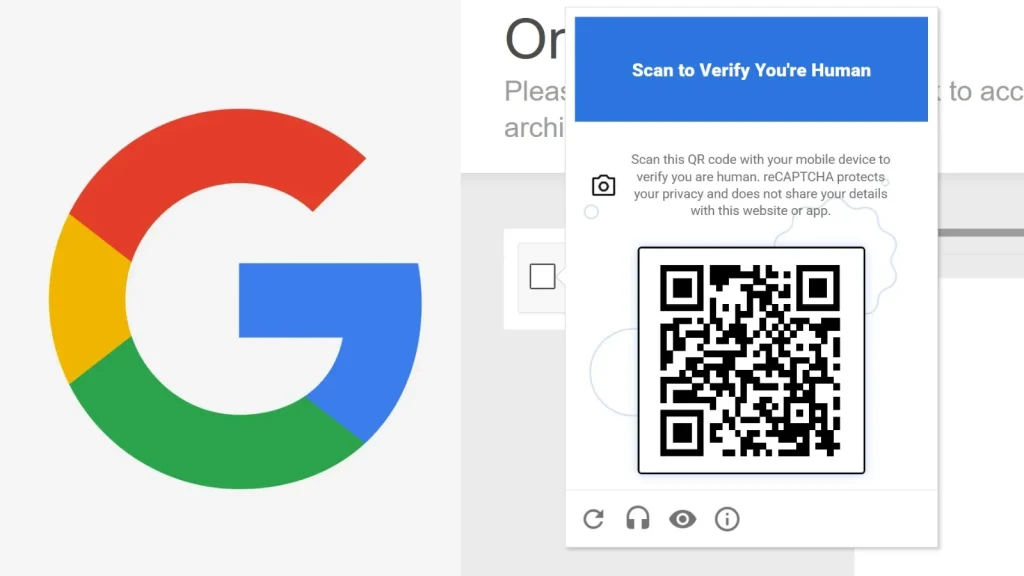
A recent and significant update to Google’s reCAPTCHA verification system, announced at the Google Cloud Next 2026 conference on April 22, is fundamentally altering how websites distinguish human traffic from bots. While Google positions this change as an enhancement to combat sophisticated fraud, the new mechanism, powered by Google’s Cloud Fraud Defense tool, introduces a mandatory QR code challenge for traffic flagged as suspicious. This development is causing considerable concern among privacy-focused Android users, who are finding themselves increasingly blocked from accessing various online services. This analysis delves into the technical implications and user impact of this critical reCAPTCHA evolution.
The Technical Shift: Cloud Fraud Defense and Mandatory QR Challenges
Previously, reCAPTCHA relied on a combination of implicit and explicit challenges, often involving click-based verification or image recognition tasks. The updated system integrates deeply with Google’s Cloud Fraud Defense, a more advanced AI-driven platform designed to detect and mitigate a wider range of fraudulent activities. The core of the new system’s controversial aspect lies in its introduction of a mandatory QR code challenge for users deemed “suspicious.”
When a user’s browsing behavior, device characteristics, or IP address alignment with known threat indicators triggers the Cloud Fraud Defense system, they are no longer presented with traditional reCAPTCHA challenges. Instead, they are prompted to scan a QR code using a separate mobile device. This QR code initiates a verification flow that likely involves Google Account authentication and potentially other device-level checks, aiming to establish a higher degree of user legitimacy.
Impact on Privacy-Focused Android Users
The immediate and most pronounced impact of this reCAPTCHA update is on Android users who prioritize privacy. Many privacy-conscious individuals employ various techniques to minimize their digital footprint. These methods often include:
- Using VPNs (Virtual Private Networks) or Tor for IP address anonymization.
- Employing ad blockers and privacy-focused browser extensions that restrict tracking.
- Modifying Android operating systems (e.g., custom ROMs) to limit Google services and telemetry.
- Avoiding extensive Google Account logins across all online activities.
When these users, adopting privacy-enhancing configurations, attempt to access websites protected by the new reCAPTCHA, their traffic is frequently flagged as suspicious by the Cloud Fraud Defense system. The subsequent mandatory QR code challenge presents several issues:
- VPN/Tor Incompatibility: Many VPNs and Tor configurations can trigger the “suspicious” flag, even for legitimate users.
- Google Account Dependency: The QR code challenge often steers users towards authenticating with a Google Account, which is precisely what many privacy-focused individuals seek to avoid. This forces a trade-off between privacy principles and website access.
- Device Requirement: The need for a separate mobile device to scan the QR code adds an extra layer of friction and can be impractical in certain scenarios.
- Lack of Transparency: The specific criteria used by Cloud Fraud Defense to flag traffic as suspicious remain largely opaque, making it difficult for users to adjust their configurations to avoid challenges.
This situation effectively creates an accessibility barrier, preventing legitimate, privacy-aware users from accessing essential online services and content. It forces a stark choice between maintaining privacy settings and full website access, which is a significant degradation of the user experience.
Remediation and Mitigation Strategies for Website Administrators
For website administrators concerned about alienating a segment of their user base while still maintaining robust bot protection, several strategies can be considered:
- Review reCAPTCHA v3/v2 Integration: While the new update impacts reCAPTCHA generally, ensure your implementation allows for fallback to reCAPTCHA v3 or v2 (with “I’m not a robot” checkbox) for certain user groups or suspicion levels, if possible. This might offer less friction for some users.
- Implement Alternative CAPTCHA Solutions: Explore alternative, privacy-friendlier CAPTCHA solutions. Several providers offer verification mechanisms that do not rely heavily on Google’s ecosystem or extensive user tracking. Examples include hCaptcha, Friendly Captcha, or bespoke solutions.
- Whitelisting for Specific Use Cases: For known, trusted user groups or specific services, consider IP whitelisting or alternative authentication methods. While not scalable for public-facing sites, it can be useful for internal applications or client portals.
- Analyze User Feedback: Actively monitor user feedback regarding reCAPTCHA challenges. If a significant number of legitimate users are reporting issues, it’s a strong indicator that the current configuration is too aggressive.
- Consider Progressive Verification: Instead of immediate blocking, implement a multi-tiered verification system. Start with less intrusive checks and only escalate to more stringent methods (like QR codes) if strong suspicious indicators are present.
- Transparent Communication: If users are encountering challenges, provide clear instructions and, if possible, alternative verification paths. Honesty about the security measures in place can help mitigate frustration.
The Broader Implications: Privacy vs. Security Trade-offs
This reCAPTCHA update highlights a growing tension between advancing security measures and preserving user privacy. While the goal of combating fraud is laudable, the implementation threatens to sideline users who conscientiously choose to protect their digital identities. The central issue revolves around Google’s increasing leverage of its vast data ecosystem to make security decisions. For users outside this ecosystem, or those actively trying to avoid it, access to the web becomes more challenging.
Organizations and developers implementing reCAPTCHA should be acutely aware of these trade-offs. The decision to use Google’s advanced fraud detection tools now comes with a potential cost of alienating a user segment that values privacy highly. This necessitates a careful evaluation of the risk profile of the website versus the desired user experience and accessibility.
Conclusion
Google’s reCAPTCHA update, driven by its Cloud Fraud Defense tool and mandatory QR code challenges for suspicious traffic, marks a significant shift in online verification. While aimed at enhancing security against sophisticated bots and fraud, this change disproportionately impacts privacy-focused Android users who employ tools and settings to minimize their digital footprint. For website administrators, the challenge lies in balancing robust security with inclusive accessibility. A careful consideration of alternative CAPTCHA solutions, progressive verification, and transparent communication will be crucial in navigating this evolving landscape and ensuring legitimate users are not inadvertently blocked.




