
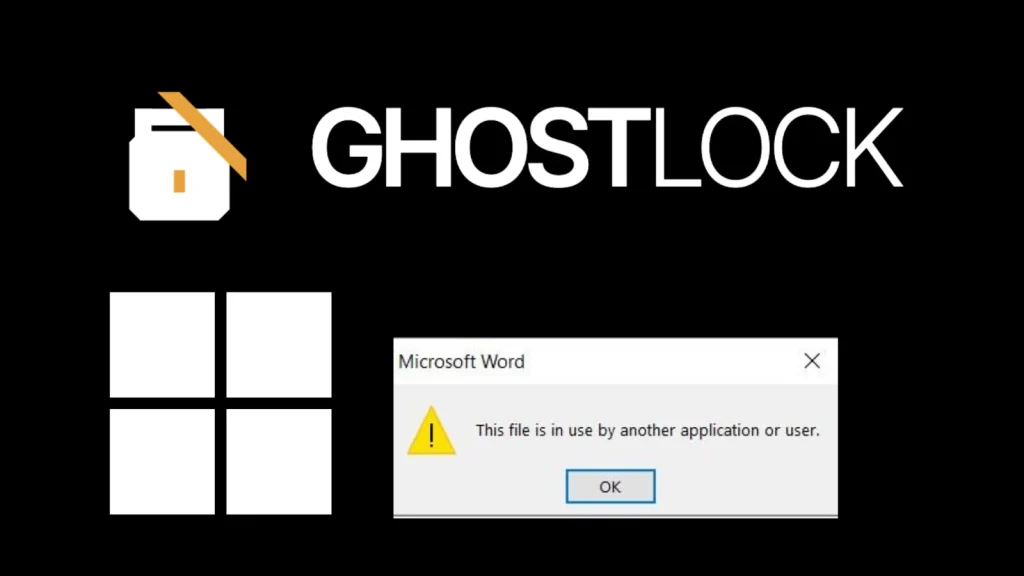
GhostLock Attack Leverages Windows file-sharing to Lock Files Access Like Ransomware
In the relentless landscape of cyber threats, ransomware has long been the boogeyman, encrypting critical data and extorting organizations for their digital assets. However, a new and insidious technique, dubbed GhostLock, has emerged, demonstrating that the same level of business disruption can be achieved without a single byte of encryption. This innovative attack vector leverages standard Windows file-sharing mechanisms to lock files, effectively rendering them inaccessible and posing a fresh challenge to traditional cybersecurity defenses.
This blog post delves into the mechanics of the GhostLock attack, explaining how it functions, its potential impact, and crucial remediation strategies. As cybersecurity professionals, understanding these novel threats is paramount to safeguarding our digital infrastructure.
Understanding the GhostLock Attack Vector
Discovered by Offensive Security Team Leader Kim Dvash, GhostLock exploits a fundamental aspect of Windows file-sharing: the way files are locked during access. Unlike traditional ransomware, which focuses on encrypting files and then demanding a key, GhostLock’s innovative approach creates a persistent lock on files, preventing legitimate users and applications from accessing them.
This malicious technique doesn’t involve cryptographic operations on the victim’s data. Instead, it manipulates the file system’s locking mechanisms, making files appear locked and unavailable. The result is identical to many ransomware incidents: a complete loss of access to critical data, leading to operational paralysis and significant financial impact, all without the characteristic signs of encryption.
How GhostLock Achieves File Inaccessibility
The core of GhostLock’s efficacy lies in its ability to establish and maintain exclusive read/write locks on targeted files. When a file is opened by a program, the operating system typically applies a lock to prevent concurrent modifications that could lead to data corruption. GhostLock exploits this legitimate behavior by maliciously acquiring and holding these locks, even after the initial “access” has seemingly ceased.
This could involve techniques like:
- Opening files with specific sharing modes that grant exclusive access and then deliberately failing to release those handles.
- Utilizing low-level Windows API calls to create persistent file locks that are difficult to forcibly break without restarting the system or specific administrative interventions.
- Exploiting nuances in network file sharing protocols (SMB/CIFS) to maintain a “phantom” connection that keeps files locked remotely.
The critical distinction is that the files themselves remain unencrypted and structurally intact. The attack purely affects their availability.
The Impact: Availability Attack Without Encryption
GhostLock represents a significant paradigm shift in availability attacks. Organizations often rely on data backups and quick decryption tools to recover from ransomware. However, in a GhostLock scenario, there’s no encrypted data to decrypt. The challenge shifts from breaking encryption to forcibly releasing malicious file locks, which can be just as complex and time-consuming. Imagine critical databases, patient records, or financial spreadsheets suddenly becoming inaccessible – the operational disruption would be immense.
The psychological impact is also noteworthy. Victims might initially struggle to identify the root cause, as their files appear normal but are simply locked. This confusion can delay response efforts and allow the attacker to maintain control over file access for longer periods.
Remediation Actions for GhostLock
While the specifics of GhostLock are still being explored, proactive measures designed to enhance file system integrity and monitor access patterns are crucial. Here’s a breakdown of actionable advice:
Proactive Security Measures:
- Implement Least Privilege: Ensure users and applications only have the minimum necessary permissions to access files. This limits the scope of damage if an account is compromised.
- Strong Access Controls: Regularly review and enforce strict access control lists (ACLs) on shared folders and critical files.
- Network Segmentation: Isolate critical servers and data repositories from general user networks to limit lateral movement and attack surface.
- Advanced Endpoint Detection and Response (EDR): Deploy EDR solutions capable of monitoring file access patterns, detecting suspicious locking behaviors, and identifying unauthorized processes.
- Security Information and Event Management (SIEM): Centralize logs from file servers, network devices, and endpoints to identify unusual file access spikes, repeated failed access attempts, or sudden changes in file lock status.
- Regular File Auditing: Enable and regularly review Windows file system auditing to track who accessed what files and when. Pay close attention to events related to file handle acquisition and release.
Incident Response Strategies:
- Identify the Source: The immediate priority is to identify the process or user account responsible for acquiring the malicious locks.
- Isolate Affected Systems: Disconnect compromised machines or network shares to prevent the attack from spreading further.
- Terminate Malicious Processes: Use administrative tools to identify and terminate processes holding illegitimate file locks. Task Manager and Sysinternals tools like Process Explorer can be invaluable here.
- Force Release Locks: In severe cases, it might be necessary to restart affected servers or services to force the release of all file handles. This should be a last resort due to potential data integrity issues if not handled carefully.
- Backup and Restore: While GhostLock doesn’t encrypt, having robust, immutable backups is still critical. If locks cannot be easily broken, restoring from a clean backup might be the quickest path to recovery.
- Forensic Analysis: Conduct a thorough forensic investigation to understand how the attacker gained initial access and maintained persistence.
Relevant Tools for Detection and Mitigation
Leveraging the right tools can significantly enhance an organization’s ability to detect and respond to attacks like GhostLock. While there isn’t a specific “GhostLock Detector” tool, general security solutions play a vital role.
| Tool Name | Purpose | Link |
|---|---|---|
| Windows Event Viewer | Review Security, System, and Application logs for suspicious file access, service stop/start events, and network connection anomalies. | Microsoft Docs: Event Viewer |
| Sysinternals Process Explorer | Advanced process management utility for identifying processes holding file handles and open files. Crucial for pinpointing malicious lockers. | Microsoft Sysinternals: Process Explorer |
| Sysinternals Handle | Command-line utility to show information about open handles for any process in the system. Useful for scripting and automation. | Microsoft Sysinternals: Handle |
| Endpoint Detection and Response (EDR) Solutions | Proactive monitoring of endpoint activity, including file reads/writes, process creation, and network connections, to detect anomalous behavior. | (Varies by vendor, e.g., CrowdStrike, SentinelOne, Microsoft Defender for Endpoint) |
| Security Information and Event Management (SIEM) | Centralized log collection and analysis to correlate security events and identify attack patterns. | (Varies by vendor, e.g., Splunk, IBM QRadar, Elastic SIEM) |
Conclusion
The GhostLock attack serves as a stark reminder that cyber adversaries are constantly innovating. By exploiting legitimate system behaviors rather than traditional encryption, it highlights the importance of a comprehensive security posture focused not just on data integrity but also on data availability. Organizations must move beyond solely ransomware-focused defenses and adopt strategies that monitor for unauthorized access, suspicious file locking, and anomalous system behavior. Proactive threat hunting, robust logging, and rapid incident response capabilities are no longer optional; they are foundational to resilience in an evolving threat landscape.




