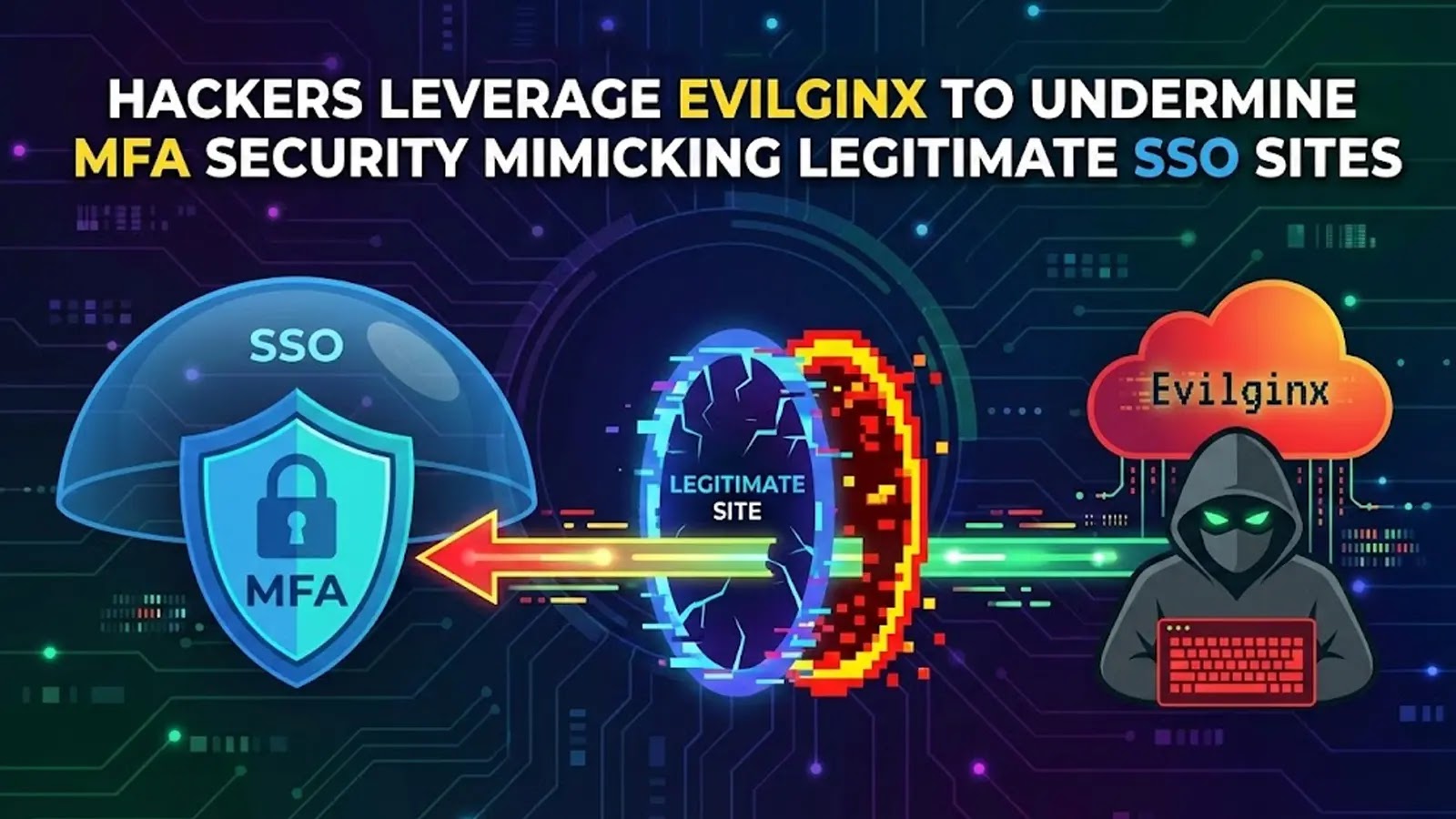
Hackers Leverage Evilginx to Undermine MFA Security Mimicking Legitimate SSO Sites
The Alarming Rise of Evilginx: Why Your MFA Isn’t as Secure as You Think
Multi-factor authentication (MFA) has long been heralded as a critical defense against unauthorized access, a seemingly impenetrable barrier in our increasingly online world. Yet, a sophisticated adversary-in-the-middle (AiTM) tool known as Evilginx is enabling hackers to bypass even the most robust MFA implementations, compromising cloud accounts with alarming ease. This advanced phishing framework presents a significant threat, mimicking legitimate single sign-on (SSO) sites so perfectly that users are unknowingly handing over session cookies and credentials directly to attackers. Understanding Evilginx and its operational methodology is no longer a niche concern; it’s essential for every organization relying on MFA for security.
What is Evilginx and How Does it Work?
Evilginx is an open-source phishing framework designed to circumvent MFA protections by acting as a reverse proxy. Its primary function is to sit between a victim and a legitimate login page, intercepting traffic in real-time. Here’s a breakdown of its modus operandi:
- Reverse Proxy Setup: Attackers configure Evilginx to proxy requests between the user and actual SSO services like Microsoft 365, Google Workspace, or other enterprise applications.
- Seamless Mimicry: When a user attempts to log in, they are redirected to an Evilginx-controlled phishing site. Crucially, this site looks and behaves identically to the legitimate SSO page. The URL might be subtly different, but the visual cues, functionality, and even the MFA challenge process appear completely normal to the unsuspecting user.
- Credential Harvesting: As the user enters their username and password, Evilginx captures these credentials.
- Session Cookie Hijacking: The real danger lies in Evilginx’s ability to intercept the session cookie generated after successful MFA completion. Once the user provides their second factor (e.g., OTP from an authenticator app, push notification approval), Evilginx forwards these challenges to the legitimate service and then captures the resulting authenticated session cookie.
- Account Takeover: With the harvested session cookie, attackers can bypass all subsequent authentication checks and access the victim’s account directly, even if the victim changes their password. This effectively grants the attacker persistent access to cloud resources.
The Perilous Impact: Bypassing MFA for Cloud Account Takeover
The core threat of Evilginx isn’t just credential theft; it’s the effective nullification of MFA, a security layer that many organizations heavily depend on. While some MFA methods, particularly FIDO2 hardware keys (like YubiKeys) using WebAuthn, offer stronger resistance to phishing attacks, most common forms – SMS-based OTPs, time-based one-time passwords (TOTP), and push notifications – are vulnerable to Evilginx’s sophisticated proxying technique.
Once an attacker gains an authenticated session, the repercussions are severe:
- Data Exfiltration: Access to sensitive company data stored in cloud drives, email, and collaboration platforms.
- Further Compromise: Using the compromised account to launch internal phishing campaigns, gain access to other internal systems, or escalate privileges within the network.
- Financial Fraud: Business Email Compromise (BEC) schemes can be initiated from compromised executive accounts.
- Reputational Damage: Data breaches and widespread account takeovers can severely damage an organization’s trust and standing.
Remediation Actions: Fortifying Your Defenses Against AiTM Phishing
Defending against advanced phishing tools like Evilginx requires a multi-layered approach, moving beyond simple MFA implementation to more robust security practices.
- Implement Phishing-Resistant MFA:
- FIDO2/WebAuthn Hardware Security Keys: These are the gold standard. FIDO2-compliant keys create a cryptographic link to the specific domain, making them inherently resistant to phishing and AiTM attacks. Even if a user enters credentials on a fake site, the FIDO2 key will refuse to authenticate because the domain doesn’t match. Organizations should prioritize rolling out these for critical accounts.
- Certificate-Based Authentication: Another strong alternative, though more complex to implement.
- Enhanced User Education and Awareness:
- Recognize Phishing Cues: Train users to meticulously check URLs (even small discrepancies matter), look for HTTPS lock icons (which can be present on phishing sites), and be wary of unexpected login prompts or urgent requests.
- Report Suspicious Activity: Establish clear internal channels for reporting potential phishing attempts.
- Never Reuse Passwords: Encourage unique, strong passwords for all services.
- Implement Conditional Access Policies:
- Location-Based Restrictions: Block logins from unusual geographic locations.
- Device Trust: Require logins only from known, compliant devices.
- IP Restrictions: Limit access to specific corporate IP ranges for sensitive applications.
- Advanced Threat Detection and Response:
- Security Information and Event Management (SIEM): Monitor login attempts, session durations, and suspicious activities for anomalies.
- Endpoint Detection and Response (EDR): Detect and respond to post-compromise activities on endpoints.
- Behavioral Analytics: Identify unusual user behavior patterns (e.g., logging in from a new country immediately after a login from another).
- Regular Security Audits and Penetration Testing:
- Routinely test your MFA implementations and SSO configurations for vulnerabilities.
- Simulate AiTM phishing attacks to assess user susceptibility and technical controls.
- Consider Attack Surface Management:
- Regularly scan and understand your internet-facing assets that could be targeted.
- Monitor for rogue domains or look-alike URLs that could be used in phishing campaigns.
Tools for Detection and Mitigation
| Tool Name | Purpose | Link |
|---|---|---|
| PhishFlip | Open-source phishing prevention & detection framework for blue teams | GitHub |
| MS Defender for Identity | Detects identity-based threats and suspicious user activities | Microsoft |
| Google Workspace Security Center | Provides insights into security posture, threat detection, and remediation for Google Workspace | |
| Proofpoint / Mimecast / etc. | Email security gateways; filter phishing attempts before they reach inboxes | Proofpoint |
Key Takeaways
The sophistication of tools like Evilginx underscores a critical shift in the threat landscape: MFA alone is no longer a silver bullet. Organizations must recognize the persistent and evolving nature of phishing attacks. Implementing phishing-resistant MFA, coupled with rigorous user education and robust behavioral monitoring, is paramount. Proactive security measures, continuous monitoring, and a posture of healthy skepticism are essential to protect cloud environments from these advanced adversary-in-the-middle strategies.