How to Audit Layer 2 Switch Configurations.
How to Audit Layer 2 Switch Configurations
In today’s interconnected world, a properly configured Layer 2 network is the backbone of efficient and secure data transmission. This article provides a comprehensive guide on how to audit your Layer 2 switch configuration and ensure optimal performance. We will explore the key components of switch configuration, the importance of following best practices, and provide practical steps to configure Layer 2 functionality.
Understanding Layer 2 Switch Configuration

What is a Layer 2 Switch?
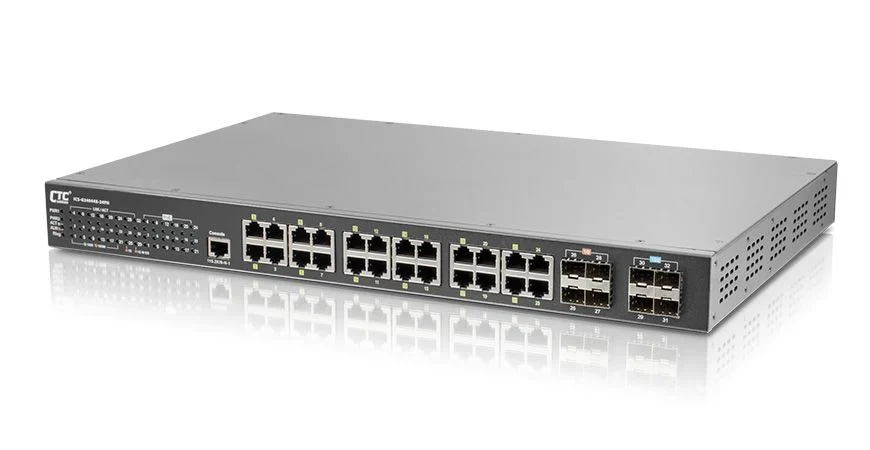
A Layer 2 switch, also known as a LAN switch, operates at the data link layer of the OSI model. This type of network device uses the MAC address to forward data packets between devices on the same network. Layer 2 switching creates a virtual circuit between ports for efficient data transfer. Because Layer 2 switches operate based on the MAC address, this ensures that network packets are only sent to their intended destination within the LAN, effectively minimizing network congestion.
Importance of Proper Configuration
Proper switch configuration is crucial for network performance and security. A misconfigured switch can lead to network congestion, broadcast storms, and security vulnerabilities. It is of paramount importance, as Teamwin Global Technologica understands, that the network device configuration is checked regularly to ensure optimal functionality, security, and reliability. Regular audits and updates to switch configuration will safeguard the enterprise and ensure continued success. Neglecting to configure Layer 2 properly can create points of failure that malicious actors can exploit, thereby creating security breaches that a firewall could potentially mitigate.
Components of Switch Configuration
Basic switch configuration involves several key components. These are crucial for optimal performance and network stability, and often include the following:
- VLAN configuration to segment the network
- Spanning tree protocol (STP) settings to prevent loops
- Port configuration to define port types (access port, trunk port)
- Security settings
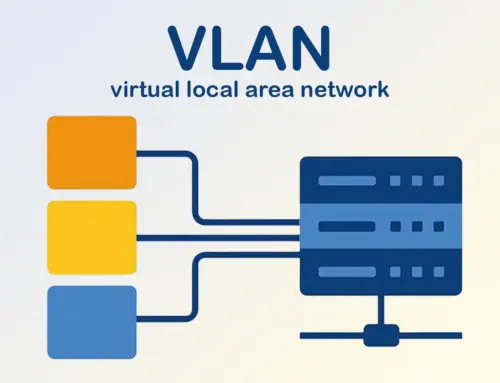
VLANs enable logical segmentation of the LAN, enhancing security and manageability through the use of Cisco IOS features. Spanning-tree protocols (STP, RSTP, MSTP) prevent switching loops in network topologies, which are critical for avoiding network outages and maintaining a secure environment with proper firewall rules. Interfaces need to be configured to support VLANs and trunking using the command prompt.
Steps to Audit Layer 2 Switch Configuration
Here are 5 simple points to audit a Layer 2 switch configuration:
-
Check VLAN Configuration – Make sure all VLANs are correctly created and assigned to the right ports.
-
Verify Trunk Ports – Confirm trunk ports allow only the necessary VLANs.
-
Review Spanning Tree Settings – Ensure STP is enabled and the correct root bridge is set.
-
Inspect Port Security – Check that port security is enabled on access ports and unused ports are disabled.
-
Confirm Management Settings – Verify SSH access, SNMP, logging, and password security are properly configured.
Identifying Configuration Standards
To properly audit a layer 2 switch configuration, begin by using the command line to access the switch configuration commands. establishing clear configuration standards. These standards should align with industry best practices, such as IEEE standards for spanning-tree protocol and VLANs. Documenting these standards creates a baseline for evaluating the switch configuration, ensuring that the switch is set up for optimal security and performance. Teamwin Global Technologica recommends that you should use these standards to verify if the layer 2 network is configured correctly.
Evaluating VLAN Configurations
Next, evaluate the VLAN configuration. Examine how VLANs have been implemented to segment the LAN and enhance security, particularly in relation to the firewall settings. Verify that each VLAN is assigned a unique VLAN ID and that ports are correctly assigned to the appropriate VLANs. Using VLANs properly is a critical aspect of basic switch configuration. Without it, network security will be at risk, especially if the firewall is not properly configured. It is a “must configure” setting. Multicast traffic should be evaluated to ensure that it is properly contained within its designated VLAN, preventing unnecessary flooding across the layer 2 network.
Checking Spanning Tree Protocol (STP) Settings
Verify that STP is properly enabled and configured on all switches. Check the root bridge election process, port roles, and BPDU settings in the switch configuration commands. Ensure that the STP settings are optimized for your network topology to avoid unnecessary blocking of ports and ensure network stability. This step is essential to avoid network congestion that can lead to total network failure, a situation that Teamwin Global Technologica is dedicated to helping you avoid through effective firewall management.
Configuring Layer 2 Switches

Basic Switch Configuration Steps
Configuring a layer 2 switch begins with accessing the switch via the console port using a terminal emulator. Next, enter global configuration mode via the CLI, where you can set the hostname, enable passwords, and configure interfaces. Then, configure VLANs, assign ports to VLANs, and set up spanning-tree protocol (STP). Save the configuration to ensure it persists after a reboot. Following these basic switch configuration steps ensures a well-organized and secure network environment.
Configuring VLANs on Cisco Devices
Configuring VLANs on Cisco devices involves entering global configuration mode and creating VLANs using the vlan VLAN ID command. Assign a name to each VLAN for easy identification. Then, enter interface configuration mode for each switch port and assign it to a VLAN using the switchport access vlan VLAN ID command in the command line interface. For trunk ports, use the switchport mode trunk and switchport trunk encapsulation dot1q commands to support multiple VLANs. Proper VLAN configuration is critical for network devices to ensure layer 2 network security.
Setting Up Trunk Ports
Setting up trunk ports on a switch involves Enabling trunking on the interface to carry traffic for multiple VLANs is crucial for maintaining efficient ethernet communication. Enter interface configuration mode for the port and use the switchport mode trunk command. Specify the encapsulation protocol, such as 802.1Q, using the switchport trunk encapsulation dot1q command in the Cisco IOS command prompt. Then, allow specific VLANs on the trunk using the switchport trunk allowed vlan VLAN ID command. Trunk ports facilitate communication between switches and routers, ensuring efficient routing of VLAN traffic across the network topology.
Router and Switch Integration

Routing with Layer 2 Switches
While layer 2 switches primarily forward traffic based on MAC addresses, they can also support basic routing capabilities through layer 3 features, especially when configured via the command line. By creating switch virtual interfaces (SVIs) and assigning IP addresses to them, a layer 2 switch can perform inter-VLAN routing. However, for advanced routing functions, a dedicated router is generally required. The router connects different networks and makes routing decisions based on IP addresses, enabling communication between separate LANs and the internet.
Best Practices for Router and Switch Configuration
When integrating routers and switches, follow several best practices to ensure optimal performance and security. These include:
- Keeping firmware up to date on all network devices
- Implementing strong authentication and access controls
- Regularly backing up configuration files
- Monitoring switch and router performance using SNMP can be enhanced by integrating CDP for better visibility.
Teamwin Global Technologica helps configure your network devices so that you can rest assured that your Layer 2 network is optimal.
Common Configuration Mistakes to Avoid
Several common configuration mistakes can negatively impact network topology performance and security. To prevent these issues, it’s crucial to avoid errors such as:
- Leaving default passwords unchanged.
- Neglecting to properly configure STP.
- Incorrect VLAN assignments.
- Overlooking interface settings.
Avoiding these mistakes is critical to maintaining a reliable and secure layer 2 network.

How to configure a layer 2 switch for optimal performance?
To configure a layer 2 switch for optimal performance, ensure that you set up VLANs correctly, enable trunk ports for traffic from multiple VLANs, and verify the configuration of the MAC address table. It’s also beneficial to log in to the switch and review the startup configuration to confirm that it aligns with your network management requirements.
What is the significance of VLAN 1 in layer 2 switch configuration?
VLAN 1 is often the default VLAN for management and switch communications. It is enabled by default on most switches, including Cisco devices. However, it is crucial to audit its usage and consider configuring other VLANs to enhance network segmentation and security.
How do you verify the configuration on a Cisco layer 2 switch?
You can verify the configuration on a Cisco layer 2 switch by using commands such as ‘show running-config’ to review the current settings and ‘show vlan’ to check VLAN configurations. Additionally, you can examine the output of each command to ensure that the active switch is configured correctly.
Can you use telnet to access a layer 2 switch for auditing purposes?
Yes, you can use telnet to access a layer 2 switch. However, keep in mind that telnet is not a secure protocol. It’s advisable to use SSH for secure access when auditing configurations, as it encrypts the data transmitted between your device and the switch.
What should be included in the basic configuration of a layer 2 switch?
The basic configuration of a layer 2 switch should include setting up VLANs, configuring ports as access or trunk, ensuring that STP (Spanning Tree Protocol) is enabled to prevent loops, and making sure that the MAC address table is populated correctly. Additionally, consider the startup configuration to ensure it matches the operational needs.
How do you configure trunk ports on a Cisco switch?
To configure trunk ports on a Cisco switch, use the command ‘switchport mode trunk’ on the desired port interface. This allows traffic from multiple VLANs to pass through that port. Make sure to verify that neighboring Cisco devices are also configured to support trunking for seamless connectivity.
What is the role of the MAC address table in layer 2 switching?
The MAC address table plays a crucial role in layer 2 switching by mapping MAC addresses to specific ports on the switch. This allows the switch to forward frames to the correct destination MAC address efficiently. Auditing this table can help identify any misconfigurations or potential security issues.
How can I audit the command history on a layer 2 switch?
To audit the command history on a layer 2 switch, you can use the command ‘show history’ to display the commands previously entered. This is useful for tracking changes made to the switch configuration and ensuring compliance with network policies.
Is layer 3 routing necessary for all switch configurations?
Layer 3 routing is not necessary for every switch configuration, especially for basic layer 2 switches that operate primarily within a single VLAN. However, if you need inter-VLAN routing or to connect to routing devices, layer 3 capabilities become essential. In such cases, consider using a switch with layer 3 routing features.