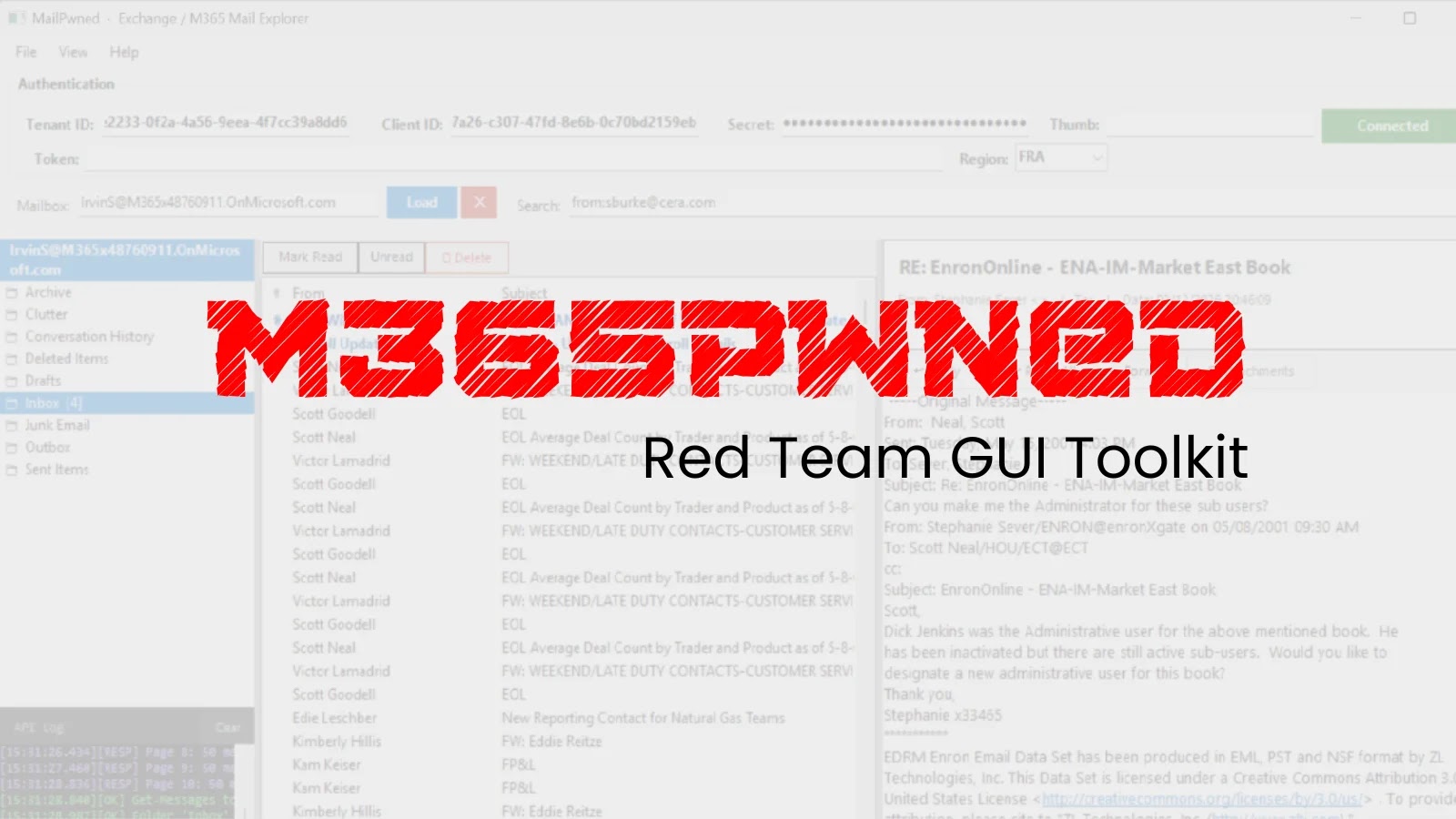
M365Pwned – Red Team GUI Toolkit for Microsoft 365 Exploitation via Graph API
The Microsoft 365 ecosystem is a cornerstone for countless organizations, offering a powerful suite of productivity tools. However, its widespread adoption also makes it a prime target for adversaries. A new red team tool, M365Pwned, has emerged, demonstrating the critical need for robust application security and vigilant monitoring within Azure environments.
Understanding M365Pwned: A Red Team’s New Friend
Developed by the security researcher operating under the handle OtterHacker, M365Pwned is a sophisticated pair of WinForms GUI tools. Specifically designed for red team scenarios and post-compromise exploitation, this toolkit focuses on enumerating, searching, and exfiltrating sensitive data from Microsoft 365 environments. What makes M365Pwned particularly noteworthy is its ability to operate using application-level OAuth tokens, effectively bypassing the need for direct user interaction during these malicious activities.
The toolkit, built entirely in PowerShell 5.1, leverages the robust capabilities of the Microsoft Graph API. This strategic choice allows M365Pwned to interact directly with various Microsoft 365 services, mimicking legitimate application behavior and making its activities harder to detect by traditional endpoint security solutions focused solely on user behavior.
How M365Pwned Exploits Microsoft 365 Environments
M365Pwned’s strength lies in its utilization of application-level OAuth tokens. In a typical Microsoft 365 setup, applications are granted specific permissions to access resources on behalf of a user or the application itself. If an adversary gains control of an application’s OAuth token with sufficient permissions, they can perform actions sanctioned by those permissions without requiring a user to be actively logged in or to interact with the malicious process.
The toolkit’s functionality primarily revolves around three key activities:
- Enumeration: Discovering users, groups, mailboxes, SharePoint sites, and other Azure AD objects. This information is crucial for mapping the environment and identifying high-value targets.
- Searching: Locating specific files, emails, or other sensitive data across various Microsoft 365 services, often using keywords or patterns.
- Exfiltration: Extracting the identified sensitive data out of the Microsoft 365 environment, often to attacker-controlled infrastructure.
The use of a graphical user interface (GUI) further streamlines these operations for red teamers, making complex command-line interactions unnecessary and reducing the barrier to entry for exploiting Microsoft 365 security weaknesses.
The Post-Compromise Impact of M365Pwned
The release of M365Pwned underscores a significant post-compromise threat. Once an attacker has established a foothold within an organization’s network, perhaps through CVE-2023-23397 or other initial access vectors, tools like M365Pwned can rapidly escalate the impact. By leveraging compromised application credentials, attackers can move laterally within the M365 environment, access cloud-based data, and further entrench their presence.
The implication is clear: even if user accounts are protected by multi-factor authentication (MFA), compromised application permissions can still lead to extensive data breaches and persistent access. This highlights the critical need to secure not just user identities but also the identities and permissions of applications within the cloud infrastructure.
Remediation Actions and Proactive Defenses
Mitigating the risks posed by tools like M365Pwned requires a multi-layered approach focusing on application security, identity and access management, and continuous monitoring within Microsoft 365. Organizations must shift their focus beyond traditional perimeter defenses and adopt a zero-trust model for all identities, including applications.
Here are actionable steps to enhance your Microsoft 365 security posture:
- Audit and Review Application Permissions: Regularly review all registered applications in Azure AD. Ensure that applications are granted only the minimum necessary permissions (Principle of Least Privilege) and remove any overly permissive or unused application registrations.
- Strong Application Authentication: Enforce strong authentication methods for applications. Avoid using client secrets for long-term authentication; leverage managed identities or certificate-based authentication where possible.
- Monitor Azure AD Sign-in and Audit Logs: Implement robust logging and monitoring for Azure AD sign-in activities by applications. Look for unusual access patterns, high volumes of data access, or activity from unfamiliar IP addresses. Configure alerts for suspicious application behavior.
- Conditional Access Policies for Applications: Utilize Azure AD Conditional Access policies for applications. For example, restrict application access to specific IP ranges or require MFA for administrative application users, if applicable.
- Endpoint Detection and Response (EDR) for Azure Workers: While M365Pwned operates via Graph API, initial compromise might involve an endpoint. Ensure robust EDR solutions are deployed on all workstations and servers, including those hosting services that interact with Microsoft 365.
- Regular Penetration Testing and Red Teaming: Conduct regular security assessments and red team exercises that specifically target your Microsoft 365 environment, including the testing of application security and Graph API interactions.
- Educate and Train Staff: While M365Pwned bypasses user interaction, social engineering or phishing can still be an initial vector to compromise an endpoint that has access to application secrets or can register new malicious applications.
Relevant Tools for Detection and Mitigation
| Tool Name | Purpose | Link |
|---|---|---|
| Microsoft Azure AD Portal | Manage application registrations, permissions, and audit logs. | https://portal.azure.com/ |
| Microsoft 365 Defender | Unified security suite for endpoint, identity, email, and cloud apps. | https://www.microsoft.com/en-us/security/business/microsoft-365-defender |
| Azure Sentinel / Microsoft Purview | SIEM and data governance for monitoring and alerting on suspicious activity. | https://azure.microsoft.com/en-us/products/microsoft-sentinel |
| Graph API Explorer | Test and understand Graph API queries and permissions. | https://developer.microsoft.com/en-us/graph/graph-explorer |
Conclusion
The introduction of M365Pwned by OtterHacker signifies an evolution in red team tooling, shifting focus towards exploiting application-level permissions in Microsoft 365 environments. Organizations must recognize the inherent risks of compromised application credentials and prioritize strengthening their cloud security posture beyond traditional user-centric approaches. Proactive auditing of application permissions, rigorous monitoring of Graph API interactions, and a commitment to least privilege for all identities are essential defenses against such sophisticated threats.