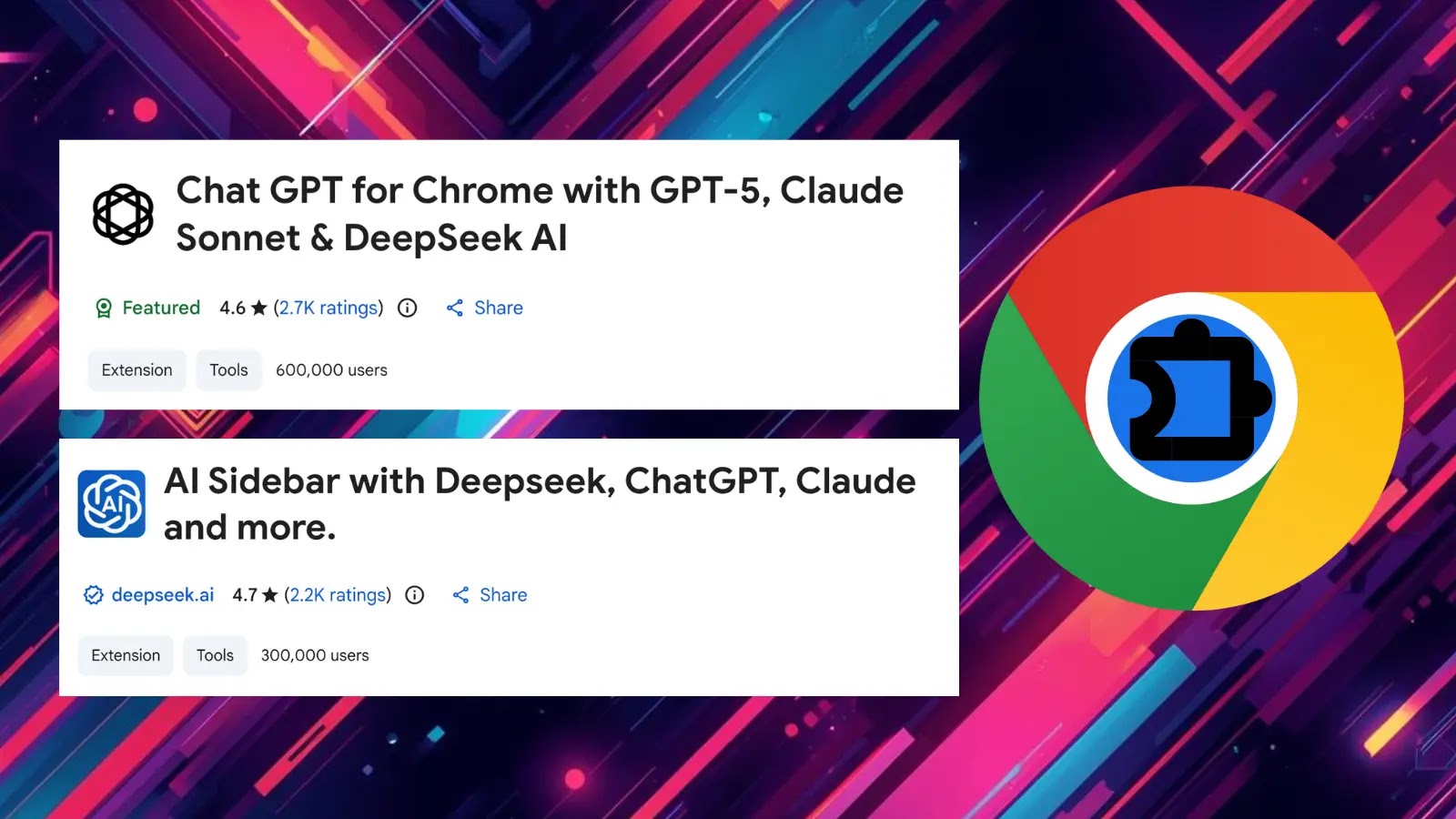
Malicious Chrome Extension Steal ChatGPT and DeepSeek Conversations from 900K Users
The digital landscape is a constant battleground, and even the seemingly innocuous tools we use daily can harbor hidden dangers. A recent discovery by OX Security researchers casts a stark light on this reality: two malicious Chrome extensions have successfully compromised over 900,000 users, siphoning off sensitive ChatGPT and DeepSeek conversations, alongside entire browsing histories, directly to attacker-controlled servers. This incident underscores the critical importance of scrutinizing every element of our online experience, particularly browser extensions that often operate with elevated permissions.
The Deceptive Disguise: Impersonating AITOPIA AI Sidebar
The malicious extensions in question cleverly impersonated the legitimate “AITOPIA AI sidebar” tool. This tactic of masquerading as a trusted application is a classic social engineering technique, designed to bypass user skepticism and security measures. What’s particularly alarming is that one of these fake extensions even managed to earn Google’s “Featured” badge, lending it an undeserved aura of authenticity. This highlights a persistent challenge in the ecosystem of browser extensions: even platforms with robust review processes can be exploited by sophisticated attackers.
The OX Research team identified this threat during routine operations, uncovering a sophisticated data exfiltration mechanism embedded within these seemingly benign tools. The attackers’ objective was clear: to collect a treasure trove of user data, specifically targeting conversations with popular AI models like ChatGPT and DeepSeek. These conversations often contain proprietary information, project details, personal opinions, and other sensitive data, making them highly valuable targets for cybercriminals.
The Scope of the Breach: 900,000 Users and Beyond
With 900,000 users compromised, the scale of this data breach is significant. The exfiltration of full browsing histories, in addition to AI conversation data, paints a comprehensive picture of a user’s online activities, interests, and potentially even their credentials for other services. This aggregated data can be leveraged for a variety of nefarious purposes, including targeted phishing attacks, social engineering campaigns, identity theft, and corporate espionage. The sheer volume of affected individuals demands immediate attention and robust remediation efforts.
Understanding the Threat: How Malicious Extensions Operate
Browser extensions, while incredibly useful for enhancing productivity and personalization, also represent a significant attack surface. They typically require broad permissions to function, including access to browser tabs, browsing history, and data on visited websites. Malicious extensions exploit these permissions by:
- Data Exfiltration: Covertly sending user data (e.g., browsing history, form data, AI conversations) to external servers.
- Session Hijacking: Stealing session cookies to gain unauthorized access to user accounts.
- Injecting Malicious Code: Modifying web pages to display unwanted ads, phishing forms, or redirect users to malicious sites.
- Credential Harvesting: Capturing usernames and passwords entered into legitimate websites.
In this particular incident, the threat centered on unauthorized data exfiltration, specifically targeting the rich context provided by AI model interactions.
Remediation Actions
Given the pervasive nature of browser extensions and the sophistication of these attacks, proactive and reactive measures are essential for protecting against similar threats.
- Audit Installed Extensions: Regularly review all installed browser extensions. If an extension is not actively used or its purpose is unclear, disable or remove it. Be suspicious of extensions requesting excessive permissions.
- Verify Extension Authenticity: Before installing any extension, thoroughly research its developer, read reviews, and check its official website. Be wary of extensions with generic descriptions or low ratings. Even Google’s “Featured” badge is not foolproof, as demonstrated by this incident.
- Limit Permissions: Where possible, restrict an extension’s permissions to only what is absolutely necessary for its functionality. Some browsers offer granular control over extension permissions.
- Keep Browser and Extensions Updated: Ensure your web browser and all installed extensions are always updated to the latest versions. Updates often include critical security patches.
- Utilize Security Software: Employ robust antivirus and anti-malware software that includes browser protection features. These tools can sometimes detect and block malicious extension behavior.
- Monitor Network Traffic: For organizations, implement network monitoring solutions to detect unusual outbound connections or data exfiltration attempts from user workstations.
- Educate Users: Conduct regular cybersecurity awareness training for all users, emphasizing the risks associated with browser extensions and the importance of vigilance.
- Change Password (If Affected): If you suspect your AI conversations or browsing history have been compromised, immediately change passwords for all critical online accounts.
Tools for Detection and Mitigation
| Tool Name | Purpose | Link |
|---|---|---|
| Browser’s Extension Manager | Review, enable/disable, and remove extensions. | chrome://extensions/ (for Chrome) |
| Endpoint Detection and Response (EDR) Solutions | Monitor and detect suspicious activity on endpoints, including malicious browser processes. | (Vendor Specific – e.g., CrowdStrike, SentinelOne) |
| Network Intrusion Detection/Prevention Systems (NIDS/NIPS) | Monitor network traffic for anomalous behavior and known malicious command-and-control communications. | (Vendor Specific – e.g., Snort, Suricata) |
| Browser Security Extensions (Reputable ones) | Enhance browser security by blocking trackers, ads, and potentially malicious scripts. | (e.g., uBlock Origin, Privacy Badger) |
| VirusTotal | Analyze suspicious files/URLs, including extension manifest files, for known threats. | https://www.virustotal.com/ |
Conclusion
The compromise of nearly a million users through seemingly innocuous Chrome extensions underscores a critical vulnerability in our digital ecosystem. Attackers are constantly evolving their tactics, leveraging social engineering and technical stealth to gain access to valuable data. The exfiltration of ChatGPT and DeepSeek conversations, in particular, highlights a new frontier for data theft, where the content of our AI interactions becomes a target. Vigilance, continuous education, and the strategic deployment of security measures are paramount to safeguarding digital privacy and organizational integrity against such sophisticated threats. Stay informed, stay secure, and remain critical of the tools you integrate into your daily workflow.