Microsoft Patched Windows LNK Vulnerability Abused by Hackers to Hide Malicious Code
In the intricate landscape of cybersecurity, threats often lurk in unexpected places, exploiting seemingly innocuous system features. A recent disclosure has brought to light a critical Windows shortcut vulnerability, actively exploited by threat actors for years, finally addressed by Microsoft. This revelation underscores the continuous cat-and-mouse game between defenders and attackers, where even silent patches play a pivotal role in securing digital infrastructures.
This blog post delves into the specifics of this Windows LNK vulnerability, its exploitation by malicious actors, and the crucial lessons learned from its quiet remediation.
The Undisclosed LNK Vulnerability: CVE-2025-9491
Microsoft recently released its November 2025 Patch Tuesday updates, a routine event for IT professionals worldwide. However, tucked away amongst the publicly acknowledged fixes for 63 vulnerabilities was a silent but significant patch targeting a Windows shortcut (LNK) vulnerability. This flaw, designated CVE-2025-9491, had been a persistent backdoor for hackers since at least 2017.
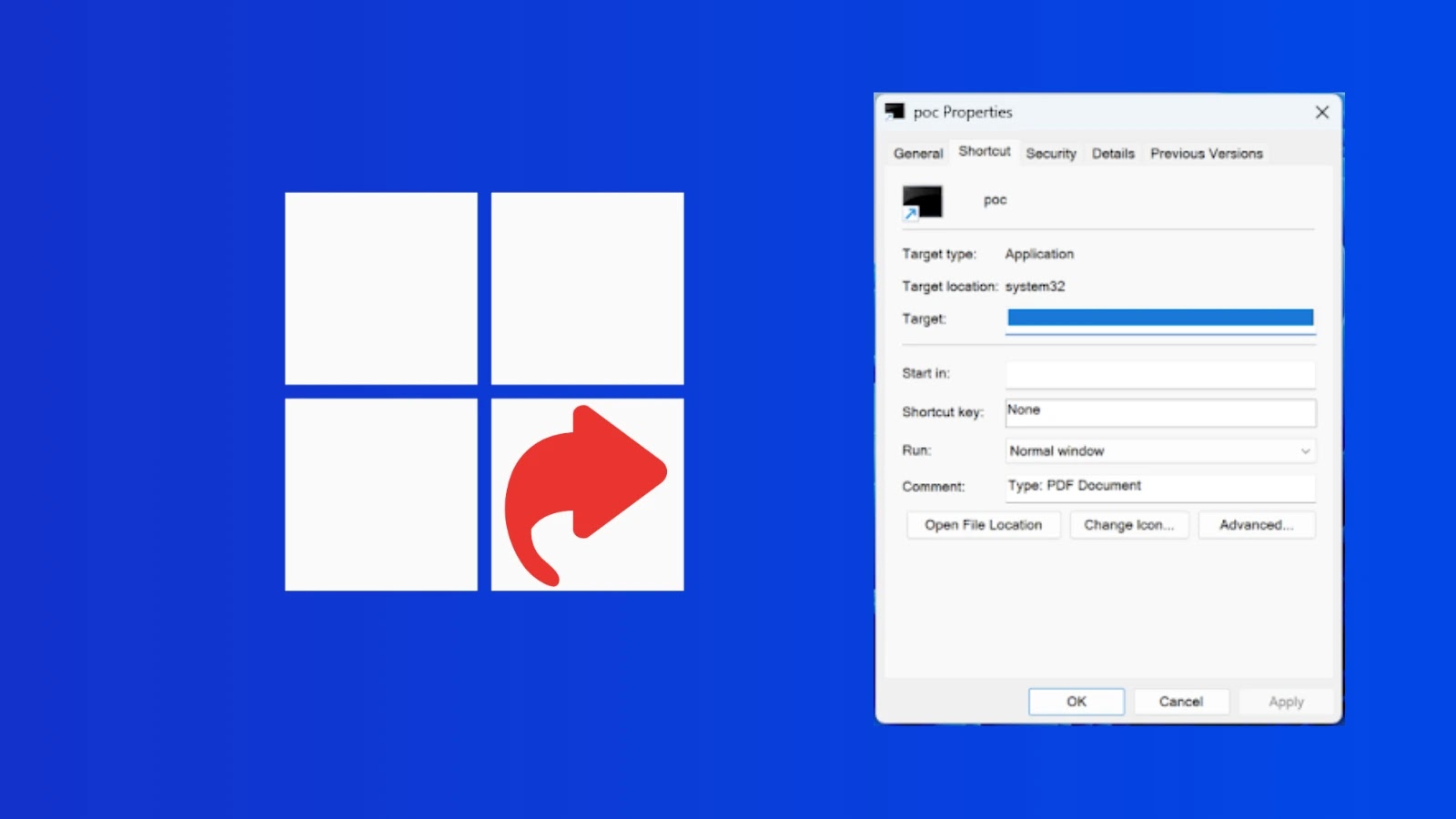
The core of the vulnerability lay in the way Windows handled LNK files – the shortcuts we use daily to access applications and documents. Threat actors leveraged this flaw to embed malicious commands directly within the LNK file’s properties. When a user interacted with such a shortcut, the hidden commands could be executed, often leading to malware deployment, data exfiltration, or control over the compromised system. What made this particularly devious was the ability to hide these commands from typical user inspection, making detection challenging without specialized tools.
How Hackers Exploited the LNK Vulnerability
The exploitation of CVE-2025-9491 hinged on its stealth. Malicious LNK files could be distributed through various common attack vectors:
- Phishing Campaigns: Email attachments containing seemingly benign LNK files that, when clicked, initiated the malicious payload.
- Malicious Downloads: Bundling compromised LNK files with legitimate-looking software or pirated content.
- Removable Media: Spreading LNK files via USB drives, where simply accessing the drive could trigger the exploit.
Once activated, the hidden commands within the LNK file would typically perform actions such as:
- Downloading and executing additional malware.
- Establishing persistence mechanisms on the compromised system.
- Harvesting credentials or sensitive data.
- Initiating remote access for the attackers.
The long exploitation period from 2017 highlights the effectiveness of this technique and the challenges in discovering sophisticated, yet subtle, vulnerabilities within widely used operating system components.
Microsoft’s Silent Remediation
Microsoft’s decision to patch CVE-2025-9491 without public acknowledgement in the initial Patch Tuesday release notes is noteworthy. While reasons for such a silent patch can vary – from preventing immediate adversary adaptation to strategic disclosure timing – it emphasizes the critical importance of applying all security updates as a best practice. This silent patch underscores that not all significant security fixes are announced with fanfare; many critical updates simply blend into routine maintenance.
Remediation Actions for IT Professionals
Given the history of exploitation for this vulnerability, and the ongoing threat from similarly designed attacks, proactive measures are paramount. While the specific vulnerability CVE-2025-9491 is now patched, analogous techniques could still emerge. Here are crucial remediation and preventative actions:
- Apply All Windows Updates: Ensure all Windows workstations and servers are fully patched. This includes Patch Tuesday updates. Automate this process where possible.
- Implement Endpoint Detection and Response (EDR): EDR solutions can detect suspicious behavior and file executions that might bypass traditional antivirus, especially those stemming from unexpected processes or parameters in LNK files.
- Educate Users on Phishing and Social Engineering: Users remain the first line of defense. Training should emphasize caution around unexpected attachments, links, and removable media, even if they appear to be standard shortcut files.
- Disable Autorun for Removable Media: This prevents automatic execution of files, including malicious LNK files, when external devices are connected.
- Monitor for Unusual Process Activity: Look for processes initiated by explorer.exe or other common user applications that then execute unusual commands or spawn suspicious child processes.
- Leverage PowerShell Logging: Enhanced PowerShell logging can capture commands run via shortcuts, providing valuable forensic evidence.
- File Type Filtering: Implement email gateway rules to filter or quarantine suspicious file types, including LNK files from external sources, unless explicitly approved.
Relevant Tools for Detection and Mitigation
| Tool Name | Purpose | Link |
|---|---|---|
| Microsoft Defender for Endpoint | Advanced EDR for threat detection and response. | Microsoft Security |
| Sysmon (Sysinternals) | Detailed system activity logging for forensic analysis. | Microsoft Learn |
| VirusTotal | Analyze suspicious files and URLs for known threats. | VirusTotal |
| PowerShell Empire | Post-exploitation framework (useful for understanding attacker techniques). | GitHub |
Conclusion
The silent patching of CVE-2025-9491 serves as a powerful reminder of the relentless nature of cybersecurity threats. Even seemingly minor components like LNK files can harbor critical vulnerabilities exploited for years. For cybersecurity professionals, the key takeaways are clear: consistent patching is non-negotiable, robust endpoint detection is essential, and continuous vigilance against evolving attack vectors, even those that exploit silent vulnerabilities, is paramount. Stay informed, stay patched, and secure your digital perimeter.