Microsoft Teams to Enforce Messaging Safety Defaults Starting January 2026
Microsoft Teams Fortifies Collaboration: What “Secure-by-Default” Means for You
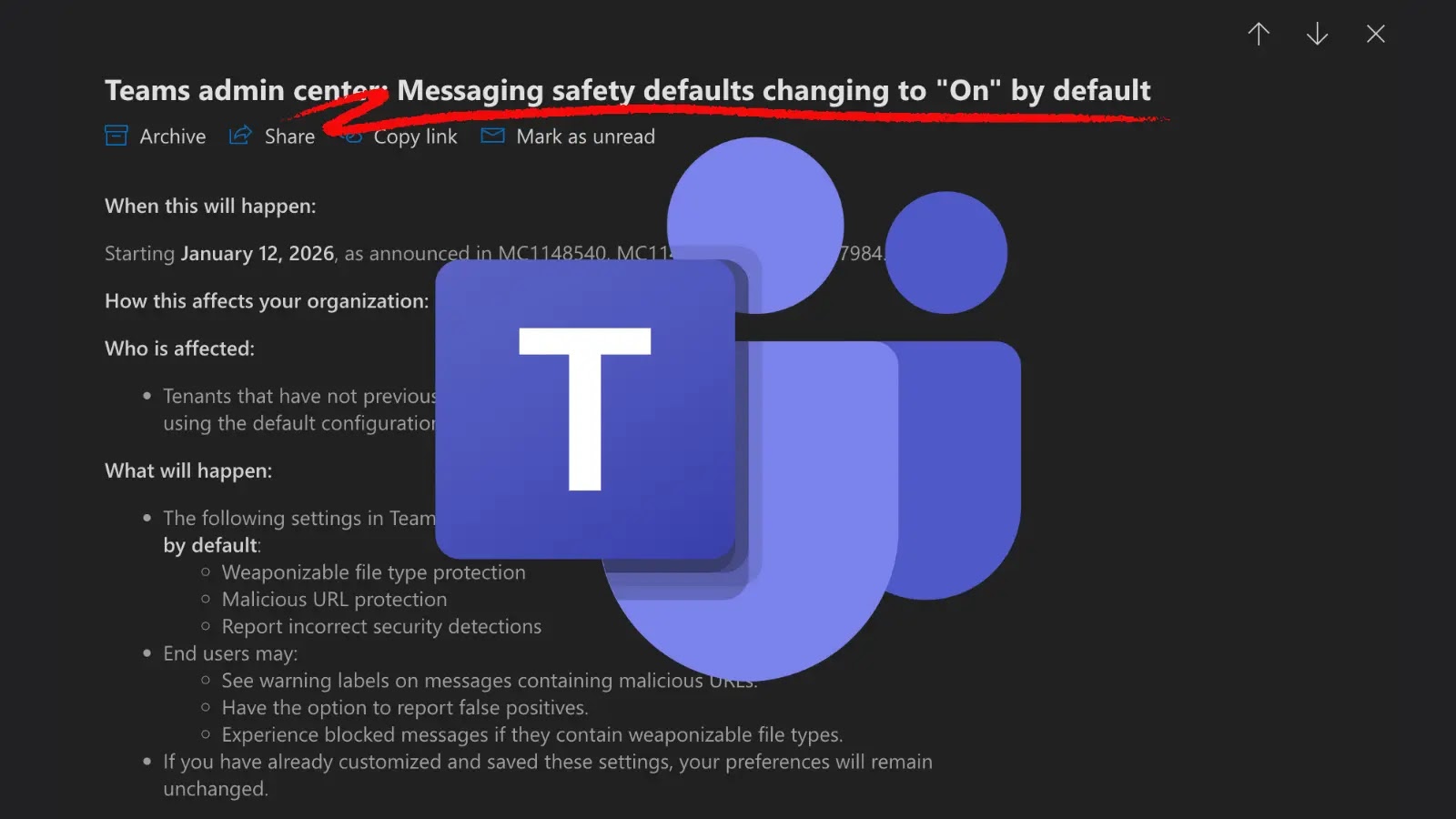
The digital workspace is constantly evolving, and with it, the threats that target our collaborative tools. Microsoft, a titan in enterprise software, is stepping up its game to ensure the safety of its users within the ubiquitous Microsoft Teams platform. A significant shift is on the horizon: starting January 12, 2026, several critical messaging safety features in Microsoft Teams will be automatically enabled by default. This initiative underscores a fundamental move towards a “secure-by-default” posture, impacting all organizations that rely on standard configurations for their Teams environments.
Understanding the “Secure-by-Default” Mandate
The concept of “secure-by-default” is foundational to modern cybersecurity. Rather than placing the onus on administrators to manually activate crucial security settings, this approach ensures that protective measures are active from the outset. For Microsoft Teams, this translates into a more robust baseline security posture for all tenants. The upcoming change means that features designed to safeguard user communication and data within Teams will no longer require explicit opt-in; they will simply be “On” when the deadline arrives.
This proactive stance by Microsoft aims to significantly reduce the attack surface for common threats like phishing, malware distribution, and unauthorized information sharing that can propagate through messaging platforms. By baking security into the core configuration, Microsoft aims to empower organizations with enhanced protection without requiring extensive manual intervention.
Impact on Microsoft Teams Tenants
Organizations currently operating with standard Microsoft Teams configurations are the primary beneficiaries – and those who need to pay close attention to this impending change. If your organization has not already customized or explicitly disabled certain messaging safety features, those features will automatically transition to an “On” state come January 2026. This could include settings related to:
- Link scanning and URL reputation checks.
- Attachment scanning for malicious content.
- Data Loss Prevention (DLP) policies for sensitive information shared in chats.
- Controls over external user collaboration and guest access.
While the specific features have not been exhaustively detailed in the initial announcement, the underlying principle is clear: Microsoft is making it harder for vulnerabilities to be exploited through misconfigured or lax security settings within Teams messaging. This is a welcome development for those struggling with the complexities of managing numerous security configurations.
Prepare for the Transition: Remediation Actions
While January 2026 might seem distant, proactive preparation is crucial. This is not a vulnerability in the traditional sense, but rather a significant policy shift that demands administrative awareness. Organizations should take the following steps:
- Review Current Configurations: Conduct a thorough audit of your Microsoft Teams messaging safety settings. Identify which features are currently enabled, disabled, or custom-configured.
- Understand Microsoft’s Planned Defaults: Keep an eye on official Microsoft communications. While the core announcement is out, more granular details about the specific features affected and their default states will likely be released closer to the implementation date.
- Assess Business Impact: Evaluate how the automatic enablement of these features might affect your organization’s internal workflows or user experience. For example, stricter link scanning might initially flag legitimate internal links if not properly whitelisted.
- Communicate with Stakeholders: Inform your IT and security teams, as well as relevant business units, about the upcoming changes. Proactive communication can prevent unexpected disruptions.
- Plan for Customizations (If Necessary): If certain default settings might impede legitimate business operations, plan to implement specific custom policies that override the new defaults with carefully considered and approved exceptions. This should be done with a clear understanding of the associated security risks.
The Broader Push Towards Enhanced Enterprise Security
This move by Microsoft is indicative of a broader industry trend towards proactive security measures and a “assume breach” mentality. Cloud providers are increasingly taking on more responsibility for baseline security, acknowledging that misconfigurations are a leading cause of data breaches. By strengthening default protections in Microsoft Teams, the company aims to reduce the burden on IT administrators and elevate the overall security posture of its enterprise clients.
This aligns with principles advocated by security frameworks that emphasize a least-privilege approach and secure configurations. While no single change eliminates all threats, this update significantly raises the bar for the security of communication within Microsoft Teams, forcing a more secure environment for sensitive discussions and data exchange.
Key Takeaways for a Secure Future
The impending enforcement of messaging safety defaults in Microsoft Teams represents a pivotal moment for enterprise collaboration security. It reinforces the idea that security should be an inherent quality, not an afterthought. Organizations must view this not as an optional update, but as a fundamental shift in how Teams will operate.
By understanding, preparing for, and adapting to these changes, IT professionals can ensure their organizations continue to leverage the power of Microsoft Teams for collaboration, secure in the knowledge that Microsoft is actively working to protect their digital interactions. Staying informed through official Microsoft channels, like the Microsoft 365 admin center and official blogs, will be paramount in navigating this transition effectively.