
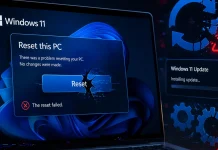
Microsoft Confirms Recent Windows 11 Updates Break Push Button Reset
The Critical Impact of Recent Windows 11 Updates on System Recovery
Imagine this scenario: your Windows 11 system is besieged by malware, riddled with performance issues, or simply needs a fresh start. Your go-to solution is the reliable “Reset this PC” feature, a digital lifeline designed to restore your operating system to a clean state. However, recent developments confirm that this crucial functionality, often referred to as Push-button reset, is failing on systems running the latest Windows 11 updates. This isn’t just an inconvenience; it’s a significant blow to system resilience and user control, leaving many IT professionals and everyday users in a precarious position.
Microsoft has officially acknowledged that specific security updates are at the root of this critical issue. As cybersecurity analysts, understanding the implications and potential remediation is paramount for maintaining robust system health.
Microsoft Confirms Push-Button Reset Failure
The confirmation arrived in the release notes accompanying the March 2026 hotpatch updates, explicitly stating that the “Reset this PC” feature is compromised. This impacts systems running the latest iterations of Windows 11. The core culprit identified is the March 10, 2026, Hotpatch KB5079420. This update, intended to bolster security, inadvertently introduced a severe regression in one of Windows’ most fundamental recovery tools.
For system administrators and end-users alike, this means that attempting a factory reset via the built-in Windows recovery environment may result in an incomplete process, errors, or a complete failure to return the system to a usable state. This leaves individuals and organizations vulnerable to persistent software issues, unremovable malware, or the inability to prepare devices for redeployment or disposal securely.
Understanding the “Reset this PC” Feature
The “Reset this PC” feature in Windows 11 (and previous versions) provides two primary options:
- Keep my files: This option reinstalls Windows but preserves your personal files. It removes apps and drivers that didn’t come with your PC and any changes made to settings.
- Remove everything: This option completely wipes the drive where Windows is installed and then reinstalls the operating system. It’s ideal for selling or giving away your PC, or for resolving deep-seated system corruption.
Both options rely on a healthy recovery image and the ability of the operating system to successfully execute the reset procedure. The breaking of this feature due to KB5079420, a security hotpatch, highlights a critical conflict between security enhancements and core system functionality.
Impact and Potential Ramifications
The repercussions of a non-functional “Reset this PC” are considerable:
- Increased Downtime: Users facing severe system issues will spend more time troubleshooting or resorting to more complex and time-consuming reinstallation methods.
- Data Security Risks: For devices being decommissioned, the inability to reliably “Remove everything” poses a significant data security risk, as sensitive information might remain on the drives.
- Malware Persistence: In scenarios involving stubborn malware that deeply embeds itself within the system, a reliable reset is often the only definitive way to eradicate it. Without it, infections could persist.
- IT Burden: IT departments will face an increased workload as they might have to manually reimage affected machines, negating the efficiency gained by the automated reset feature.
While this issue does not have an associated CVE, its operational impact is akin to a serious vulnerability, as it compromises an essential security and maintenance tool.
Remediation Actions and Workarounds
Given Microsoft’s acknowledgment, a permanent fix is likely in the pipeline. However, until then, several strategies can mitigate the impact:
- Pause Updates: For organizations with strict change management, pausing the deployment of KB5079420 (if not already applied) and subsequent related updates until a fix is released is a prudent step.
- System Image Backups: Regularly creating full system image backups using tools like Windows Backup and Restore (Legacy) or third-party imaging software (e.g., Acronis Cyber Protect Home Office, Macrium Reflect) offers a reliable fallback. If a reset fails, you can restore from a known good image.
- Clean Installation Media: Keep a bootable USB drive or DVD with the latest Windows 11 installation media. This allows for a clean installation of the operating system, bypassing the broken Push-button reset feature. Remember to back up all important data before proceeding with this method.
- Utilize Cloud Backup Services: Ensure critical user data is regularly backed up to cloud services (OneDrive, Google Drive, Dropbox, etc.) or external drives. This minimizes data loss risk should a full system reinstallation be necessary.
- Enterprise-Level Solutions: For managed environments, consider leveraging deployment solutions like Microsoft Endpoint Configuration Manager (MECM) or Microsoft Intune to deploy new operating system images when devices require a refresh.
Conclusion
The recent revelation that Windows 11 updates are breaking the “Reset this PC” feature is a stark reminder that even seemingly routine updates can introduce significant operational challenges. While Microsoft is certainly working on a resolution, the interim period demands a proactive approach from users and IT professionals. By understanding the problem, implementing robust backup strategies, and having alternative recovery methods at the ready, we can navigate this setback effectively and maintain the integrity and usability of our Windows 11 systems. Stay vigilant for official Microsoft patches addressing this critical issue.




