
Microsoft Investigates MFA Setup Failure and MySigns-In Portal Outage
Microsoft Investigates M365 MFA Setup Failure and MySignins Portal Outage
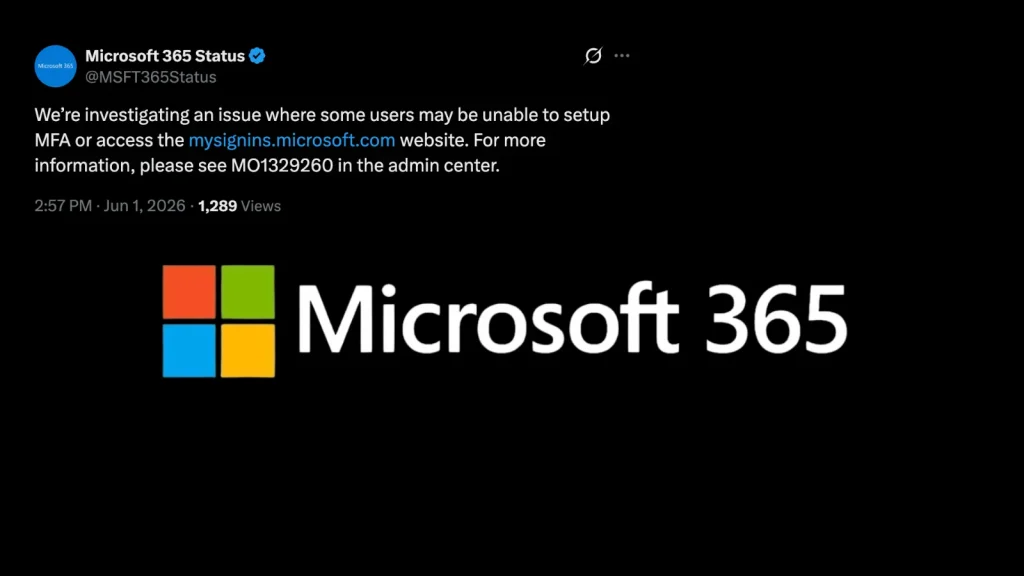
The reliability of multi-factor authentication (MFA) is paramount in securing digital identities. When core services supporting MFA experience disruption, it sends ripples of concern through the IT security community. Microsoft is currently investigating a service disruption affecting users attempting to set up multi-factor authentication (MFA) or access the self-service sign-in portal at mysignins.microsoft.com.
This incident, specifically acknowledged by the company’s Microsoft 365 Status account on X (formerly Twitter) on June 1, 2026, highlights potential challenges in maintaining continuous access to essential security infrastructure. The official statement indicated, “We’re investigating an issue where some users are unable to set up MFA or access the My Sign-ins portal.” While the immediate impact appears directed at setup and self-service, any interruption to MFA services warrants close attention.
Understanding the Impact of MFA Service Disruptions
Multi-factor authentication adds a critical layer of security beyond just a username and password. By requiring two or more verification factors, it significantly reduces the risk of unauthorized access even if credentials are stolen. A disruption affecting MFA setup means new users or those needing to reconfigure their MFA settings could be unable to properly secure their accounts, leaving them vulnerable to various cyber threats. Furthermore, an outage of the MySignins portal (mysignins.microsoft.com) directly impacts users’ ability to manage their security information, review sign-in activity, and troubleshoot issues independently.
The inability to perform these actions can lead to:
- Increased Attack Surface: Accounts without MFA are easier targets for credential stuffing, phishing, and brute-force attacks.
- Operational Delays: New employee onboarding or security mandate compliance could be stalled.
- User Frustration: Users unable to manage their security settings or review suspicious activity can lose trust in the platform’s reliability.
- Help Desk Strain: A surge in support tickets from users unable to self-service their MFA issues.
Microsoft’s Response and Investigation
Microsoft’s proactive acknowledgment of the issue via their Microsoft 365 Status account on X (formerly Twitter) on June 1, 2026, demonstrates their commitment to transparency and communication during service incidents. While specific root causes are still under investigation, the nature of the disruption points towards issues within the Azure Active Directory (now Microsoft Entra ID) services that underpin MFA and user identity management. Organizations relying heavily on Microsoft 365 services for their daily operations should monitor Microsoft’s status updates closely.
As of now, Microsoft has not released details regarding the duration of the outage or the specific components affected beyond the general description. For ongoing updates, users and administrators should refer to the official Microsoft 365 Service Health Dashboard.
Remediation Actions and Best Practices for Organizations
While Microsoft investigates and resolves the incident, organizations should adopt proactive measures to mitigate potential risks and ensure operational continuity. There is no specific CVE associated with this service disruption, as it is an operational incident rather than a software vulnerability.
Immediate Actions:
- Monitor Microsoft’s Service Health Dashboard: Regularly check the Microsoft 365 Service Health Dashboard for official updates and resolution timelines.
- Communicate Internally: Inform users about the ongoing issue and provide guidance on what steps they should or should not take regarding MFA setup during this period.
- Prioritize Existing MFA Users: Ensure that users who already have MFA configured continue to use it. This incident primarily affects new setups or management.
- Review Conditional Access Policies: Temporarily adjust or review conditional access policies if the inability to set up MFA is blocking critical access, but only as a last resort and with extreme caution.
Long-Term Best Practices:
- Diversify MFA Methods: Encourage the use of multiple MFA methods (e.g., authenticator apps, FIDO2 security keys) to provide redundancy.
- Implement Regular Security Awareness Training: Educate users about the importance of MFA and how to recognize and report suspicious activity.
- Develop Contingency Plans: Have a clear plan for identity and access management in case of extended service disruptions affecting core authentication services.
- Leverage Identity Protection Features: Utilize Microsoft Entra ID Protection to detect potential identity breaches and automate remedial actions.
Conclusion
The ongoing investigation by Microsoft into the MFA setup failure and MySignins portal outage underscores the critical reliance organizations place on these foundational security services. While the direct impact focuses on new MFA configurations and self-service portal access, the incident serves as a pertinent reminder of the need for robust identity management strategies and proactive monitoring of cloud service health. Staying informed through official channels and implementing best practices will help organizations navigate such disruptions effectively and maintain a strong security posture.




