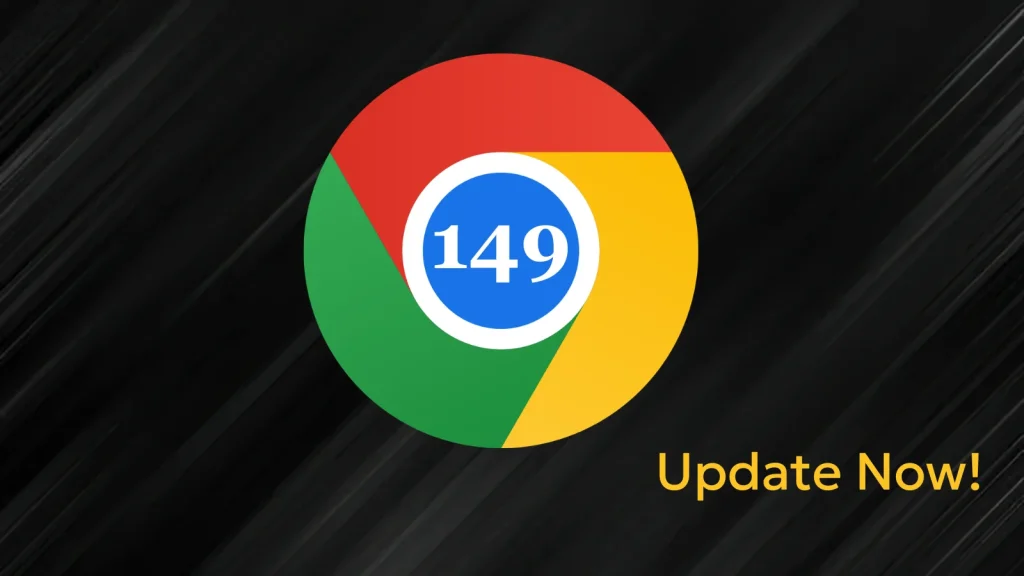
Chrome 149 Security Update — Patch for Critical Flaws that Enable Code Execution Attacks
Google Chrome is more than just a browser; for many, it’s the gateway to their digital world. This ubiquity makes its security paramount. Recently, Google rolled out a critical security update, pushing the Stable channel to version 149.0.7827.196/197 for Windows and Mac, and 149.0.7827.196 for Linux. This isn’t just another routine patch; it’s a vital response to a significant number of security vulnerabilities, including several critical flaws that could enable sophisticated code execution attacks.
For cybersecurity analysts, IT professionals, and developers, understanding the implications of these updates is non-negotiable. Compromised browsers are a prime vector for initial access, data exfiltration, and a multitude of other malicious activities. Let’s delve into the specifics of this Chrome 149 update and what it means for your digital security posture.
Understanding the Threat: Critical Code Execution Vulnerabilities
The Chrome 149 security update addresses a total of 18 security vulnerabilities. Among these, four are rated as Critical severity, and fourteen are rated as High severity. This composition alone signals a serious risk profile. Critically, several of these flaws could allow attackers to execute arbitrary code on affected systems. This is the holy grail for attackers, as command execution grants them significant control, potentially leading to system compromise, data theft, or further network infiltration.
While the specific details of all 18 vulnerabilities are often withheld for a period to prevent immediate exploitation, the presence of critical code execution flaws necessitates immediate attention. These types of vulnerabilities often stem from memory corruption issues, improper input validation, or logical flaws in complex components like the V8 JavaScript engine or rendering engines.
Key Vulnerabilities Patched in Chrome 149
Google’s advisory highlights several critical and high-severity issues. Although Google often maintains a degree of discretion regarding specific CVE details immediately post-release to allow users time to update, their public acknowledgement of “critical” and “high” severity bugs, particularly those leading to arbitrary code execution, serves as a strong warning. We can infer that these likely involve weaknesses in core browser components responsible for processing web content, executing JavaScript, or handling network protocols.
Historically, critical Chrome vulnerabilities often involve:
- Type Confusion: A vulnerability where a program attempts to access a resource with an incompatible type. If an attacker can manipulate this, they can often achieve arbitrary code execution.
- Use-after-free: Occurs when a program tries to use memory after it has been freed. Attackers can exploit this to inject malicious code or manipulate program flow.
- Heap Buffer Overflow: Writing beyond the allocated buffer in the heap memory, potentially overwriting adjacent data structures and leading to arbitrary code execution.
- Integer Overflow: When an arithmetic operation attempts to create a numeric value that is too large to be stored in the available memory space, leading to unexpected behavior and potential exploitability.
While specific CVEs were not immediately linked in the source, it is prudent to monitor the official CVE database for the formal assignment and detailed descriptions as they become public. This will provide deeper insights into the technical nature of these severe flaws.
Remediation Actions: Patch Now!
Given the severity of the vulnerabilities, particularly those enabling arbitrary code execution, immediate action is required. Updating Google Chrome is a straightforward yet critical step for maintaining endpoint security.
- Update Google Chrome Immediately: Ensure your Chrome browser is updated to the latest stable version:
- Windows & Mac: 149.0.7827.196/197
- Linux: 149.0.7827.196
To update, go to Chrome’s menu (three dots in the top right corner) > Help > About Google Chrome. The browser will automatically check for and apply updates. A restart will be required to finalize the process.
- Enable Automatic Updates: For enterprise environments, ensure Group Policies or other management tools are configured to enforce automatic Chrome updates across all managed devices. For individual users, verify that automatic updates are enabled in browser settings.
- Educate Users: Remind users about the importance of keeping their browsers updated and being wary of suspicious links or downloads, as exploited vulnerabilities often complement phishing or social engineering tactics.
The Proactive Security Posture
Beyond immediate patching, a proactive security posture is essential. This includes:
- Regular Software Audits: Periodically audit all installed software and applications for outdated versions and potential vulnerabilities.
- Endpoint Detection & Response (EDR): Deploy EDR solutions capable of detecting and responding to anomalous activity that might indicate exploitation attempts, even zero-day attacks.
- Network Segmentation: Implement network segmentation to limit the lateral movement of attackers should an endpoint be compromised.
- Browser Isolation: Consider browser isolation technologies for high-risk users or for accessing un-trusted web content, which can contain browser-based exploits.
Tools for Detection and Mitigation
While direct detection of a specific Chrome vulnerability exploit in the wild can be challenging, a robust set of security tools aids in overall endpoint protection and anomaly detection.
| Tool Name | Purpose | Link |
|---|---|---|
| Endpoint Protection Platforms (EPP) | General endpoint security, anti-malware, behavioral detection. | (Vendor-specific) |
| Endpoint Detection & Response (EDR) | Advanced threat detection, incident response, behavioral analytics. | (Vendor-specific) |
| Vulnerability Management Systems (VMS) | Identifies unpatched software across an IT environment. | (e.g., Qualys, Tenable) |
| Google Chrome Enterprise Policies | Manages and enforces browser security settings and updates in organizations. | Google Chrome Enterprise Help |
| Browser Sandboxing/Isolation | Isolates browser sessions from the operating system to prevent exploits. | (e.g., Menlo Security, Zscaler) |
Conclusion: Stay Vigilant, Stay Secure
The Chrome 149 security update is a stark reminder of the continuous battle against cyber threats. Critical vulnerabilities that enable code execution are among the most dangerous, offering attackers a direct pathway to compromise. By promptly applying this essential patch and maintaining a proactive security posture, organizations and individual users can significantly reduce their risk exposure. Prioritize these updates, leverage your security tools, and remain vigilant against evolving cyber threats.