
Hackers Don’t Crack Telegram 2FA—They Copy Your Already Logged-In Session
Telegram, a communication platform celebrated for its robust security features, including end-to-end encryption and two-factor authentication (2FA), faces a sneaky new threat. While many cybersecurity discussions focus on brute-forcing passwords or bypassing 2FA mechanisms, a recently identified macOS information-stealing malware takes a different, far more insidious approach. It doesn’t crack Telegram’s sophisticated defenses; it simply walks right in using your existing session. This method highlights a critical blind spot in how we think about account security, moving beyond credential theft to session hijacking.
The Deceptive Simplicity of Session Hijacking
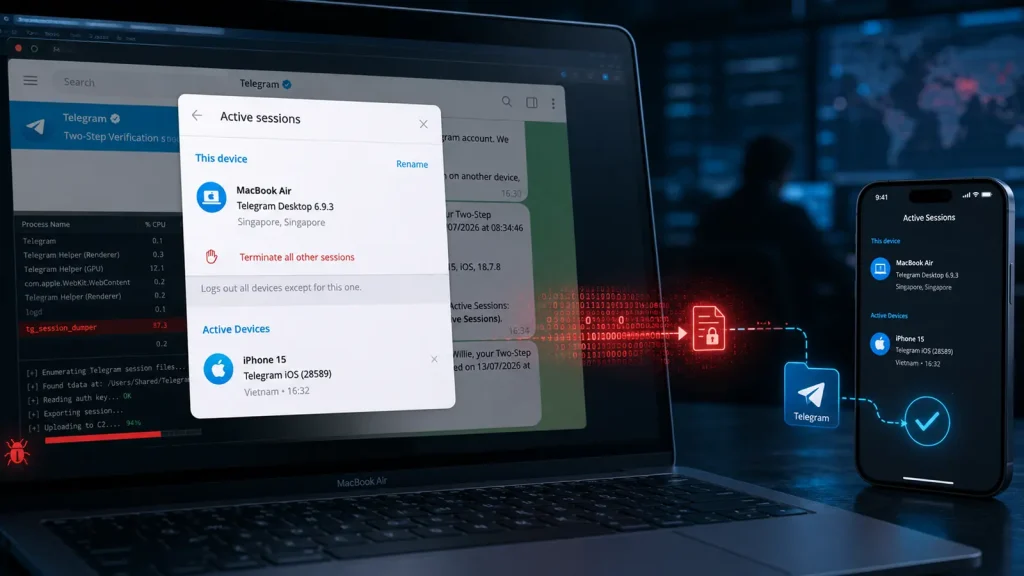
The core of this attack vector lies not in cryptographic exploits or even phishing for login credentials. Instead, the macOS malware targets the local files that Telegram Desktop uses to verify an already logged-in session. When a user logs into Telegram on their desktop, the application stores specific session tokens and configurations locally. These files essentially act as a digital key, proving to Telegram that the user has already authenticated and is authorized to access their chats and data.
The malicious software’s genius lies in its simplicity. Rather than attempting to guess a password or bypass a 2FA prompt – which Telegram’s strong cryptographic implementations make exceedingly difficult – it merely copies these pre-existing session files. Once these files are exfiltrated and restored on another macOS device controlled by the attacker, Telegram Desktop opens and synchronizes the victim’s chats without triggering any login screens or 2FA challenges. This effectively gives the hacker immediate, unfettered access to the victim’s entire Telegram history, contacts, and ongoing conversations.
Beyond Passwords: The Local File Vulnerability
This attack underscores a critical lesson: robust 2FA and strong passwords are indispensable, but they are not a silver bullet against all forms of account compromise. The vulnerability here isn’t in Telegram’s authentication protocol itself, but in the potential compromise of the local environment where session data is stored. If an attacker gains unauthorized access to a user’s device, particularly through malware, the security benefits of 2FA can be nullified.
While a specific CVE for this particular macOS session hijacking method hasn’t been widely publicized, it falls under the broader category of information-stealing malware often leveraged for CVE-2023-38831 related to malicious applications and unauthorized data access. The effective exploitation hinges on initial system access, which can be achieved through various means, including malvertising, drive-by downloads, or social engineering tactics leading to malware execution.
Remediation Actions and Best Practices
Mitigating this type of sophisticated account compromise requires a multi-layered security strategy that goes beyond traditional password hygiene. Here are crucial steps for individuals and organizations:
- Endpoint Security: Ensure robust endpoint detection and response (EDR) solutions are deployed and up-to-date. These tools are designed to detect and prevent the execution of malicious software, including information stealers.
- Regular Software Updates: Keep your operating system (macOS) and all applications, especially Telegram Desktop, updated to their latest versions. Software updates often include security patches that address vulnerabilities exploited by malware.
- Beware of Phishing and Malicious Downloads: Exercise extreme caution with email attachments, downloadable files, and links from unknown or suspicious sources. Initial compromises often stem from social engineering and deceptive tactics.
- Restrict User Permissions: Operate with the principle of least privilege. Avoid running applications with administrative rights unless absolutely necessary. This can limit the damage an information-stealing malware can inflict.
- Monitor for Suspicious Activity: Regularly review logged-in sessions on Telegram (Settings > Devices > Link Desktop Device). If you see an unfamiliar device, immediately terminate its session.
- Consider Full Disk Encryption: For macOS users, ensure FileVault is enabled. While it won’t protect against active session theft on an unlocked, compromised machine, it adds a layer of protection if your device is physically stolen.
- Implement Application Whitelisting: For corporate environments, consider implementing application whitelisting to prevent unauthorized software, and thus potential info-stealers, from running.
Recommended Tools for Enhanced Security
To further bolster your defenses against information-stealing malware and potential session hijacking, consider leveraging the following tools:
| Tool Name | Purpose | Link |
|---|---|---|
| Malwarebytes for Mac | Anti-malware, endpoint protection against info-stealers. | https://www.malwarebytes.com/mac |
| SentinelOne Singularity | AI-powered EDR for robust threat detection and response. | https://www.sentinelone.com/ |
| Little Snitch | Firewall and network monitor for macOS, alerts on outbound connections. | https://www.obdev.at/products/littlesnitch/index.html |
| Carbon Black Cloud Endpoint | Advanced endpoint security, behavioral analytics. | https://www.vmware.com/security/products/carbon-black-cloud-endpoint.html |
Session Hijacking: A Persistent Threat
The revelation that attackers are not “cracking” Telegram’s 2FA but rather co-opting existing, legitimate sessions serves as a crucial reminder. In the evolving landscape of cyber threats, attackers often seek the path of least resistance. Directly exploiting a system’s trust in an ongoing session can be far more effective than attempting to break strong cryptographic controls. This attack vector highlights the importance of comprehensive endpoint security, user education, and vigilance against all forms of malware. Protecting your local environment is as critical as securing your credentials.




