
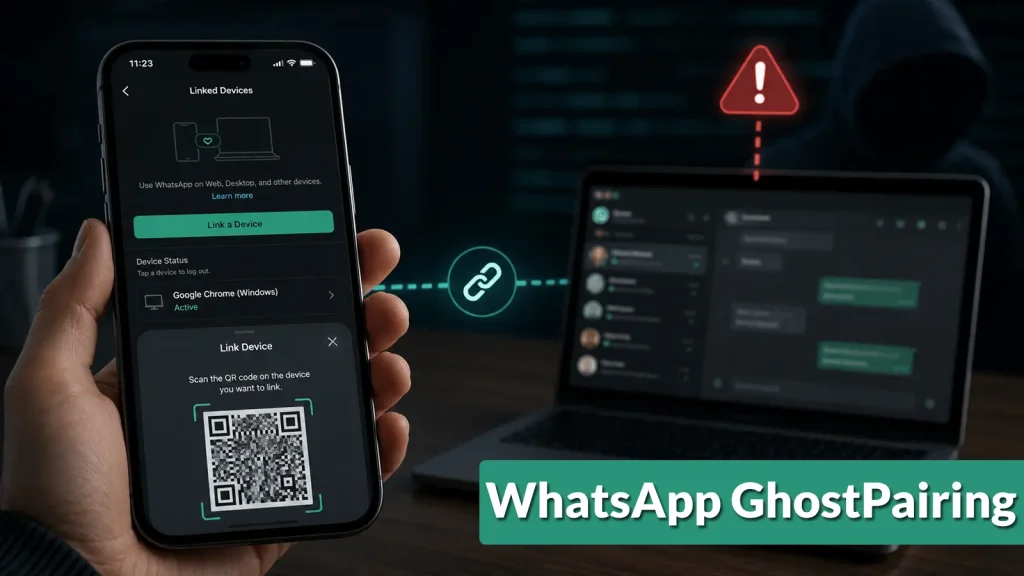
WhatsApp GhostPairing Lets Scammers Hijack Accounts Without Stealing Passwords
In an alarming development for digital security, a novel social engineering technique dubbed “GhostPairing” is enabling scammers to hijack WhatsApp accounts without the need for traditional password theft or one-time verification codes. This sophisticated attack vector exploits a legitimate feature within WhatsApp’s architecture, turning a convenience into a significant vulnerability. As cybersecurity professionals, understanding and mitigating such nuanced threats is paramount to safeguarding user data and trust.
Understanding the GhostPairing Threat
GhostPairing isn’t a direct hack of WhatsApp’s underlying services. Instead, it leverages the platform’s legitimate device-linking mechanism. WhatsApp allows users to link secondary devices (like a web browser or a desktop application) by scanning a QR code with their primary phone. This feature, designed for convenience, becomes the Achilles’ heel in the GhostPairing scam.
The core of the attack relies on sophisticated social engineering. Scammers manipulate victims into approving a new, unauthorized device connection. Unlike traditional phishing, where users are tricked into divulging credentials, GhostPairing persuades victims to perform an action that directly grants account access. This sidesteps the need for a compromised password or intercepting a two-factor authentication (2FA) code, making it particularly insidious.
The Mechanics of a GhostPairing Attack
The attack typically unfolds through a series of carefully orchestrated steps:
- Initial Contact: Scammers often initiate contact through seemingly innocuous messages, perhaps impersonating a known contact or a legitimate service.
- Social Engineering Ploy: Through various pretexts (e.g., claiming to “accidentally” send a verification code, or needing assistance with a technical issue), the scammer convinces the victim that they need to scan a QR code.
- Device Pairing: The scammer presents a QR code (generated from their attempt to link a new device to the victim’s account). The victim, under duress or deception, scans this QR code using their primary WhatsApp application.
- Account Hijack: Once the QR code is scanned and approved by the victim, the scammer’s device is successfully linked to the victim’s WhatsApp account. This grants the scammer full access to messages, contacts, and the ability to send messages as the victim.
This method circumvents traditional security measures because the “approval” comes directly from the legitimate account holder, making it appear as an authorized action to WhatsApp’s systems.
Remediation Actions and Best Practices
Protecting against GhostPairing requires a multi-faceted approach focusing on user education and proactive security habits. There is no specific CVE number associated with social engineering techniques like GhostPairing, as it exploits human behavior rather than a software vulnerability. However, the principles of defense remain crucial.
- Educate Users on Device Linking: Emphasize that linking a new device always requires scanning a QR code from the primary phone. Users should be highly suspicious of any request to scan a QR code from an unknown source.
- Verify Identity: Always verify the identity of anyone requesting you to perform a sensitive action like linking a device, even if they appear to be a known contact. If in doubt, call them directly using a known number.
- Regularly Review Linked Devices: WhatsApp provides a feature to review and manage all linked devices. Users should regularly check this list and immediately remove any unfamiliar or unauthorized devices. This can be found under “Linked Devices” in WhatsApp settings.
- Enable and Understand Two-Step Verification (TSV): While GhostPairing bypasses the need for a simple OTP, having Two-Step Verification enabled adds an extra layer of security. Even if a scammer gains access via GhostPairing, they may struggle to fully control the account or change critical settings due to the TSV PIN.
- Exercise Prudence with QR Code Scans: Treat any request to scan a QR code with extreme caution, especially if it comes from an unexpected or unverified source.
Threat Detection and Prevention Tools
While GhostPairing is primarily a social engineering threat, certain security tools and practices enhance overall account security and help detect anomalous activities.
| Tool Name | Purpose | Link |
|---|---|---|
| WhatsApp Linked Devices Feature | Monitor and manage authenticated devices linked to your account. | WhatsApp FAQ |
| Mobile Device Management (MDM) Solutions | For corporate environments, MDM can enforce policies and monitor device health, indirectly reducing susceptibility to social engineering. | Varies by vendor (e.g., Microsoft Intune, Jamf Pro) |
| User Awareness Training Platforms | Educate employees and users about social engineering tactics, including QR code scams and identity verification. | Varies by vendor (e.g., KnowBe4, PhishMe) |
Concluding Thoughts
The emergence of GhostPairing underscores the evolving landscape of digital threats. Attackers are constantly innovating, moving beyond conventional methods to exploit human behavior and legitimate system functionalities. For cybersecurity professionals, the lesson is clear: robust technical controls must be complemented by vigilant user education and a culture of security awareness. Remaining proactive in understanding these new social engineering vectors is crucial to safeguarding personal and organizational digital identities.




