Projextor Shows How Malware Can Hide Behind Trusted Electron Executables
The Trojan in Your Toolkit: How Projextor Malware Exploits Trusted Electron Executables
Imagine downloading a seemingly benign document converter, a handy recipe organizer, or a useful meal planner, only for it to secretly unleash a sophisticated malware campaign onto your system. This isn’t a hypothetical scenario; it’s the insidious reality of the Projextor malware campaign. Cyber attackers are increasingly leveraging the trust users place in everyday desktop applications, particularly those built on the popular Electron framework, to mask their malicious intent. This post delves into how Projextor operates and, more importantly, how organizations and individuals can defend against such stealthy threats.
Projextor’s Deceptive Disguise: Weaponizing Electron Applications
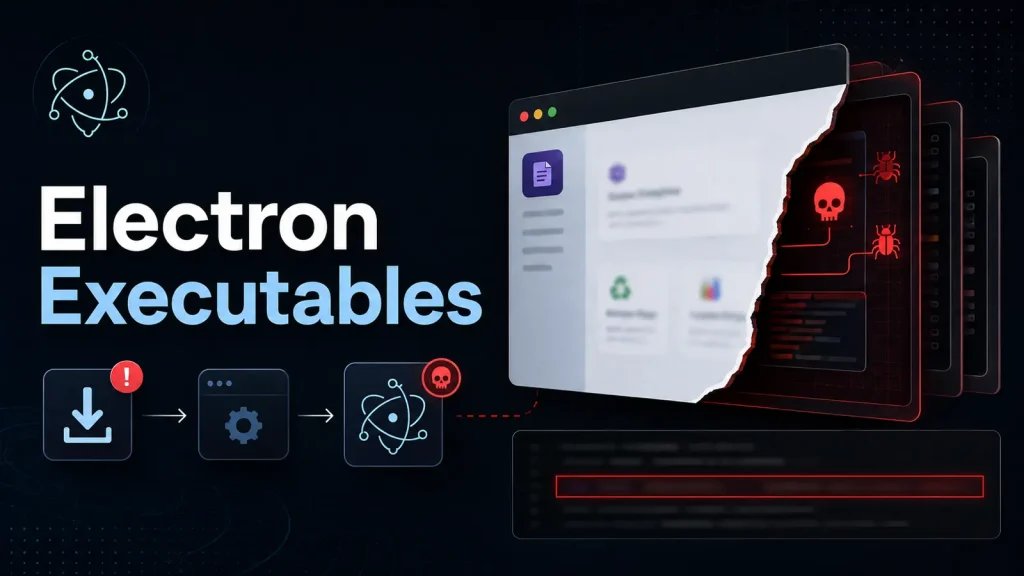
The core of the Projextor campaign lies in its deceptive packaging. Rather than relying on overt phishing or complex zero-day exploits, Projextor’s operators embrace a far more subtle approach: social engineering combined with legitimate-looking software. They package their malware inside fully functional, albeit malicious, versions of everyday desktop tools. These applications, often built using the Electron framework, provide a familiar and seemingly trustworthy interface to the user.
Electron, a framework that allows developers to build cross-platform desktop GUI applications using web technologies, is widely used for popular software like VS Code, Slack, and Spotify. This widespread adoption also makes it an attractive target for threat actors. Projextor leverages this by:
- Bundling Malware with Functionality: The downloaded application isn’t just a shell; it performs its advertised function (e.g., converting documents, managing recipes). This immediate utility builds trust and distracts from the hidden malicious payload.
- Lookalike Download Sites: The malware is distributed through convincing fake websites designed to mimic legitimate software download portals. Victims are lured into downloading what they believe is free and useful productivity software.
- Stealthy Installation: While the legitimate application installs and runs, the hidden Projextor components execute in the background, establishing persistence and potentially exfiltrating data or deploying further payloads.
The Mechanism of Deception: How Projextor Operates
Once a user downloads and installs a Projextor-infected Electron application, the threat actor’s objectives can vary. The initial goal is typically to establish a foothold and maintain persistence on the compromised system. This can lead to:
- Information Theft: Harvesting sensitive data such as login credentials, financial information, or personal documents.
- Remote Control: Granting attackers remote access to the victim’s machine for further malicious activities.
- Further Malware Deployment: Using the established foothold to download and execute additional, more specialized malware.
- Cryptocurrency Mining: Secretly utilizing the victim’s system resources for unauthorized cryptocurrency mining.
The challenge with Projextor and similar campaigns is that the initial compromise appears innocuous. The user gets a working application, and the malicious activity operates under the radar, often leveraging the legitimate processes of the Electron application itself.
Remediation Actions: Protecting Against Projextor and Similar Threats
Mitigating the risk of Projextor and other malware hidden within trusted executables requires a multi-layered approach focusing on user education, robust security practices, and advanced detection capabilities.
- Source Verification: Always download software directly from the official developer’s website or trusted, verified app stores. Avoid third-party download sites, even if they appear legitimate.
- Endpoint Detection and Response (EDR): Implement and actively monitor EDR solutions. These tools can detect suspicious behaviors even from seemingly legitimate processes, identifying anomalies that indicate malware activity.
- Antivirus/Anti-Malware Solutions: Ensure all systems are equipped with up-to-date antivirus and anti-malware software with real-time protection enabled.
- User Education: Train employees and users to be wary of unexpected downloads, unsolicited emails, and suspicious websites. Emphasize the importance of verifying software sources.
- Least Privilege Principle: Operate user accounts with the least necessary privileges. Restricting administrative rights can limit the impact of successful malware installations.
- Application Whitelisting: Consider implementing application whitelisting policies that only allow approved applications to run on your systems. This can significantly restrict the execution of unauthorized software.
- Network Traffic Monitoring: Monitor network traffic for unusual outbound connections or communication with known command-and-control (C2) servers.
- Regular Backups: Maintain regular, off-site backups of critical data to minimize the impact of data loss due to malware.
Tools for Detection and Mitigation
Employing the right tools is crucial for both preventing and responding to threats like Projextor. Here are some categories of tools that can assist:
| Tool Category | Purpose | Examples/Link |
|---|---|---|
| Endpoint Detection & Response (EDR) | Advanced threat detection, incident response, and forensic capabilities on endpoints. | CrowdStrike Falcon Insight, Microsoft Defender for Endpoint |
| Next-Generation Antivirus (NGAV) | Heuristic and AI-based detection of new and evolving threats. | SentinelOne Singularity Platform, Palo Alto Networks Cortex XDR |
| Network Monitoring & IDS/IPS | Detecting suspicious network traffic, C2 communications, and intrusion attempts. | Snort, Suricata |
| Application Whitelisting Software | Restricting executable code to an approved list, preventing unauthorized applications from running. | Microsoft Defender Application Control, Ivanti Application Control |
| Threat Intelligence Platforms (TIP) | Aggregating and analyzing threat data to identify known malicious indicators. | Recorded Future, MISP |
Conclusion
The Projextor malware campaign serves as a stark reminder that cyber threats are constantly evolving, exploiting not just technical vulnerabilities but also human trust. The tactic of hiding malware behind seemingly innocuous, useful Electron applications is particularly insidious because it leverages familiar software and lookalike distribution channels. By understanding these deception techniques and implementing robust cybersecurity measures – from diligent source verification and user education to advanced endpoint protection and network monitoring – organizations and individuals can significantly reduce their exposure to such sophisticated and stealthy attacks. Vigilance and a proactive security posture remain the strongest defenses in the face of ever-adapting cyber adversaries.