
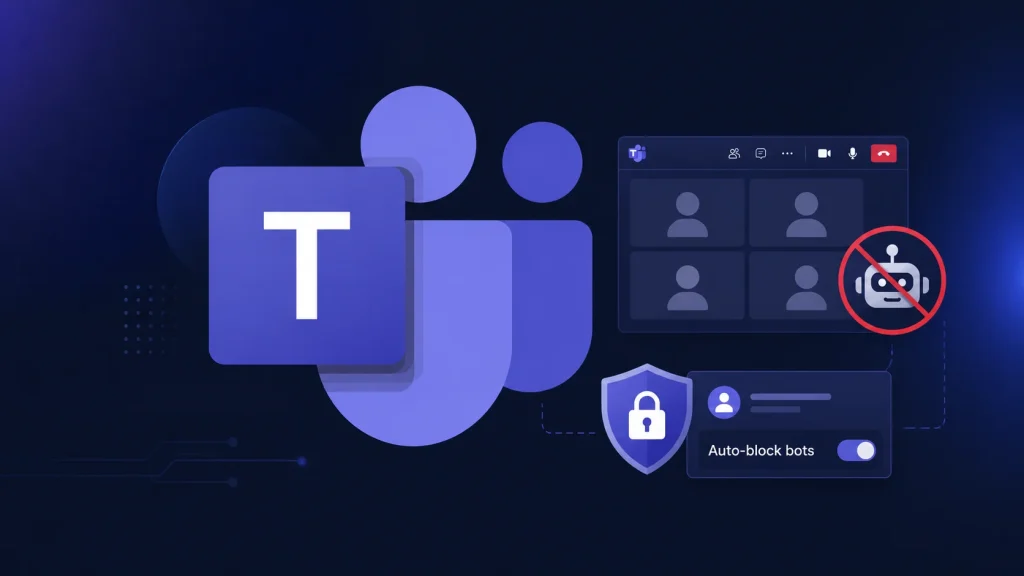
Microsoft Teams’ New Policy Lets Admins Automatically Block Meeting Bots
In the evolving landscape of virtual collaboration, the proliferation of automated tools designed to enhance productivity has, paradoxically, introduced new security and privacy challenges. Microsoft Teams, a ubiquitous platform for businesses worldwide, is now addressing a significant concern: the uninvited presence of meeting bots. These automated participants, ranging from legitimate note-takers to potentially malicious data scrapers, have operated with relative freedom. However, Microsoft is rolling out a crucial policy update that empowers administrators to automatically block these external entities, significantly bolstering meeting integrity and data security.
The Rise of Meeting Bots and Associated Risks
For months, automated notetakers, transcription services, and AI assistants have seamlessly joined Microsoft Teams meetings, often without explicit invitation or easy detection by attendees. While many of these tools offer undeniable benefits in terms of productivity and accessibility, their unregulated presence poses several risks:
- Data Eavesdropping: Bots could potentially record sensitive discussions, extract confidential information, or transcribe proprietary data without proper authorization.
- Privacy Violations: The presence of uninvited recording or transcription bots can infringe upon attendee privacy expectations, especially in sensitive discussions.
- Compliance Issues: Organizations operating under strict data protection regulations (e.g., GDPR, HIPAA) could face compliance breaches if sensitive information is inadvertently captured and processed by unapproved third-party bots.
- Resource Consumption: While often negligible, a surge of unmanaged bots could, in extreme scenarios, consume network resources or impact meeting performance.
This policy change directly addresses a gap that these automated entities have exploited, offering a robust defense against potential digital eavesdroppers and enhancing overall meeting governance.
Microsoft Teams’ New Automated Blocking Policy
Microsoft has confirmed a significant enhancement to Microsoft Teams’ security posture. The new policy grants administrators the ability to automatically block identified external meeting bots from joining meetings. This move is a strategic response to the growing presence of these automated tools and the inherent risks they present when not properly managed.
This administrative control provides a critical layer of defense, allowing IT departments to enforce stricter policies regarding external participants. By leveraging this feature, organizations can ensure that only approved and verified tools are granted access to sensitive discussions, thereby mitigating the risks of data exposure and privacy breaches.
Who Benefits from This Policy Change?
This policy update offers significant advantages for several key stakeholders:
- IT Administrators: Gain granular control over who and what can join Teams meetings, simplifying compliance efforts and enhancing security posture without the need for manual intervention in every meeting.
- Organizations: Can better protect sensitive data and intellectual property discussed in virtual meetings, reducing the risk of unauthorized access or exposure.
- Meeting Participants: Benefit from increased privacy and security, knowing that their discussions are less susceptible to uninvited recording or transcription by unknown entities.
- Compliance Officers: Are better equipped to meet regulatory requirements by having a robust mechanism to prevent unauthorized data processing by third-party bots.
Remediation and Best Practice Recommendations
While this new policy provides a powerful tool, it’s part of a broader strategy for securing Microsoft Teams environments. Here are key remediation actions and best practices:
- Enable and Configure Bot Blocking: Administrators should promptly enable and configure the new automatic bot blocking policy within their Microsoft Teams administration console as soon as it becomes available. Regularly review and update the list of allowed or blocked bots based on organizational needs and risk assessments.
- Implement Conditional Access Policies: Leverage Azure Active Directory Conditional Access policies to restrict access to Teams based on device compliance, location, and user risk level.
- Educate Users: Conduct awareness training for all Teams users on the risks associated with external bots, the importance of not sharing meeting links indiscriminately, and how to identify suspicious participants.
- Regularly Review Guest Access Settings: Periodically audit and refine guest access settings for Teams to ensure that external users and entities only have the necessary permissions.
- Monitor Audit Logs: Utilize Microsoft 365 audit logs to track meeting activities, including participant joins and departures, to identify any unusual or unauthorized bot activity that might bypass initial controls.
- Enforce Meeting Options: Encourage or enforce meeting organizers to utilize Teams meeting options such as “Who can bypass the lobby?” and “Who can present?” to further control meeting access and participant roles.
This policy change by Microsoft is a proactive step towards creating a more secure and controlled virtual meeting environment. It reflects an understanding of the evolving threat landscape in digital collaboration and provides administrators with essential tools to manage these new risks effectively.
Summary
Microsoft Teams is introducing a critical security update empowering administrators to automatically block external meeting bots, effectively closing a significant security and privacy gap. This new policy provides a robust defense against unwanted automated notetakers, transcription tools, and AI assistants that could otherwise access and process sensitive meeting data. The move enhances organizational data protection, improves user privacy, and aids in compliance efforts. Administrators are urged to implement this new feature and combine it with comprehensive security practices, including user education, conditional access, and diligent monitoring, to maintain a secure and controlled virtual collaboration environment.




