
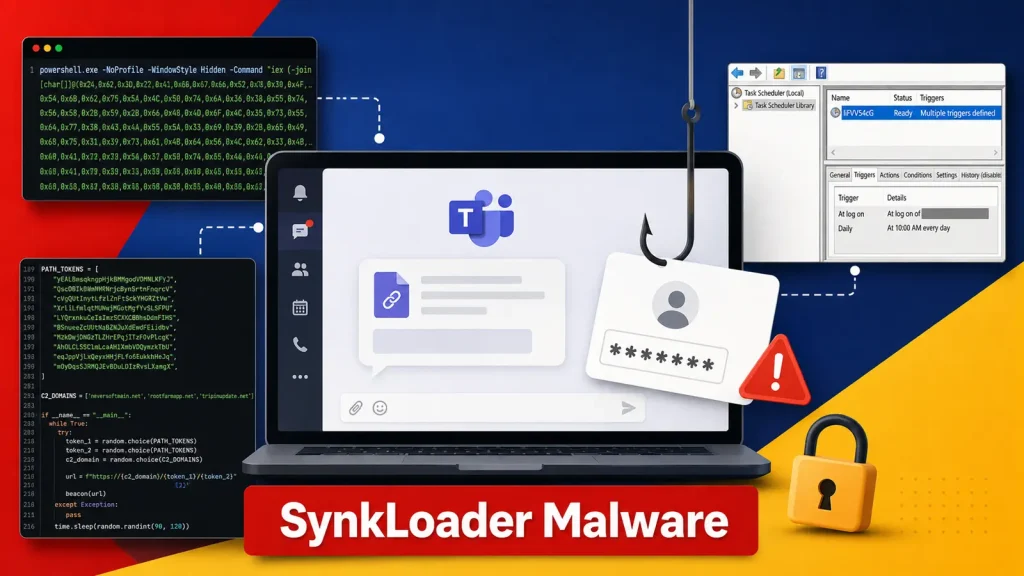
Microsoft Teams Phishing Deploys New SynkLoader Malware to Steal Windows Passwords
The digital workspace has become a primary target for threat actors, and Microsoft Teams, a cornerstone of modern collaboration, is frequently exploited. A recent campaign highlights a significant evolution in this threat landscape: the deployment of a new malware family, SynkLoader, delivered through sophisticated Microsoft Teams phishing attacks to steal Windows passwords.
The Evolving Threat: Microsoft Teams Phishing and SynkLoader
Cybersecurity professionals are all too familiar with the persistent challenge of phishing. However, this latest iteration specifically leverages Microsoft Teams, a platform trusted by millions for daily communication. The attack capitalizes on a classic social engineering tactic: an attacker masquerades as an IT helpdesk worker, initiating contact with an employee. Their goal is to convince the unsuspecting individual to install what appears to be a legitimate and helpful “fix” or update.
This “fix” is, in reality, a malicious payload that introduces SynkLoader. SynkLoader is not a standalone threat but rather a sophisticated, layered toolkit designed for stealth and persistence. Its modular nature allows it to hide much of its functionality until deep within the compromised system, making detection more challenging for conventional security measures.
How SynkLoader Operates
Once successfully deployed, SynkLoader acts as an initial access broker, setting the stage for further malicious activities. Its primary objective in this campaign is the exfiltration of Windows passwords. The malware achieves this by deploying various components:
- Initial Access: Gained through the deceptive Microsoft Teams phishing message and the subsequent installation of the supposed “fix.”
- Stealth and Persistence: SynkLoader employs a multi-stage delivery mechanism, often using encrypted payloads and legitimate-looking processes to evade detection. It establishes persistence to ensure it can reinfect the system even after reboots.
- Credential Theft: The core functionality involves harvesting Windows passwords, likely through memory scraping, keylogging, or exploiting vulnerabilities in credential storage mechanisms. These stolen credentials provide attackers with valuable access to corporate networks and sensitive data.
- Further Payload Delivery: SynkLoader acts as a loader, meaning it can download and execute additional malware. This could include ransomware, data exfiltrators, or other remote access Trojans (RATs), significantly escalating the severity of the initial compromise.
Remediation Actions and Proactive Defense
Defending against advanced threats like SynkLoader, especially when delivered via trusted platforms like Microsoft Teams, requires a multi-layered security strategy. Organizations must prioritize both technical controls and robust employee education.
- Enhanced Email and Collaboration Platform Security: Implement advanced threat protection for Microsoft Teams and other collaboration tools. This includes anti-phishing capabilities, malware detection, and secure configuration to prevent external users from sending files or messages unless explicitly whitelisted.
- Employee Security Awareness Training: Conduct regular, realistic training on identifying social engineering tactics, especially those impersonating IT or internal departments. Emphasize verification processes for unsolicited requests for software installations or administrative actions.
- Endpoint Detection and Response (EDR): Deploy EDR solutions across all endpoints. EDR can detect anomalous behavior, identify the execution of malicious code, and provide critical visibility into post-compromise activities that traditional antivirus might miss.
- Multi-Factor Authentication (MFA): Enforce MFA for all user accounts, especially for access to critical systems and applications. This significantly mitigates the impact of stolen credentials, as attackers would still need a second factor to gain access.
- Principle of Least Privilege (PoLP): Ensure users operate with the minimum necessary permissions to perform their job functions. This limits the potential damage if an account is compromised.
- Regular Patch Management: Keep all operating systems, applications (including Microsoft Teams), and security software up to date. Patching known vulnerabilities reduces the attack surface.
- Network Segmentation: Implement network segmentation to isolate critical systems and data. This can limit lateral movement by attackers even if they manage to compromise an initial endpoint.
- Incident Response Plan: Develop and regularly test a comprehensive incident response plan. Knowing how to detect, contain, eradicate, and recover from a cybersecurity incident is crucial.
Detection and Mitigation Tools
To effectively combat threats like SynkLoader, a combination of security tools is essential. These tools assist in detection, analysis, and remediation.
| Tool Name | Purpose | Link |
|---|---|---|
| Microsoft Defender for Endpoint | Endpoint Detection and Response (EDR) and Next-Gen Antivirus | Microsoft Defender for Endpoint |
| Proofpoint / Mimecast | Email and Collaboration Security Gateways (Anti-Phishing, Malware Protection) | Proofpoint / Mimecast |
| Wireshark | Network Protocol Analyzer (for investigating suspicious network traffic) | Wireshark |
| Sysinternals Suite (Process Explorer, Autoruns) | Advanced system utilities for process monitoring and persistence analysis | Sysinternals Suite |
| YARA Rules | Pattern matching tool for identifying malware families | YARA |
Conclusion
The campaign deploying SynkLoader via Microsoft Teams phishing underscores a critical trend: attackers will continually adapt their methods to exploit trusted communication channels and human vulnerabilities. The ability to deceive users into installing malicious “fixes” demonstrates a high level of social engineering sophistication. Organizations must adopt a proactive, defense-in-depth approach, combining robust technical controls with continuous security awareness training. Protecting Windows passwords and sensitive data requires vigilance and a clear understanding of the evolving threat landscape.




