Hackers Impersonate ChatGPT Subscription Alerts to Steal OpenAI Account Credentials
The ubiquity of AI tools like ChatGPT has ushered in a new era of productivity, but it has also opened fresh avenues for cybercriminals. A concerning trend has emerged: threat actors are now leveraging fake ChatGPT subscription alerts to trick users into divulging their OpenAI account credentials. This sophisticated phishing campaign preys on common billing anxieties, directing unsuspecting victims to meticulously crafted fake login pages.
For cybersecurity professionals, IT teams, and developers, understanding the mechanics of these attacks is paramount. A successful credential theft can expose sensitive conversations, compromise personal data, and grant attackers another digital identity to exploit in subsequent fraudulent activities.
The Deceptive Lure of Fake ChatGPT Subscription Alerts
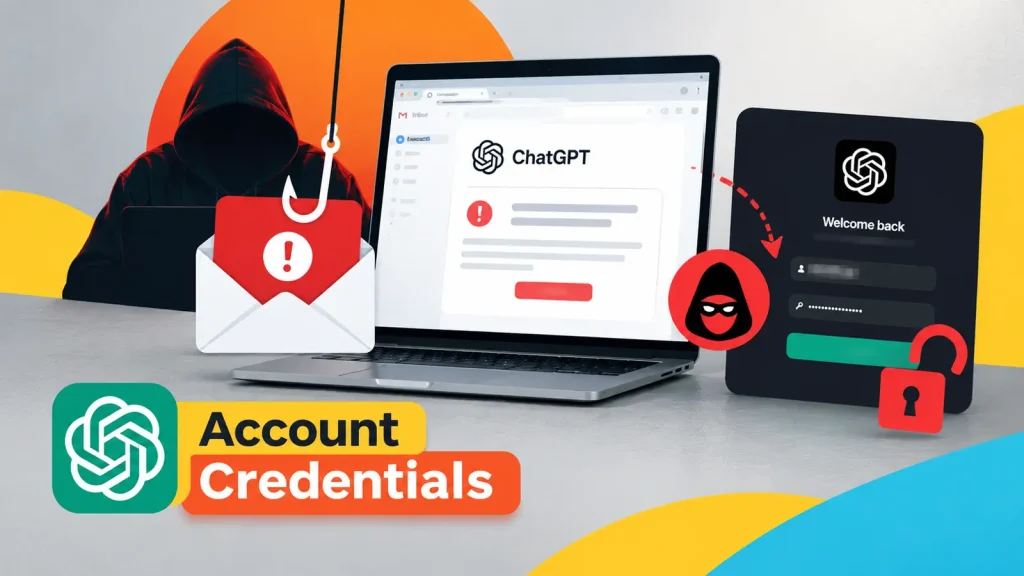
This phishing campaign capitalizes on a familiar pain point: billing issues. Users receive emails designed to look like legitimate notifications from OpenAI, typically alerting them to a problem with their ChatGPT subscription. These messages often create a sense of urgency, implying that service interruption is imminent unless action is taken.
The core of the attack lies in redirecting users to a malicious website. This site is a convincing replica of the official OpenAI login portal. Unwary individuals, concerned about losing access to their AI assistant, will input their email address and password, believing they are resolving a subscription issue. In reality, they are handing their credentials directly to the attackers.
Anatomy of the Credential Theft Campaign
The effectiveness of this phishing scheme stems from its social engineering prowess and technical execution:
- Email Spoofing: Attackers carefully craft emails to mimic legitimate OpenAI communications, often using similar branding, logos, and language.
- Urgency and Fear: The messages are designed to induce panic, suggesting immediate action is required to prevent service disruption or account suspension.
- Phishing Pages: The fake login pages are virtually indistinguishable from the genuine OpenAI portal, making it difficult for users to spot the deception without close inspection of the URL.
- Credential Harvesting: Once entered, the submitted credentials are siphoned off by the attackers, providing them with unauthorized access to the victim’s OpenAI account.
The implications of a compromised OpenAI account extend beyond just access to chat history. Depending on the user’s setup, it could be linked to other services or contain sensitive information shared during interactions with the AI. Furthermore, attackers can leverage a stolen account to launch further social engineering attacks, using the compromised identity to gain trust from others.
Remediation Actions and Prevention Strategies
Protecting against these sophisticated phishing attacks requires a multi-layered approach, combining technical controls with user education.
For Organizations:
- Email Filtering and Security Gateways: Implement robust email security solutions that can detect and block phishing attempts, identify spoofed sender addresses, and flag suspicious links.
- Security Awareness Training: Regularly educate employees about phishing techniques, emphasizing the importance of verifying sender identities and scrutinizing URLs before clicking. Conduct simulated phishing campaigns to test and reinforce training.
- Multi-Factor Authentication (MFA): Enforce MFA for all OpenAI accounts and other critical corporate applications. Even if credentials are stolen, MFA acts as a significant barrier against unauthorized access.
- Incident Response Plan: Have a clear plan in place for responding to credential theft incidents, including steps for account lockout, password resets, and forensic analysis.
For Individual Users:
- Verify Sender Information: Always check the sender’s email address. Look for subtle misspellings or domains that don’t match
openai.com. - Inspect URLs Carefully: Before clicking any link in an email, hover over it to see the actual destination URL. Be wary of URLs that look suspicious or redirect to unexpected domains. Always access OpenAI services directly through their official website (
chat.openai.comoropenai.com). - Enable Multi-Factor Authentication (MFA): Activate MFA on your OpenAI account immediately. This adds an extra layer of security, typically requiring a code from your phone in addition to your password.
- Be Skeptical of Urgency: Phishing emails often create a sense of panic. Take a moment to think critically before acting on urgent requests, especially those related to billing or account status.
- Report Suspicious Emails: Forward any suspicious emails to your IT department or report them to OpenAI directly.
Detection and Mitigation Tools
| Tool Name | Purpose | Link |
|---|---|---|
| Proofpoint Email Protection | Advanced email threat protection, URL defense, and attachment sandboxing. | Proofpoint.com |
| Microsoft Defender for Office 365 | Email filtering, anti-phishing, safe links, and safe attachments for Microsoft 365 environments. | Microsoft.com |
| KnowBe4 Security Awareness Training | Phishing simulations and security awareness training for employees. | KnowBe4.com |
| Google Safe Browsing | Identifies unsafe websites and warns users about potential phishing or malware sites. | Google.com/safebrowsing |
Conclusion
The proliferation of AI tools has unfortunately provided new avenues for cybercriminals to exploit. The current campaign impersonating ChatGPT subscription alerts serves as a stark reminder of the persistent threat of phishing. By staying vigilant, implementing strong security practices like MFA, and investing in continuous security education, individuals and organizations can significantly reduce their risk of falling victim to these sophisticated credential theft schemes. Always remember: verify before you click, and when in doubt, directly access services through their official websites.