
Hackers Use Fake Claude Desktop App to Disable Defender and Install Remote Access Malware
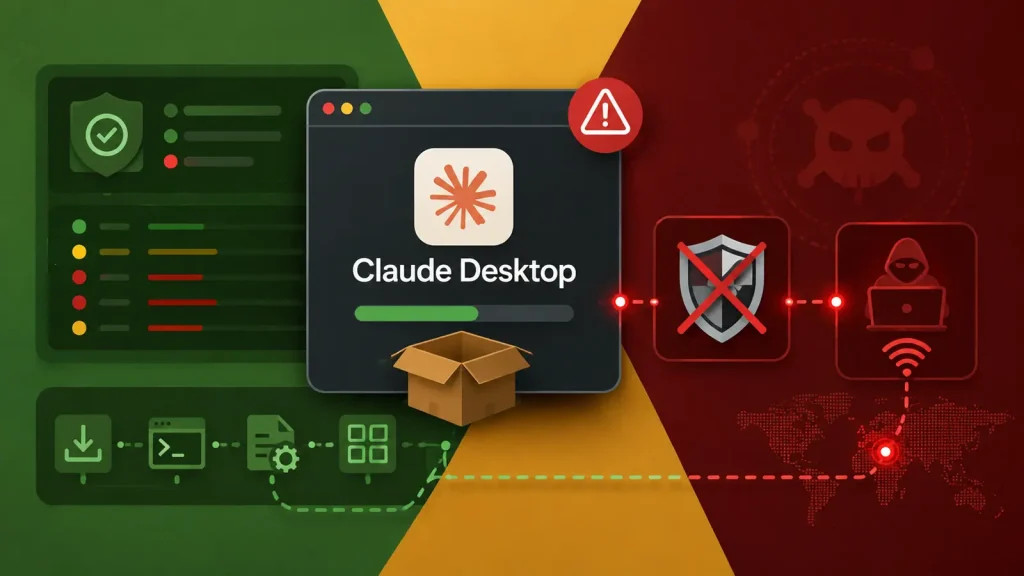
In a concerning development for endpoint security, cybercriminals are leveraging a cunning tactic: disguising malicious software as a legitimate desktop application for Claude, the popular AI assistant. This sophisticated campaign not only compromises Windows systems but also aggressively disables critical security features, paving the way for persistent remote access and potential data exfiltration.
This attack vector underscores a growing trend where attackers exploit the demand for AI tools, transforming a seemingly innocuous software search into a high-stakes encounter for credential theft and long-term network compromise. The deceptive nature of these download pages makes dangerous files appear routine, catching even vigilant users off guard.
The Deceptive Lure of Fake Claude Apps
The core of this attack lies in its social engineering prowess. Attackers create convincing, yet fraudulent, download pages for a non-existent Claude desktop application. Users, seeking a native desktop experience for their AI interactions, are tricked into downloading and executing what they believe to be legitimate software.
Once executed, the counterfeit installer doesn’t just install a fake application; it initiates a multi-stage infection process designed to establish a persistent foothold on the compromised system. This technique capitalizes on user trust in established brands and the general excitement surrounding new AI technologies.
Disabling Defender: A Critical Security Bypass
A particularly alarming aspect of this campaign is its immediate focus on disabling Windows Defender, a cornerstone of Microsoft’s built-in security suite. By circumventing this primary defense mechanism, the attackers significantly reduce the chances of their malicious activities being detected and mitigated.
The method for disabling Defender often involves exploiting PowerShell scripts or manipulating Group Policy settings, demonstrating a deep understanding of Windows system administration. This aggressive disabling of security controls is a hallmark of sophisticated adversaries aiming for unobstructed access and prolonged compromise.
Installation of Remote Access Malware (RAM)
With Windows Defender neutralized, the attackers proceed to install remote access malware (RAM). This type of malware grants attackers complete control over the compromised system, allowing them to:
- Exfiltrate sensitive data: Including credentials, financial information, and intellectual property.
- Monitor user activity: Keylogging and screen capturing.
- Deploy additional payloads: Such as ransomware or other destructive malware.
- Establish persistence: Ensuring continued access even after system reboots.
- Lateral movement: Using the compromised machine as a pivot point to attack other systems within the network.
The specific RAM variant used can vary, but the objective remains the same: complete and clandestine control over the victim’s machine.
Remediation Actions and Prevention Strategies
Organizations and individual users must implement robust security measures to counter such sophisticated attacks. Proactive prevention and swift remediation are key.
For Organizations:
- Employee Training: Conduct regular training on identifying phishing attempts, suspicious downloads, and the importance of verifying software sources. Emphasize the dangers of downloading software from unofficial repositories.
- Application Whitelisting: Implement application whitelisting policies to prevent the execution of unauthorized or unknown applications. This can significantly mitigate the risk of malicious software installation.
- Endpoint Detection and Response (EDR): Deploy and configure EDR solutions to monitor endpoints for suspicious activity, detect anomalies, and respond to threats in real-time.
- Principle of Least Privilege: Enforce the principle of least privilege for all user accounts, limiting the ability of compromised accounts to make significant system changes, such as disabling security software.
- Regular Backups: Maintain regular, offsite backups of critical data to ensure business continuity in the event of a successful attack.
- Network Segmentation: Segment networks to limit the lateral movement of attackers in case of a breach.
- Security Awareness Campaigns: Regularly inform employees about new and emerging threats, especially those exploiting popular technologies like AI.
For Individuals:
- Verify Software Sources: Always download software directly from official vendor websites or trusted app stores. Be extremely wary of third-party download sites.
- Antivirus/Antimalware Software: Ensure your antivirus and antimalware software is always up-to-date and actively running.
- Firewall Protection: Keep your operating system’s firewall enabled.
- Regular Updates: Keep your operating system and all installed applications updated to patch known vulnerabilities.
- Be Skeptical: If an offer for a desktop application for a web-based service seems too good to be true, it likely is. Cross-reference information with the official service provider’s website.
Detection and Analysis Tools
Identifying and analyzing such threats requires a combination of robust security tools and skilled analysis.
| Tool Name | Purpose | Link |
|---|---|---|
| Microsoft Defender for Endpoint | Endpoint Detection & Response (EDR) and threat prevention. | https://www.microsoft.com/en-us/security/business/threat-protection/microsoft-defender-endpoint |
| Sysinternals Suite (Process Explorer, Autoruns) | Advanced system monitoring and startup program analysis for identifying malicious processes and persistence mechanisms. | https://learn.microsoft.com/en-us/sysinternals/downloads/ |
| VirusTotal | Online service for analyzing suspicious files and URLs to determine if they contain malware. | https://www.virustotal.com/ |
| Ghidra | Software reverse engineering (SRE) suite for analyzing compiled code, useful for understanding malware functionality. | https://ghidra-sre.org/ |
Conclusion
The use of fake Claude desktop applications to deploy remote access malware highlights the evolving sophistication of cyber threats. Attackers are increasingly leveraging popular technologies and user expectations to bypass traditional security measures. Organizations and individuals must adopt a proactive and layered security approach, combining technical controls with comprehensive security awareness training, to defend against these persistent and evasive campaigns.




