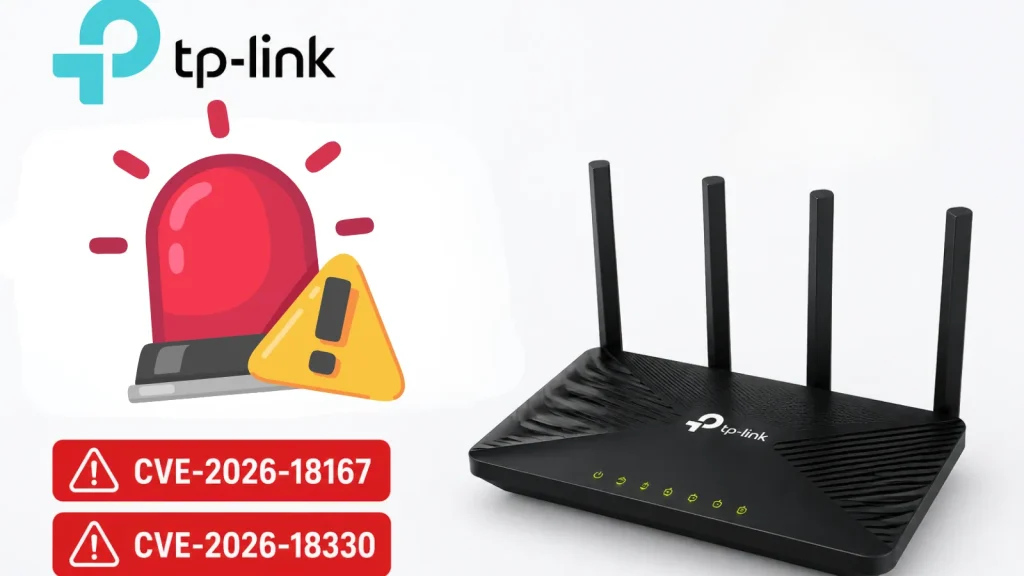
Multiple TP-Link Archer Vulnerabilities Allow Attackers to Execute Remote Code
Critical Flaws in TP-Link Archer AX55 v4 Expose Networks to Remote Code Execution
In the evolving landscape of network security, router vulnerabilities remain a persistent threat, often serving as a critical entry point for malicious actors. Recently, TP-Link disclosed two significant security flaws affecting its popular Archer AX55 v4 router. These vulnerabilities, identified as CVE-2026-18167 and , could allow attackers on the local network to disrupt services, compromise administrator credentials, and potentially achieve remote code execution on affected devices. This level of compromise poses a severe risk to home and small business networks, underscoring the importance of immediate action.
Understanding the TP-Link Archer Vulnerabilities
The reported vulnerabilities specifically target the TP-Link Archer AX55 hardware version V4. While specific technical details are still emerging, the disclosed information indicates that the flaws reside within critical components of the router’s firmware:
- EasyMesh Module: One vulnerability impacts the EasyMesh module, a feature designed to create a unified Wi-Fi network with multiple access points. Exploiting this flaw could lead to service crashes, effectively knocking the router offline and disrupting network access for connected devices.
- Web Login Module: The second vulnerability is found within the web login module. This is particularly concerning as it opens the door for attackers to steal administrator credentials. Gaining access to these credentials would allow an attacker to fully control the router, reconfigure settings, redirect traffic, and potentially install malicious firmware.
The combination of these vulnerabilities presents a formidable threat. An attacker exploiting these flaws could not only cause denial-of-service but also gain unauthorized administrative access, leading to remote code execution. This means an attacker could run arbitrary commands on the router, potentially turning it into a pivot point for further attacks within the local network or even a botnet member.
Impact of Remote Code Execution (RCE) on Routers
Remote Code Execution (RCE) is one of the most critical types of vulnerabilities a device can have. For a router, the implications are particularly severe:
- Network Compromise: An attacker with RCE on a router has control over all network traffic passing through it. This can enable eavesdropping, data interception, and traffic redirection.
- Internal Network Access: The compromised router can be used as a launchpad to attack other devices connected to the local network, including computers, smart home devices, and network-attached storage (NAS).
- Data Exfiltration: Sensitive information, such as login credentials for other services, could be intercepted and exfiltrated from the network.
- Malicious Firmware Installation: Attackers could install persistent backdoors or malicious firmware, making it difficult to detect and remove the compromise.
- Botnet Membership: Routers are often targeted for inclusion in botnets, where they can be used to launch distributed denial-of-service (DDoS) attacks or other large-scale malicious campaigns.
Remediation Actions for TP-Link Archer AX55 v4 Users
Given the severity of these vulnerabilities, TP-Link Archer AX55 v4 users must take immediate action. While specific patches are typically provided by the vendor, here are general and critical remediation steps:
- Check for Firmware Updates: This is the most crucial step. Immediately check the TP-Link official website or your router’s administration interface for the latest firmware updates. TP-Link has likely released patches to address CVE-2026-18167 and . Install any available updates without delay.
- Strong, Unique Passwords: Ensure your router’s administrator password is strong, unique, and not easily guessable. Avoid default credentials.
- Disable Remote Management: If not absolutely necessary, disable remote management features on your router. This reduces the attack surface from external threats.
- Isolate IoT Devices: Consider placing IoT (Internet of Things) devices on a separate guest network or VLAN if your router supports it. This limits their ability to interact with more sensitive devices on your main network.
- Regularly Monitor Logs: Periodically check your router’s system logs for any unusual activity or unauthorized access attempts.
- Consult TP-Link Support: If you are unsure about the steps to take or the status of your device, contact TP-Link customer support directly.
Tools for Network Security and Monitoring
While specific exploitation tools for these new CVEs may not be publicly available, general network security tools can aid in monitoring and maintaining a secure network environment.
| Tool Name | Purpose | Link |
|---|---|---|
| Nmap | Network discovery and security auditing | https://nmap.org/ |
| Wireshark | Network protocol analyzer for traffic inspection | https://www.wireshark.org/ |
| OpenVAS | Vulnerability scanning and management | http://www.openvas.org/ |
| Firmware Scanner (e.g., Binwalk) | Analyze firmware for vulnerabilities and hidden content | https://github.com/ReFirmLabs/binwalk |
Conclusion
The discovery of vulnerabilities CVE-2026-18167 and in the TP-Link Archer AX55 v4 router is a serious reminder of the ongoing need for vigilance in cybersecurity. Router security is foundational to overall network safety. Users of the affected Archer AX55 v4 hardware must prioritize firmware updates and implement robust security practices to protect their networks from potential remote code execution attacks and other forms of compromise. Stay informed, stay patched, and maintain strong security hygiene.