
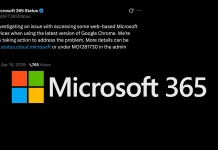
Microsoft 365 Web Services Hit by Google Chrome 147 Compatibility Issue
Unpacking the Microsoft 365 and Chrome 147 Compatibility Storm
In the interconnected landscape of enterprise software, a single browser update can send ripples across global organizations. Such is the current situation gripping Microsoft 365 users, as a widespread authentication issue has emerged, specifically impacting those accessing web-based services through Google Chrome version 147. This compatibility snag, first reported on April 16, 2026, has left countless professionals unable to effectively utilize critical Microsoft 365 applications, disrupting workflows and prompting urgent investigations from Redmond.
As a cybersecurity analyst, understanding the root cause and potential ramifications of such widespread outages is paramount. While this isn’t a direct cybersecurity vulnerability in the traditional sense, the inability to access secure services can open doors to workarounds or temporary solutions that might inadvertently introduce security risks. This article delves into the details of this ongoing incident, providing insights and potential next steps for affected users.
The Core of the Problem: Authentication Failures in Chrome 147
The reported issue manifests as a failure to properly load or interact with Microsoft 365 applications when accessed via Google Chrome version 147. This points towards a compatibility conflict within the way Chrome 147 handles authentication protocols or rendering processes used by Microsoft 365 web services. While the exact technical details are still under investigation by Microsoft, the symptoms suggest difficulties in establishing or maintaining a secure, authenticated session between the browser and Microsoft’s cloud infrastructure.
This is not merely a cosmetic glitch; users are experiencing significant disruption. Imagine an organization reliant on Outlook Web Access for email, SharePoint for document collaboration, or Teams for communication – all rendered inaccessible or functionally hobbled. The economic impact of such a widespread disruption, even if temporary, can be substantial.
Microsoft’s Response and Ongoing Investigation
Microsoft has swiftly acknowledged the problem and is actively investigating the compatibility issue. Their official service advisories underscore the severity and widespread nature of the incident. Such rapid acknowledgment and ongoing investigation are crucial for maintaining trust and providing timely updates to affected users. While a specific CVE ID for this compatibility issue has not been assigned, as it pertains to a software interaction rather than a standalone vulnerability, the impact warrants immediate attention from IT departments globally.
Initial Remediation Actions and Workarounds
While Microsoft works diligently on a permanent fix, immediate actions can help mitigate the disruption for affected users:
- Downgrade Google Chrome (Caution Advised): For those with the technical capability and in urgent need, rolling back to an earlier stable version of Google Chrome (e.g., version 146 or earlier) may resolve the issue. However, this should be done with extreme caution, as it might involve security implications depending on the specific update. Always ensure you are on a known, secure version.
- Utilize Alternative Browsers: The most straightforward solution for immediate access is to switch to an alternative web browser. Microsoft Edge, Mozilla Firefox, or Safari are viable options that are not currently exhibiting this compatibility problem with Microsoft 365 services.
- Access via Desktop Applications: Where available, using the dedicated desktop versions of Microsoft 365 applications (e.g., Outlook Desktop, Teams Desktop) bypasses the browser-based issue entirely. This is often the most stable and secure workaround.
- Monitor Microsoft Service Health Dashboards: Keep a close eye on the official Microsoft 365 Service Health dashboard for real-time updates and resolutions. This is the authoritative source for information regarding the incident.
- Temporary Conditional Access Policy Review: For IT administrators, if conditional access policies rely heavily on browser-specific checks that might be impacted by this compatibility issue, a temporary review might be necessary to ensure legitimate access isn’t being further impeded.
The Broader Implications for Enterprise Software Management
This incident serves as a stark reminder of the complexities inherent in managing a modern IT environment. The interdependency between operating systems, applications, and web browsers means that an update in one component can have unforeseen consequences elsewhere. For enterprise IT and security teams, this emphasizes:
- Rigor in Patch Management: Thorough testing of browser updates in staging environments before widespread deployment is critical.
- Redundancy & Diversification: Relying on a single browser for all critical services introduces a single point of failure, as demonstrated here.
- Proactive Communication: Maintaining clear communication channels with end-users during outages is essential for managing expectations and facilitating workarounds.
- Understanding Ecosystem Dependencies: A deep understanding of how various software components interact is vital for effective incident response.
Conclusion
The Microsoft 365 and Google Chrome 147 compatibility issue underscores the delicate balance required for seamless organizational operations in a cloud-centric world. While Microsoft actively works towards a definitive resolution, affected users have several actionable workarounds to maintain productivity. This event highlights the critical need for robust IT strategies that account for inter-software dependencies, comprehensive testing protocols, and clear communication to navigate such unforeseen challenges effectively.




