
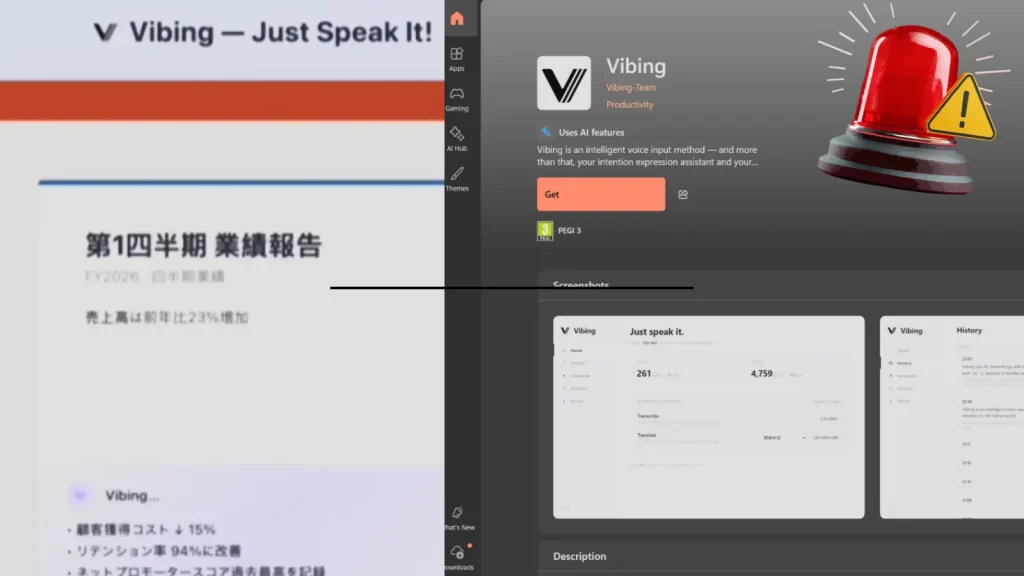
Microsoft Store App Vibing.exe Allegedly Harvested Screens, Audio, and Clipboard Content
A disturbing report has emerged from the cybersecurity community, highlighting a significant privacy and security risk originating from an application available on the official Microsoft Store. Researchers have flagged a suspicious executable, Vibing.exe, which, under the guise of an “AI-native world” interface, allegedly engaged in unauthorized data harvesting, including sensitive user information like screen captures, audio recordings, and clipboard content. This incident underscores critical concerns regarding application vetting processes on major platforms and the persistent threat of sophisticated surveillance mechanisms.
The Vibing.exe Threat: A Deep Dive into Allegations
The application in question, Vibing.exe, was promoted by an entity identified only as “Vibing-Team” and was accessible via the Microsoft Store. According to prominent cybersecurity researcher Kevin Beaumont, once installed on a Windows endpoint, Vibing allegedly configures itself to initiate covert surveillance activities. This unauthorized data collection reportedly encompassed taking screenshots of the user’s desktop, recording audio inputs, and capturing the content of the clipboard. Such capabilities transform a seemingly innocuous utility into a potent spy tool, capable of compromising a wide array of personal and professional data.
The implications of an application harvesting screen content are immediate and severe. Users could have sensitive documents, private conversations, financial details, or even login credentials exposed. Audio recording capabilities extend this threat vector to verbal communications, potentially compromising proprietary discussions or personal calls. Furthermore, clipboard content often includes temporary but critical data like passwords, cryptocurrency wallet addresses, or confidential text, all of which become vulnerable when harvested.
Microsoft Store Vetting and User Trust
The presence of an allegedly malicious application like Vibing.exe on the Microsoft Store raises significant questions about the platform’s app vetting procedures. Users generally trust official app stores to provide a secure environment, free from malware and privacy-invasive software. When such applications breach these expectations, it erodes user confidence and highlights potential gaps in automated and manual review processes designed to identify and block malicious submissions. This incident serves as a stark reminder that even sanctioned platforms are not entirely immune to sophisticated threats.
The “Vibing-Team” acting as the developer further complicates accountability. The lack of transparent developer information often characterizes applications with malicious intent, allowing threat actors to operate with a degree of anonymity, making remediation and law enforcement actions more challenging.
Remediation Actions and Best Practices for Users
For users concerned about this or similar threats, several proactive cybersecurity practices can significantly reduce exposure:
- Immediate Uninstallation: If you have installed
Vibing.exeor any suspicious application, uninstall it immediately. Verify its complete removal, including associated files and registry entries if you are comfortable performing advanced system tasks. - System Scan: Perform a full system scan using reputable antivirus and anti-malware software. Ensure your security software is up to date.
- Monitor Permissions: Regularly review application permissions on your operating system. Limit permissions for applications that do not require access to sensitive resources like cameras, microphones, or screen recording.
- Strong Passwords and MFA: Employ strong, unique passwords for all accounts and enable multi-factor authentication (MFA) wherever possible. This layering of security helps prevent unauthorized access even if credentials are compromised.
- Operating System Updates: Keep your operating system and all software updated. Patches often address vulnerabilities that attackers might exploit.
- Be Skeptical: Exercise caution when downloading applications, especially those from unknown developers or those promising unrealistic features. Research applications and their developers before installation.
- Network Monitoring: Consider using network monitoring tools to identify unusual outbound connections from your system, which could indicate data exfiltration.
Tools for Detection and Mitigation
While this incident does not have a formal CVE assigned, the principles of detection and mitigation for spyware or data harvesting applications remain consistent. Utilizing robust cybersecurity tools is paramount.
| Tool Name | Purpose | Link |
|---|---|---|
| Windows Defender Antivirus | Built-in endpoint protection against malware and suspicious activities. | https://www.microsoft.com/en-us/windows/comprehensive-security |
| Malwarebytes | Advanced anti-malware, anti-spyware, and threat remediation. | https://www.malwarebytes.com/ |
| Process Monitor (Sysinternals) | Advanced monitoring tool for real-time file system, Registry, and process/thread activity. | https://docs.microsoft.com/en-us/sysinternals/downloads/procmon |
| Wireshark | Network protocol analyzer to observe real-time network traffic for suspicious connections. | https://www.wireshark.org/ |
| AdAware | Comprehensive anti-spyware and antivirus protection. | https://www.adaware.com/ |
Conclusion
The alleged data harvesting by the Vibing.exe application from the Microsoft Store serves as a critical reminder of the pervasive and evolving nature of digital threats. It highlights the need for continuous vigilance from users and robust security measures from platform providers. Maintaining a proactive security posture, including diligent application vetting, regular system scans, and adherence to best practices, is essential for safeguarding privacy and sensitive information in an increasingly interconnected and vulnerable digital landscape.




