
Securing Guest Wi‑Fi Networks Without Trusting Devices.
Securing Guest Wi-Fi Networks Without Trusting Wireless Network Devices
In today’s interconnected business landscape, providing convenient internet access to guests is almost a necessity. However, this convenience introduces a unique set of security challenges. This article delves into the critical aspects of securing guest Wi-Fi networks, especially in environments where the reliability of wireless network devices cannot be taken for granted. We aim to equip you with the knowledge and strategies to implement robust security measures, ensuring both guest satisfaction and the inviolability of your internal network.
Understanding Guest Wi-Fi Networks

A guest Wi-Fi network, also known as a guest wireless network or guest access, is a dedicated and isolated network designed to provide internet access to visitors, clients, or temporary users without granting them direct access to the organization’s primary network. This essential separation is a fundamental best practice in network security, ensuring that guest devices, which may harbor unknown vulnerabilities or malware, cannot inadvertently or maliciously compromise critical internal systems. Implementing a guest Wi-Fi network is a cornerstone of modern corporate network security, offering both convenience and a crucial layer of security.
What is a Guest Wi-Fi?
A guest Wi-Fi is a carefully configured separate network, distinct from an organization’s main network or corporate network, specifically designed to offer internet access to external users. It typically operates with its own unique SSID and often employs different security protocols and network access policies. The primary objective is to facilitate internet connectivity for visitors while creating a robust barrier that prevents any connected device on the guest network from accessing sensitive internal resources, thus mitigating potential security risks. This segregation is pivotal for maintaining the integrity and confidentiality of the enterprise network.
Importance of Guest Wi-Fi Security
The importance of guest Wi-Fi security cannot be overstated in today’s threat landscape. Without stringent security measures, a poorly secured guest network can become a significant security risk and a conduit for cyber threats to infiltrate your internal network. A robust, secure guest Wi-Fi implementation safeguards against malware propagation, unauthorized data access, and potential legal liabilities stemming from guest device activities. Prioritizing guest Wi-Fi security is not merely a technical configuration; it is a strategic imperative to protect your organization’s reputation and critical data assets from the array of cyber threats that exist.
Differences Between Guest and Main Networks
The fundamental distinction between guest Wi-Fi networks and main networks lies in their intended purpose and the level of access they provide. The main network, or primary network, is designed for employees and trusted devices, offering full access to internal resources, applications, and sensitive data. Conversely, a guest network is meticulously configured to offer only limited internet access, effectively acting as a separate network. This isolation is often achieved through advanced network segmentation techniques such as Virtual Local Area Networks (VLANs) and stringent firewall rules, ensuring that guest traffic remains entirely isolated from the internal network traffic, thereby significantly enhancing overall network security.
Best Practices for Securing Guest Wireless Networks
Creating a Separate Guest Network
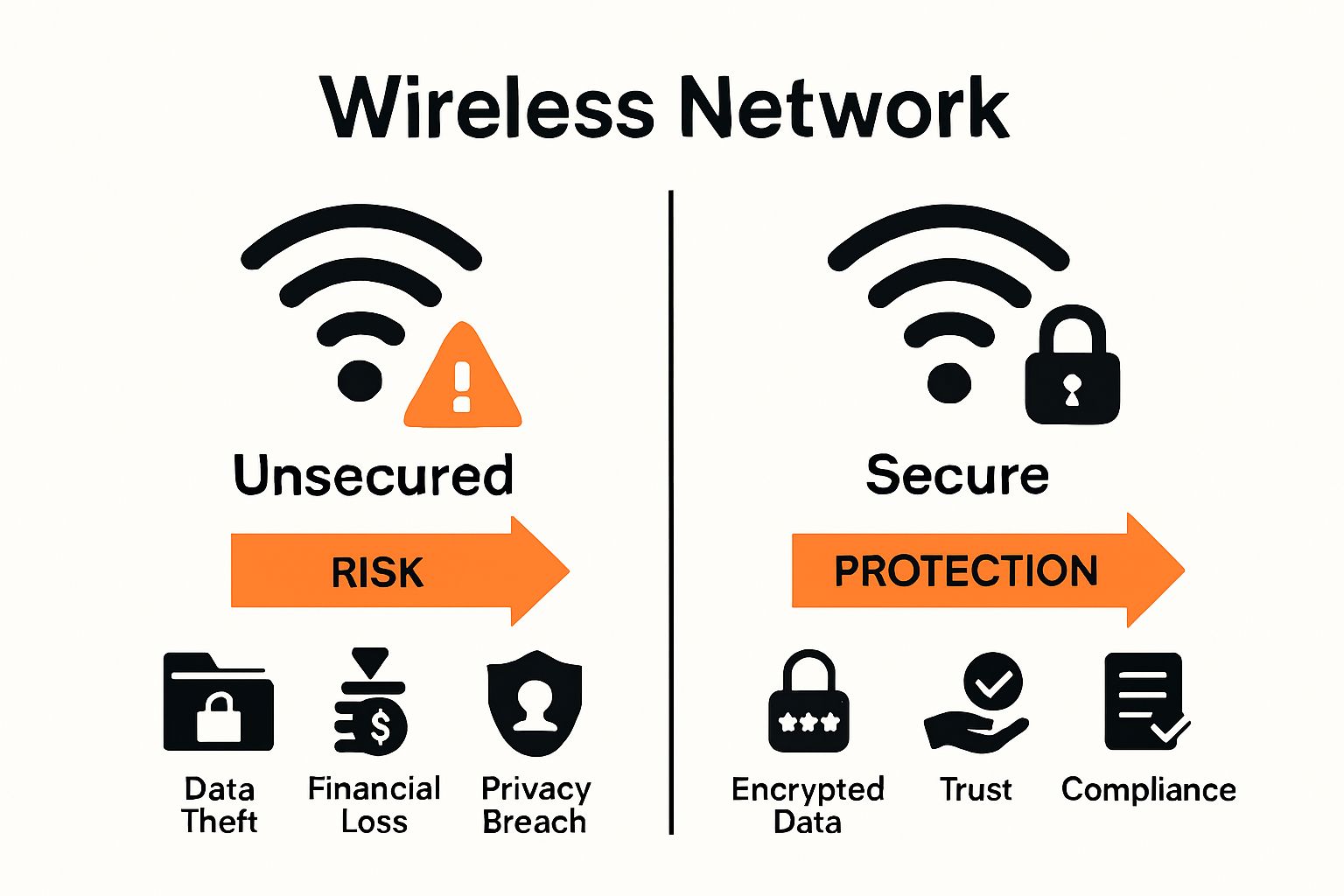
A foundational best practice for securing guest Wi-Fi networks is the establishment of a completely separate guest network. This critical isolation ensures that any guest device, regardless of its security posture, remains distinct from the organization’s primary network. By segmenting the guest network through technologies like Virtual Local Area Networks (VLANs), administrators can meticulously control traffic flow and prevent unauthorized access to sensitive internal resources. This robust network security measure not only safeguards against potential malware propagation but also significantly reduces the attack surface, mitigating the risk of cyber threats impacting the corporate network.
Implementing Strong Passwords
The implementation of strong passwords is an an indispensable security measure for any guest Wi-Fi network. While an open guest network might seem convenient, requiring robust authentication dramatically enhances security. Employing complex, lengthy passphrases, ideally leveraging WPA2 or the more secure WPA3 encryption, deters unauthorized access and protects against brute-force attacks. Regular password rotation and educating guests on the importance of secure login credentials further fortify the guest network’s defenses. This proactive approach to password management forms a crucial layer of security, safeguarding the integrity of the wireless network and preventing unauthorized entry.
Setting Up Guest Access Controls
Establishing comprehensive guest access controls is paramount for securing guest Wi-Fi networks effectively. This involves configuring stringent firewall rules to filter guest traffic, restricting access solely to the internet connection and blocking all communication with the internal network. Implementing content filters can further enhance security by preventing access to malicious or inappropriate websites, thereby minimizing the risk of malware downloads on connected devices. Additionally, time-based access limits or bandwidth caps can manage network resources efficiently and mitigate potential security risks associated with prolonged or excessive use of the guest wireless network, ensuring a secure and optimized experience for all.
Wi-Fi Security Protocols for Guest Wi-Fi
Using WPA3 for Enhanced Security
The implementation of WPA3 (Wi-Fi Protected Access 3) is a pivotal step in elevating the security posture of any guest Wi-Fi network. As the latest encryption standard, WPA3 significantly enhances security beyond its predecessor, WPA2, by introducing more robust cryptographic algorithms and individual data encryption for each connected device. This advanced encryption creates a highly secure guest environment, effectively mitigating the risk of passive eavesdropping and brute-force attacks on login credentials. By configuring your access points to leverage WPA3, you assure that every guest access session is protected with the highest level of wireless security, a critical best practice in safeguarding your enterprise network from emerging cyber threats.
Regularly Updating Router Firmware
Regularly updating router firmware is a non-negotiable security measure for maintaining the integrity and security of your guest Wi-Fi networks. Firmware updates often include critical security patches that address newly discovered vulnerabilities, protecting your router, and by extension, your guest network, from potential exploitation by malicious actors. Failing to update firmware can leave your wireless network susceptible to various cyber threats, including unauthorized access and malware injection. This best practice extends to all access points and network devices, ensuring that your network security remains resilient against evolving attack vectors, thereby providing a secure guest Wi-Fi experience for all users.
Monitoring Guest Traffic
Proactive monitoring of guest traffic is an essential component of a comprehensive guest Wi-Fi security strategy. By continuously observing network activity, administrators can detect unusual patterns or suspicious behavior that may indicate a security risk, such as attempts to access the internal network or distributed denial-of-service (DDoS) attacks originating from a guest device. Implementing advanced firewall rules and intrusion detection systems can help filter guest traffic effectively, ensuring that only legitimate internet access is permitted. This vigilance not only helps in identifying and neutralizing potential cyber threats in real time but also enhances the overall security of the guest wireless network, protecting the primary network from compromise.
Advanced Techniques for Securing Guest Wi-Fi
Network Segmentation Strategies
Advanced network segmentation strategies are absolutely vital for fortifying the security of guest Wi-Fi networks. Beyond merely creating a separate network, employing Virtual Local Area Networks (VLANs) or even more granular micro-segmentation allows for the meticulous isolation of guest traffic. This ensures that even if a guest device were compromised, the threat would be contained within its segment, preventing any lateral movement towards the internal network or other sensitive resources. By logically separating the guest Wi-Fi network from the primary network through sophisticated firewall rules and routing policies, organizations can significantly diminish the attack surface and uphold a robust layer of security against an array of cyber threats, enhancing the overall enterprise network’s resilience.
Deploying Guest Traffic Filters
The deployment of comprehensive guest traffic filters represents a critical best practice in securing guest Wi-Fi. Implementing stringent firewall rules at various network layers allows for precise control over what a connected device on the guest network can access. These filters should be configured to restrict guest internet access exclusively to necessary web services, blocking all internal IP ranges and prohibiting peer-to-peer communication among guest devices. Furthermore, content filtering and intrusion prevention systems can scrutinize guest traffic for malicious content or suspicious patterns, acting as a proactive defense against malware and other security risks. This meticulous filtering ensures that the guest wireless network remains a secure environment, safeguarding the primary network from potential compromise.
Using VPNs for Added Security
While often associated with internal network security, integrating VPNs can offer an additional, albeit advanced, layer of security for specific guest Wi-Fi scenarios. For guests requiring access to sensitive external services or who are concerned about their own privacy on a public network, recommending or providing a secure VPN connection can enhance their data’s encryption and anonymity. This approach helps to protect guest traffic from potential eavesdropping, especially when the guest is connecting to services over an unencrypted channel. Although it doesn’t directly secure the guest network from internal threats, it significantly bolsters the overall security posture for the guest’s data, reflecting a commitment to comprehensive security measures for all users on the guest Wi-Fi network.
Common Mistakes to Avoid in Guest Wi-Fi Security
Neglecting Regular Security Audits
Neglecting regular security audits is a critical oversight that can transform a seemingly secure guest Wi-Fi network into a significant security risk. Without consistent evaluation, vulnerabilities can emerge and remain undetected, leaving the guest wireless network susceptible to exploitation. A comprehensive audit should scrutinize firewall rules, access point configurations, encryption protocols (such as WPA2 or WPA3), and all security settings, ensuring they align with current best practices and organizational policies. Such vigilance is essential for identifying misconfigurations, weak passwords, or outdated firmware that could undermine the network security of your guest access. Proactive auditing is paramount to continuously fortify your defenses against evolving cyber threats and to ensure the guest Wi-Fi remains a secure guest environment.
Failing to Isolate Guest Traffic
One of the most perilous mistakes in guest Wi-Fi security is the failure to adequately isolate guest traffic from the internal network. When guest devices are not properly segmented, they can inadvertently or maliciously gain access to sensitive corporate resources, creating an unacceptable security risk. This crucial isolation is achieved through technologies like Virtual Local Area Networks (VLANs) and stringent firewall rules, which prevent any connected device on the guest network from communicating with the primary network. Without this fundamental separation, even the most robust authentication or encryption on the guest network becomes moot, as the fundamental layer of security designed to protect the enterprise network from guest traffic is compromised, exposing the entire infrastructure to potential malware and other cyber threats.
Using Default Router Settings
A common yet critically dangerous mistake in securing guest Wi-Fi networks is the reliance on default router settings. Out-of-the-box configurations often come with predictable SSIDs, weak default passwords, and open security protocols, creating an immediate and easily exploitable vulnerability for any guest device. Malicious actors frequently target these known defaults, allowing them to bypass rudimentary security measures and potentially gain unauthorized access. It is an absolute best practice to immediately change the default SSID, implement a strong, unique password for both administrative access and the Wi-Fi network itself, and configure the router with the latest encryption standards like WPA3. Failing to customize these fundamental security settings leaves your guest network, and by extension your internal network, exposed to unnecessary cyber threats.

How should I use guest wifi to separate guest wifi networks from the enterprise network?
Use guest wifi to isolate devices connected by visitors from the local network and corporate resources. When setting up a guest network, configure a separate service set identifier (network name) and VLAN so guest and corporate networks do not share routing or file access. This minimizes guest wi‑fi security risks and reduces the chance that security vulnerabilities on devices connected to the guest wifi will affect the enterprise network. Enforce appropriate security such as client isolation and firewall rules to maintain security and provide only the necessary access to the internet.
What steps make a secure guest wifi and provide an extra layer of security for guest wifi networks?
To secure guest wifi, enable WPA3 security where available, restrict access to only the internet, and disable access to local network resources. Use strong passphrases or captive portals with per-session credentials, and implement bandwidth and session limits. Add an extra layer of security by running traffic through a dedicated gateway or UTM, applying web filtering, and employing security information and event management (SIEM) to monitor guest internet activity for anomalies and possible security breaches.
Can guests access the internet without exposing my local network, and what are guest wi‑fi security risks?
Yes—when guest networks are designed correctly, visitors can access the internet without exposing your local network. Guest wi‑fi security risks include infected devices attempting lateral movement, man‑in‑the‑middle attacks on open SSIDs, and abuse of bandwidth. Mitigate these risks by using isolated guest SSIDs, enforcing encryption (WPA3 or WPA2-Enterprise captive portal), and applying network-level controls. Monitoring devices connected to guest wifi and logging their activity in a SIEM helps detect suspicious behavior and reduce the level of security risk.
How does using a guest network affect wifi security and maintaining security over time?
Using a guest network improves overall wifi security by logically separating guest and corporate traffic and limiting access privileges. To maintain security, regularly update firmware on access points, rotate guest credentials or captive portal tokens, review firewall and DHCP settings, and audit guest internet activity and device counts. Continuously assess security vulnerabilities, update encryption protocols to modern standards like WPA3 security, and ensure guest features do not inadvertently bridge to the local network.
Are public wi‑fi networks the same as my guest wifi, and what level of security should I expect?
Public wi‑fi networks and a managed guest wifi share similarities but differ in control and expectations. A properly configured guest wifi for your site provides better security than typical public wi‑fi networks because it is set up to restrict access to the internet only and implement encryption and monitoring. Expect an appropriate security posture: encrypted SSIDs, client isolation, captive portals, logging to a SIEM, and policies for devices connected. Educate guests about residual risks when using their own devices, and consider recommending VPNs for highly sensitive browsing even on secure guest networks.