
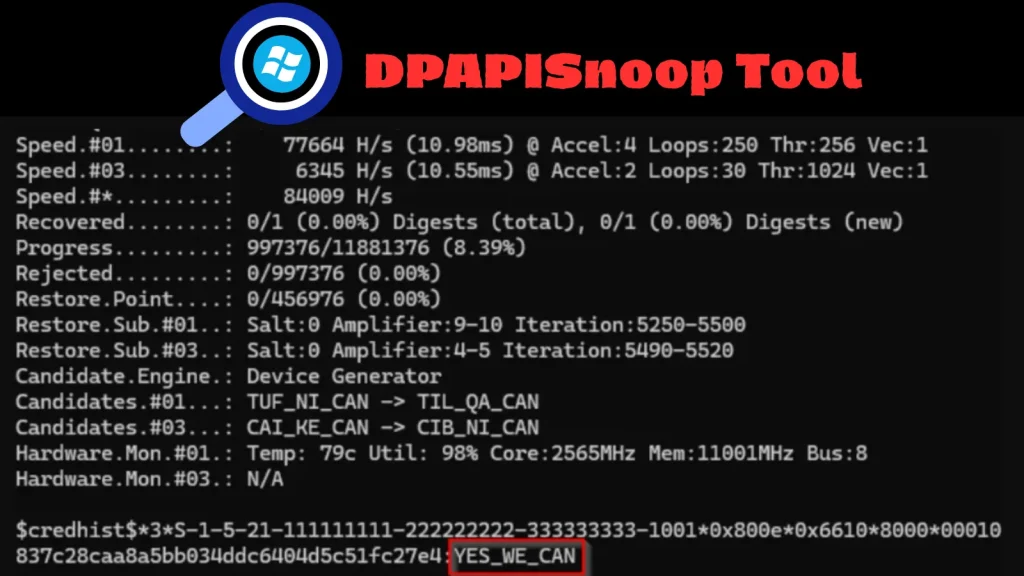
DPAPISnoop Tool Extracts CREDHIST Hashes for Offline Windows Credential Recovery
Unveiling Historical Credentials: DPAPISnoop and CREDHIST Hashes
The landscape of Windows credential security continues to evolve, pushing defenders to understand new attack vectors and tools. A recent enhancement to the open-source DPAPISnoop tool has significantly augmented its capabilities, allowing for the extraction of CREDHIST entries. This development isn’t merely academic; it provides a potent method for recovering and analyzing historical Windows credentials offline, offering deeper insights into password patterns and potential compromise points. For cybersecurity analysts, red teamers, and IT professionals, understanding this functionality is crucial for both offensive and defensive strategies.
What is DPAPISnoop?
DPAPISnoop is an existing tool renowned for its ability to extract Data Protection API (DPAPI) Master Key hashes from Windows systems. DPAPI is a cryptography service in Windows that allows developers to encrypt data using a user’s logon credentials or a system’s machine key, making it accessible only to that user or system. By extracting these Master Key hashes, attackers can decrypt various protected data, including saved passwords, Wi-Fi credentials, and VPN configurations. This foundational capability makes DPAPISnoop a valuable asset for credential harvesting and understanding the cryptographic protections within a Windows environment.
The Significance of CREDHIST Hashes
The recent update to DPAPISnoop, as highlighted by Lefteris Panos, Security Consultant at LRQA Red Team, introduces the ability to extract CREDHIST entries. But what exactly are CREDHIST hashes, and why are they so important? CREDHIST refers to the “Credential History” attribute in Active Directory user objects. When a user changes their password, Windows often stores a hash of the previous password in this attribute. This is primarily for backward compatibility and to facilitate certain password policies (e.g., preventing users from reusing a set number of old passwords). While designed with some security considerations, the storage of these historical hashes presents a significant opportunity for attackers.
The extraction of CREDHIST hashes allows for:
- Offline Credential Cracking: Unlike live password attacks, these hashes can be taken offline and subjected to extensive brute-force or dictionary attacks without directly interacting with the target system, significantly increasing the chances of success.
- Uncovering Password Patterns: Analyzing a history of passwords can reveal common user password choices, weaknesses, or predictable changes. This intel can feed into more effective social engineering or brute-force attacks against other systems.
- Broader Attack Surface: Even if a user has recently changed a compromised password, their historical hashes could still yield a valid credential for another service where they might have reused it.
DPAPISnoop’s Enhanced Capabilities
The integration of CREDHIST extraction into DPAPISnoop empowers security professionals with a more comprehensive view of Windows credential security. Previously, the focus was on current DPAPI-protected data. Now, the tool reaches further back in time, providing a historical record of passwords. This dual capability—extracting both DPAPI Master Key hashes and historical password hashes—makes DPAPISnoop an even more formidable utility for red teams and provides critical insights for blue teams to defend against such attacks.
Impact on Security Assessments and Incident Response
For red teams, the enhanced DPAPISnoop means more avenues for credential compromise. During penetration tests, gaining access to a system can now potentially yield not just current credentials but also a rich history of previous ones, dramatically increasing the success rate for lateral movement and privilege escalation. For blue teams and incident responders, this poses a new challenge but also a critical detection opportunity. The presence of extracted CREDHIST hashes during a forensic investigation signifies a significant compromise and provides clues about the attacker’s methods and potential targets. The analysis of these hashes can help identify the extent of a breach and inform remediation strategies.
Remediation Actions and Mitigations
To defend against attacks leveraging tools like enhanced DPAPISnoop, organizations must adopt a multi-layered security approach focusing on credential hygiene and robust system configurations.
- Strong Password Policies: Enforce complex passwords that are long, unique, and frequently changed. While DPAPISnoop leverages historical hashes, strong current passwords remain the first line of defense.
- Multi-Factor Authentication (MFA): Implement MFA wherever possible. Even if a password hash is cracked, MFA acts as a crucial barrier, preventing unauthorized access.
- Least Privilege Principle: Ensure users and applications only have the minimum necessary access to perform their functions. This limits an attacker’s reach even if they compromise a credential.
- Regular Patching and Updates: Keep operating systems and software up to date to mitigate known vulnerabilities that attackers might exploit to gain initial system access.
- Endpoint Detection and Response (EDR): Deploy EDR solutions to monitor for suspicious activity related to credential dumping, process injection, or unauthorized access to sensitive files.
- Privileged Access Management (PAM): Implement PAM solutions to tightly control and monitor access to privileged accounts.
- Security Awareness Training: Educate users about phishing, social engineering, and the importance of unique and strong passwords.
- Monitoring for Credential Dumping Tools: Implement security controls that detect the execution or presence of credential dumping tools like DPAPISnoop on endpoints. This could involve signature-based detection or behavioral analytics.
- Review Active Directory Password Policies: Understand how your domain stores and handles password history. While necessary for some policies, be aware of the security implications.
Key Takeaways
The update to DPAPISnoop, integrating CREDHIST hash extraction, marks a significant advancement in offline Windows credential recovery. This capability provides attackers with a powerful method to uncover historical user passwords, offering deeper insights into password patterns and expanding the scope of potential compromises. For security professionals, this necessitates a renewed focus on robust password policies, multi-factor authentication, and comprehensive endpoint security measures. Understanding both the offensive potential and defensive strategies related to DPAPISnoop and CREDHIST hashes is paramount for maintaining a strong security posture in today’s threat landscape.




