
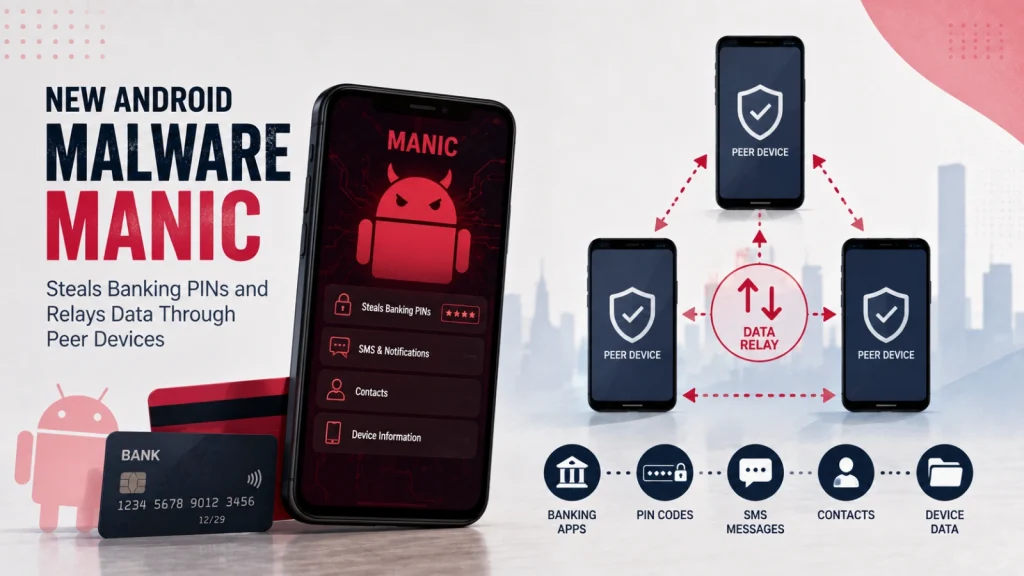
ToxicPanda Android Malware Can Steal Banking PINs and Gain Shell Access to Phones
ToxicPanda: A Resurgent Threat to Android Banking Security
The digital landscape for mobile banking users is under a renewed and sophisticated threat. A new variant of the ToxicPanda Android banking trojan, dubbed ToxicPanda 2.0, has emerged, demonstrating an alarming expansion of its capabilities. This updated malware is not just a nuisance; it’s a critical danger capable of stealing banking Personal Identification Numbers (PINs), mimicking trusted applications, and gaining deep shell-level access to infected devices. For security professionals and everyday Android users alike, understanding this evolving threat is paramount.
Understanding ToxicPanda 2.0’s Expanded Arsenal
ToxicPanda has evolved significantly from its earlier iterations. The core functionality remains focused on financial fraud, but its methods have become far more insidious. This new version, ToxicPanda 2.0, brings a broader range of remote commands and a wider targeting scope, indicating a more professional and determined threat actor behind its development.
Stealing Banking PINs and Credential Harvesting
One of the primary and most concerning capabilities of ToxicPanda 2.0 is its ability to directly steal banking PINs. This is often achieved through sophisticated overlay attacks, where the malware superimposes a malicious login screen over legitimate banking applications. Users, unaware they are interacting with a fraudulent interface, enter their sensitive credentials, which are then exfiltrated to the attackers. Beyond PINs, the trojan is adept at harvesting other critical banking information, including usernames, passwords, and potentially other multi-factor authentication details.
Impersonation and Social Engineering
ToxicPanda 2.0 leverages social engineering tactics by imitating trusted application interfaces. This allows it to trick users into granting elevated permissions or divulging sensitive data. By meticulously replicating the look and feel of legitimate apps, the malware bypasses user suspicion, leading to a higher success rate in its malicious operations.
Gaining Shell Access: A Developer’s Tool Turned Weapon
Perhaps the most alarming new feature of ToxicPanda 2.0 is its ability to achieve shell access on infected phones. This functionality, typically intended for developers to debug and manage their devices, grants the malware an unprecedented level of control. With shell access, attackers can:
- Execute arbitrary commands on the device.
- Install or remove applications silently.
- Access and exfiltrate nearly any data stored on the phone.
- Manipulate device settings and functionalities without user consent.
- Establish persistence, making removal significantly more challenging.
This deep level of control transforms the malware from a simple data stealer into a persistent backdoor, allowing for long-term surveillance and exploitation of the compromised device.
Targeting and Distribution Mechanisms
While specific targeting details for ToxicPanda 2.0 are not always publicly disclosed immediately, banking Trojans generally employ several common distribution mechanisms:
- Phishing Campaigns: Malicious links sent via SMS, email, or messaging apps that trick users into downloading the malware.
- Malvertising: Ads on legitimate or compromised websites that redirect users to malicious download pages.
- Fake Apps: Apps disguised as popular utilities, games, or legitimate services on unofficial app stores or sideloading sites.
- Drive-by Downloads: Exploiting vulnerabilities in web browsers or operating systems to download and install the malware without user interaction (less common for Android banking Trojans but possible).
Remediation Actions and Prevention Strategies
Protecting against sophisticated threats like ToxicPanda 2.0 requires a multi-layered approach. For both IT professionals managing mobile fleets and individual users, proactive measures are crucial.
For Organizations and IT Professionals:
- Mobile Device Management (MDM): Implement and enforce robust MDM policies to control app installations, ensure regular security updates, and monitor device health.
- Endpoint Detection and Response (EDR): Utilize EDR solutions that can detect anomalous behavior on mobile devices, including suspicious network connections or unauthorized app installations.
- Security Awareness Training: Regularly train employees on phishing recognition, safe app downloads, and the dangers of granting unnecessary permissions.
- Application Whitelisting: Consider whitelisting approved applications to prevent the installation of unauthorized or malicious software.
- Network Monitoring: Implement network traffic analysis to detect command-and-control (C2) communications associated with known malware.
For Individual Users:
- Download Apps Only from Official Stores: Stick to the Google Play Store for app downloads. Even there, exercise caution and check app reviews and developer legitimacy.
- Scrutinize App Permissions: Before installing any app, carefully review the permissions it requests. Be wary of apps asking for excessive or irrelevant permissions (e.g., a calculator asking for camera access).
- Keep Your Android OS Updated: Ensure your device’s operating system is always running the latest security patches. This mitigates known vulnerabilities that malware might exploit.
- Use a Reputable Mobile Security Solution: Install and regularly update a trusted mobile antivirus or security application.
- Be Skeptical of Unsolicited Messages: Treat unexpected SMS messages, emails, or pop-ups with extreme caution, especially those asking for personal information or offering irresistible deals.
- Enable Multi-Factor Authentication (MFA): Where possible, enable MFA for all banking and critical online accounts. This adds an extra layer of security even if your PIN or password is compromised.
Relevant Tools and Resources
To aid in the detection, analysis, and mitigation of such threats, several tools and resources are invaluable:
| Tool Name | Purpose | Link |
|---|---|---|
| Virustotal | Online service for analyzing suspicious files and URLs, providing comprehensive malware reports. | https://www.virustotal.com/ |
| APKMirror | Repository for legitimate Android application packages (APKs) for verification and secure downloading. | https://www.apkmirror.com/ |
| Google Play Protect | Built-in Android security feature that scans apps for malware before and after installation. | (Integrated into Android OS) |
| Mobile Threat Defense (MTD) Solutions | Enterprise-grade solutions for detecting and preventing mobile attacks (e.g., Zimperium, Lookout, Check Point Harmony Mobile). | (Varies by vendor) |
| ADB (Android Debug Bridge) | Command-line tool for interacting with Android devices, useful for forensics and deep analysis (for experts). | https://developer.android.com/tools/adb |
Conclusion
The re-emergence and enhanced capabilities of ToxicPanda 2.0 underscore the persistent and evolving nature of Android malware. Its capacity to steal banking PINs, mimic legitimate interfaces, and, most critically, gain shell-level access, represents a significant threat to personal data and financial security. Vigilance, coupled with the implementation of robust security practices, is the best defense. Staying informed about the latest threats and proactively securing mobile devices are essential steps in protecting against sophisticated banking Trojans like ToxicPanda.




