Dell Secure Connect Gateway Vulnerabilities Allow Hackers to Gain Unauthorized Access
A recent disclosure from Dell has sent ripples through the cybersecurity community, revealing critical vulnerabilities within their Secure Connect Gateway 5.0 platform. These flaws present a significant risk, potentially allowing unauthorized access, remote command execution, and even root-level control over affected systems. For organizations relying on this gateway for IT infrastructure management, understanding and mitigating these risks is paramount.
Understanding the Dell Secure Connect Gateway Vulnerabilities
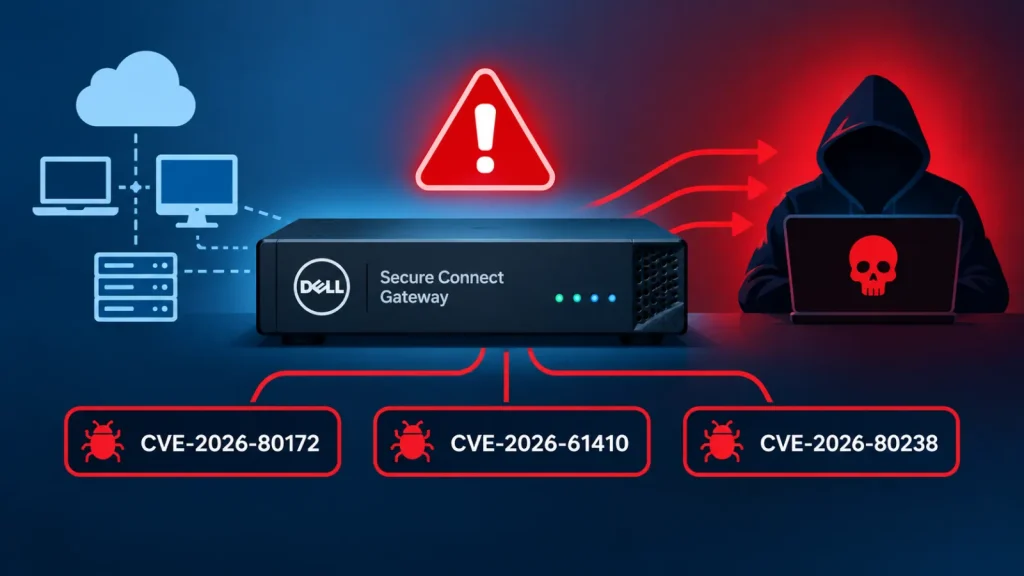
Dell’s Secure Connect Gateway is designed to streamline IT operations, offering remote monitoring, proactive support, and simplified management of Dell products. However, the recently identified security weaknesses compromise the very security it aims to enhance. Three distinct vulnerabilities have been highlighted:
- CVE-2024-22002: Improper Neutralization of Special Elements used in an OS Command (CVSSv3 Score: 9.8 – Critical)
This critical vulnerability allows an unauthenticated attacker to execute arbitrary commands on the appliance with root privileges. Such an exploit could lead to complete system compromise and data exfiltration. - CVE-2024-22003: Improper Privilege Management (CVSSv3 Score: 9.8 – Critical)
This flaw enables an unauthenticated attacker to gain unauthorized access to the Secure Connect Gateway and execute commands. The lack of proper privilege management means an attacker could escalate their access to administrative levels without proper authentication. - CVE-2024-22004: Improper Neutralization of Special Elements used in an OS Command (CVSSv3 Score: 9.8 – Critical)
Similar to CVE-2024-22002, this vulnerability also permits an unauthenticated attacker to inject and execute OS commands with root privileges. The consequences are identical, posing a severe threat to the integrity and confidentiality of the system.
These vulnerabilities collectively represent a severe threat due to their critical CVSSv3 scores of 9.8. This score indicates that they are easily exploitable and can lead to significant impact without requiring complex attack vectors or specialized knowledge.
Affected Versions and Impact
The vulnerabilities impact specific versions of Dell Secure Connect Gateway 5.0. Organizations need to check their current installations to determine if they are at risk:
- Dell Secure Connect Gateway 5.0 Appliance: Versions earlier than 5.36.00.16 are vulnerable.
- Dell Secure Connect Gateway 5.0 Application: Versions earlier than 5.36.00.00 are vulnerable.
The potential impact of these vulnerabilities is extensive. A successful exploit could allow attackers to:
- Gain full administrative control over the Secure Connect Gateway.
- Access sensitive information managed by the gateway.
- Use the compromised gateway as a pivot point to attack other systems within the network.
- Introduce malicious software or disrupt operations.
Remediation Actions
Given the critical nature of these vulnerabilities, immediate action is necessary to protect systems. Dell has released patches to address these issues. The primary remediation strategy is to update the Secure Connect Gateway to the latest secure versions:
- Upgrade Dell Secure Connect Gateway 5.0 Appliance to version 5.36.00.16 or later.
- Upgrade Dell Secure Connect Gateway 5.0 Application to version 5.36.00.00 or later.
Administrators should consult the official Dell support documentation for detailed instructions on how to perform the upgrade process. It is also advisable to:
- Regularly review system logs for any unusual activity.
- Implement strong network segmentation to limit the blast radius of a potential compromise.
- Enforce the principle of least privilege for all user accounts accessing the gateway.
- Conduct regular vulnerability scans and penetration tests.
Tools for Detection and Mitigation
While updating is the most critical step, various tools can aid in detecting vulnerabilities and ensuring ongoing security posture. Below is a table of relevant tools:
| Tool Name | Purpose | Link |
|---|---|---|
| Nessus | Vulnerability Scanning & Detection | https://www.tenable.com/products/nessus |
| OpenVAS | Open-source Vulnerability Scanner | http://www.openvas.org/ |
| Qualys VMDR | Vulnerability Management, Detection & Response | https://www.qualys.com/apps/vulnerability-management-detection-response/ |
| Dell Support Website | Official Updates & Documentation | https://www.dell.com/support |
Staying Ahead of Cyber Threats
The discovery of these critical vulnerabilities in Dell Secure Connect Gateway serves as a stark reminder of the continuous need for vigilance in cybersecurity. Unpatched systems are prime targets for attackers, and the consequences of neglecting updates can be severe. Organizations must prioritize regular patching, thorough vulnerability management, and proactive security measures to safeguard their digital assets. Stay informed, stay updated, and secure your infrastructure.