
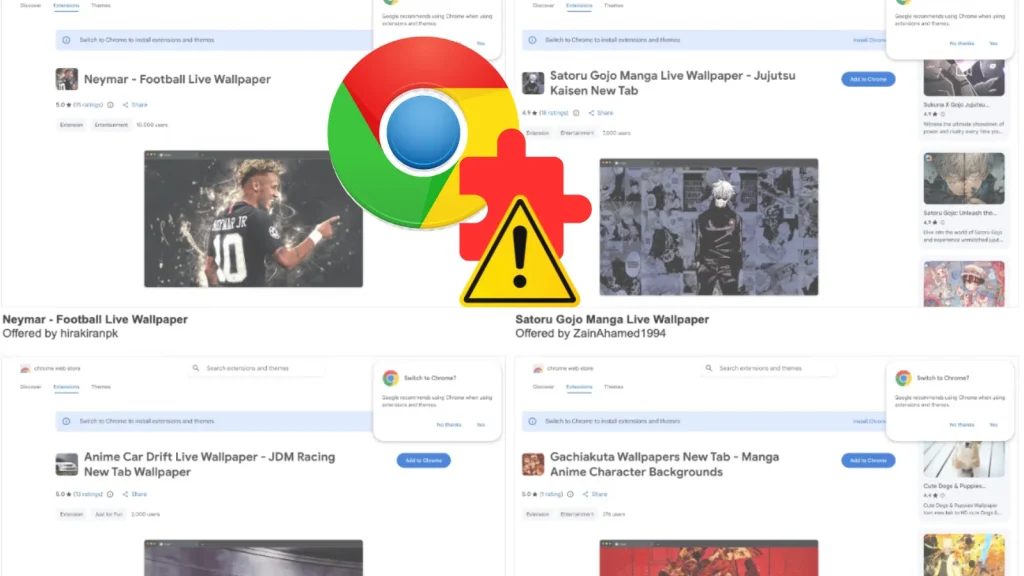
152 Chrome Extensions Hide Ad Tracking and Fake Google Search Traffic
The digital landscape is a minefield of potential threats, and even seemingly benign tools can harbor malicious intent. A recent discovery has shed light on a troubling situation involving 152 Chrome extensions disguised as “live wallpaper” offerings. These extensions, despite explicitly promising to collect no user data, were actively engaged in surreptitious data logging and the sophisticated manipulation of Google’s organic search traffic. This campaign not only compromises user privacy but also highlights a growing trend of adware-adjacent tactics designed to defraud advertisers and pollute valuable analytics data.
The Deceptive Nature of “Live Wallpaper” Extensions
The core of this illicit operation lies within a network of 152 Chrome extensions, all masquerading as harmless “live wallpaper” tools. Users, seeking to personalize their browser experience, unknowingly installed software that harbored a hidden agenda. Once installed, these extensions went beyond their advertised functionality, engaging in two primary malicious activities: covert data logging and the falsification of search traffic.
The deception is particularly insidious because the extensions made explicit claims about not collecting any user data. This direct contradiction between their stated privacy policies and their actual behavior underscores the advanced nature of these threats. Users were led to believe their privacy was protected, while in reality, their online activities were being monitored and cataloged without consent.
Adware-Adjacent Tactics and Traffic Laundering
This campaign is a prime example of an “adware-adjacent” operation. While not traditional adware in the sense of bombarding users with intrusive ads, it leverages similar underhanded methods to generate illicit revenue. The extensions specifically abused the functionality of new-tab extensions, a common feature allowing users to customize their browser’s starting page. Instead of simply displaying a chosen wallpaper, these extensions acted as a conduit for malicious traffic generation.
The primary goal was to “launder” extension-generated visits into what appeared to be legitimate Google “organic search” traffic. This sophisticated technique involved manipulating the referral data that accompanies web requests. By faking organic search referrals, the attackers could artificially inflate the revenue generated from advertising impressions. This not only defrauds advertisers, who are paying for genuine user engagement, but also significantly distorts analytics data for website owners, making it difficult to accurately assess their legitimate traffic sources.
Impact on User Privacy and Data Integrity
The impact of these malicious extensions is twofold: a severe breach of user privacy and a significant compromise of data integrity. The unauthorized logging of user data means that sensitive information, potentially including browsing habits, search queries, and other personal identifiers, could have been collected and possibly exploited. This poses a direct threat to individuals’ digital security and can lead to further targeted attacks or identity theft.
From an analytical perspective, the fake Google search traffic injected by these extensions pollutes critical data. Businesses and website owners rely on accurate analytics to understand user behavior, optimize their SEO strategies, and make informed decisions. When this data is contaminated with fraudulent traffic, it leads to skewed results, misallocation of resources, and potentially incorrect business strategies.
Remediation Actions and Proactive Security Measures
Given the pervasive nature of such threats, proactive remediation is paramount. For users and security professionals alike, several key actions can mitigate the risks associated with malicious browser extensions.
For Users:
- Review Installed Extensions: Regularly audit your Chrome extensions. Remove any extensions that you do not actively use or that seem suspicious.
- Scrutinize Permissions: Before installing any extension, carefully review the permissions it requests. If an extension for wallpapers asks for extensive access to your browsing history or data on all websites, it’s a significant red flag.
- Reputable Sources Only: Only install extensions from trusted developers and the official Chrome Web Store. Even then, exercise caution, as this incident demonstrates that malicious extensions can circumvent initial scrutinies.
- Browser Security Features: Utilize Chrome’s built-in security features and ensure your browser is always up-to-date.
For Security Professionals and IT Administrators:
- Endpoint Detection and Response (EDR): Implement EDR solutions that can monitor browser activity and detect anomalous behavior, such as unusual data exfiltration or traffic manipulation originating from browser extensions.
- Network Traffic Analysis: Employ network monitoring tools to identify suspicious traffic patterns, particularly those indicating falsified referral data or communication with known malicious command-and-control servers.
- User Education: Conduct regular security awareness training for employees, emphasizing the risks associated with installing unverified browser extensions and the importance of permission review.
- Browser Extension Management: In enterprise environments, consider implementing policies that restrict or tightly control the installation of browser extensions to a pre-approved list.
- Threat Intelligence Feeds: Integrate threat intelligence feeds that track newly identified malicious extensions and adware campaigns.
Tools for Detection and Mitigation
Implementing a robust security posture requires the right tools. Here’s a selection of solutions that can assist in detecting and mitigating the risks posed by malicious browser extensions and similar threats:
| Tool Name | Purpose | Link |
|---|---|---|
| Google Chrome Enterprise Browser | Centralized management and security policies for enterprise browser environments. | https://chromeenterprise.google/browser/download/ |
| Endpoint Detection and Response (EDR) Solutions | Monitors endpoint activities, detects malicious behavior, and provides response capabilities (e.g., CrowdStrike Falcon, SentinelOne, Microsoft Defender for Endpoint). | https://www.crowdstrike.com/ |
| Network Intrusion Detection/Prevention Systems (NIDS/NIPS) | Monitors network traffic for suspicious activity, known attack signatures, and policy violations (e.g., Snort, Suricata, Palo Alto Networks NGFW). | https://www.snort.org/ |
| Browser Extension Scanners (e.g., Extension Defender) | Helps identify and analyze potentially malicious browser extensions. | (Note: Standalone, highly reliable, and current public scanners are rapidly evolving. Searching for “browser extension security scanner” will yield up-to-date options.) |
| Web Application Firewalls (WAF) | Protects web applications from various attacks, including those leveraging manipulated traffic. | https://www.cloudflare.com/waf/ |
Insights into the Broader Threat Landscape
This incident is not isolated. It underscores a broader trend where attackers are increasingly leveraging the perceived trust in software like browser extensions. The ability to “launder” traffic and mimic legitimate organic search activity indicates a sophisticated understanding of web analytics and advertising ecosystems. This blurring of lines between legitimate and malicious activity makes detection more challenging for both automated systems and human analysts.
Furthermore, the focus on new-tab extensions is strategic. These extensions often request broad permissions and are frequently opened, making them ideal vehicles for persistent data collection and traffic manipulation. The lack of transparency regarding data collection, despite explicit claims to the contrary, is a critical ethical and security failure.
Conclusion
The discovery of 152 Chrome extensions engaged in hidden ad tracking and the faking of Google search traffic serves as a stark reminder of the persistent and evolving threats in the digital realm. These “live wallpaper” extensions, by logging user data and obfuscating their malicious activities, represent a significant breach of trust and threaten the integrity of web analytics. For users, vigilance in reviewing extension permissions and regularly auditing installed software is essential. For organizations, robust endpoint security, network monitoring, and continuous user education are critical defenses against such sophisticated and deceptive campaigns. Remaining proactive and informed is the only way to navigate this complex and frequently exploited digital landscape.




