
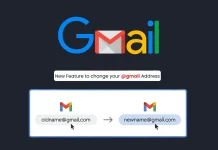
Google Now Allows You to Change Your @gmail.com Address in a Few Simple Steps
Goodbye Generic Gmail: Google Unlocks Account Username Changes After Two Decades
For over twenty years, the rigidity of a Google Account username has been a persistent, often frustrating, digital reality. Users accustomed to evolving identities and professional shifts found themselves tethered to email addresses chosen in their youth or based on past circumstances. The cumbersome process of creating entirely new accounts and meticulously migrating data simply to update an outdated email was a significant hurdle. However, a recent shift announced in Google’s support documentation marks a pivotal change: users can now modify their @gmail.com addresses with relative ease. This long-awaited update simplifies digital identity management and eliminates a common point of friction for millions.
The Era of Gmail Username Permanence Ends
Historically, a Google Account username, once established, was set in stone. This policy, while understandable in its early iterations, became increasingly out of sync with modern digital lives. Users frequently desired to change their primary email due to personal name changes, professional rebranding, or simply outgrowing a whimsical early choice. The only recourse was to abandon the old account, create a new one, and then navigate the complex and often incomplete transfer of data, subscriptions, and digital history. This often resulted in maintaining multiple accounts or accepting an email address that no longer represented their current identity.
Understanding the Change: What You Can Now Do
The updated Google policy, as highlighted by Cyber Security News, now allows users to change their @gmail.com address. While the exact step-by-step process might vary slightly based on individual account configurations, the core functionality is clear: you can now update the primary identifier associated with your Google services. This means your Google Drive, Google Photos, YouTube, and all other connected services will seamlessly transition to your new email address without the need for a fresh account creation.
Benefits of a Flexible Gmail Address
- Enhanced Personal Branding: Align your digital identity with your professional or current personal name.
- Improved Privacy: Ditch old, potentially compromising, or easily guessable email addresses.
- Streamlined Digital Life: Consolidate services under a single, current, and relevant email.
- Reduced Data Migration Hassle: Avoid the arduous process of transferring files, contacts, and subscriptions to a new account.
- Professionalism: Present a more mature and current email address in professional communications.
Implications for Security Professionals and IT Administrators
While this change simplifies user experience, it also carries implications for cybersecurity best practices. IT administrators within organizations that utilize Google Workspace should be aware of this new flexibility. It’s crucial to reinforce policies around approved email formats and procedures for employees requesting such changes to maintain consistent security protocols and directory management. For individual users, ensuring that only trusted devices are used for such critical account changes and that strong, unique passwords protect their accounts remains paramount.
Remediation Actions and Best Practices for Account Management
While this isn’t a vulnerability, proactive steps enhance account security and efficient management:
- Enable Two-Factor Authentication (2FA): This is the most crucial step for any Google Account. Even if your password is compromised, 2FA prevents unauthorized access.
- Regularly Review Account Activity: Check your Google Security Checkup periodically for unusual login attempts or linked devices.
- Update Recovery Options: Ensure your recovery phone number and email address are current to facilitate account recovery if access is lost.
- Educate Users: If managing organizational accounts, inform users about the new process and the importance of adhering to internal IT policies for email changes.
- Use Strong, Unique Passwords: A unique password for your Google Account significantly reduces the risk of credential stuffing attacks.
The Future of Digital Identity with Google Accounts
Google’s decision to allow Gmail address changes signals a more flexible and user-centric approach to digital identity. This move acknowledges the dynamic nature of online personas and personal information in the 21st century. It’s a positive step towards empowering users with greater control over their core digital presence, reducing historical frustrations, and offering a smoother path for managing evolving personal and professional brands. This capability, while seemingly minor, represents a significant enhancement to Google’s robust account management framework.




