
FakeAgent Campaign Uses Malicious Bing Ads and Claude.ai Artifacts to Infect Corporate Users
Unmasking FakeAgent: The Malicious Bing Ads Campaign Targeting Corporate AI Users
The allure of productivity tools, especially cutting-edge AI assistants, can be a double-edged sword. In a recent and concerning development, a sophisticated malware campaign dubbed FakeAgent has been actively exploiting this desire, leveraging malicious Bing Ads and deceptive Claude.ai artifacts to compromise corporate networks. This campaign highlights a critical vulnerability in user behavior and the potential dangers lurking behind seemingly legitimate search results.
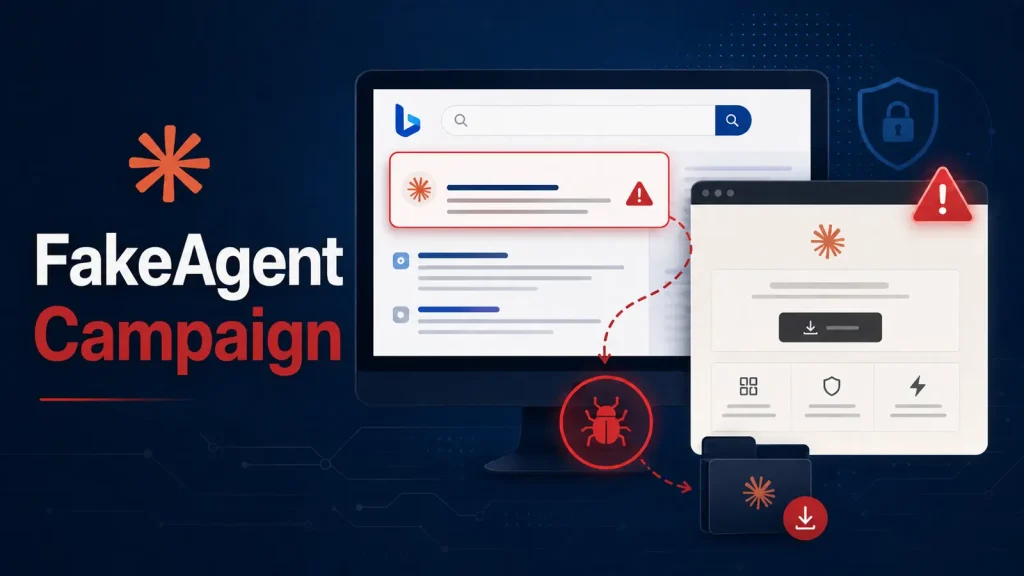
Between July 21 and July 22, 2026, cybersecurity researchers observed at least 29 organizations falling victim to FakeAgent. The modus operandi is alarmingly simple yet highly effective: corporate employees, seeking a desktop version of the popular AI assistant Claude, stumbled upon malicious paid advertisements in Bing search results. These ads led to compromised sites, ultimately deploying malware that facilitated unauthorized software installations and entrenched hidden persistence mechanisms within the targeted systems.
How FakeAgent Infiltrates Corporate Environments
The FakeAgent campaign demonstrates a cunning understanding of social engineering and supply chain attacks. Here’s a breakdown of its primary attack vectors:
- Malicious Bing Ads: The initial point of compromise relies heavily on sponsored search results. When a corporate user searches for “Claude desktop app” or similar terms on Bing, they are presented with what appears to be a legitimate download link, often prioritized by its paid placement.
- Deceptive Landing Pages: Clicking these malicious ads redirects users to meticulously crafted landing pages that mimic official Claude.ai download portals. These pages are designed to fool even security-conscious individuals into believing they are accessing a genuine resource.
- Malware Delivery via “Claude.ai Artifacts”: Instead of a legitimate AI application, users inadvertently download and execute a malicious payload disguised as a desktop installer for Claude. This payload is the core of the FakeAgent threat, establishing a foothold within the corporate network.
- Hidden Persistence Mechanisms: Once executed, the malware doesn’t just perform a one-time install. It establishes sophisticated persistence mechanisms, ensuring that even if the initial compromise is detected and contained, the threat actor maintains access to the system. This often involves creating new user accounts, modifying system services, or injecting malicious code into legitimate processes.
The Impact of a FakeAgent Compromise
The consequences of a FakeAgent attack can be severe for organizations. Unauthorized software installations can lead to:
- Data Exfiltration: The deployed malware can be designed to steal sensitive corporate data, intellectual property, or confidential client information.
- Ransomware Deployment: Once inside, attackers can deploy ransomware, encrypting critical systems and demanding payment for their release.
- Lateral Movement: The initial foothold can be used to move laterally across the network, compromising other systems and expanding the scope of the attack.
- Credential Theft: Keyloggers or information stealers embedded within the malware can capture login credentials, further facilitating unauthorized access.
- Reputational Damage: A successful breach can severely damage an organization’s reputation, eroding customer trust and leading to significant financial losses.
Remediation Actions and Proactive Defense
Mitigating the FakeAgent threat and similar campaigns requires a multi-layered approach, combining technical controls with user education. Organizations should implement the following remediation and proactive defense strategies:
Immediate Remediation Steps:
- Isolate Compromised Systems: Immediately disconnect any identified compromised machines from the network to prevent further spread of the malware.
- Full System Scans: Conduct comprehensive antivirus and anti-malware scans on all potentially affected systems using up-to-date definitions.
- Review Logs and Network Traffic: Scrutinize network logs, firewall logs, and endpoint detection and response (EDR) alerts for any indicators of compromise (IoCs) related to the FakeAgent campaign. Look for unusual outbound connections, unauthorized process executions, or new user accounts.
- Password Resets: Force password resets for all users whose accounts may have been compromised, especially those who downloaded the malicious software. Implement multi-factor authentication (MFA) aggressively.
- Delete Malicious Files and Persistence: Identify and remove all malicious files, Registry entries, scheduled tasks, and other persistence mechanisms established by FakeAgent.
Proactive Defense Strategies:
- 強化Awareness Training: Conduct regular and engaging cybersecurity awareness training for all employees. Emphasize the dangers of clicking on suspicious ads, downloading software from untrusted sources, and the importance of verifying download links. Clearly communicate the company’s official software acquisition policies.
- Implement Ad Blockers: Deploy enterprise-grade ad blockers on all corporate devices to reduce the visibility of malicious paid advertisements.
- Strict Software Installation Policies: Enforce strict software installation policies. Restrict users from installing applications without administrative approval. Utilize application whitelisting to permit only approved software to run.
- Endpoint Detection and Response (EDR): Deploy and configure robust EDR solutions to monitor endpoint activity, detect anomalous behavior, and respond to threats in real-time.
- Web Content Filtering and DNS Filtering: Implement web content filtering and DNS filtering to block access to known malicious domains and categorize suspicious websites.
- Email Security Gateway: Utilize advanced email security gateways to filter out phishing attempts and malicious attachments, which can serve as an alternative initial compromise vector.
- Regular Backups: Maintain regular, offsite, and immutable backups of all critical data. This is crucial for recovery in the event of a successful ransomware attack.
- Principle of Least Privilege: Implement the principle of least privilege for all users and systems, ensuring that employees only have access to the resources absolutely necessary for their job functions.
Tools for Detection and Mitigation
| Tool Name | Purpose | Link |
|---|---|---|
| Endpoint Detection and Response (EDR) Solutions | Real-time threat detection, incident response, and forensic analysis on endpoints. | Gartner EDR Reviews |
| Network Intrusion Detection/Prevention Systems (NIDS/NIPS) | Monitoring network traffic for suspicious activity and blocking known threats. | Snort |
| Security Information and Event Management (SIEM) | Aggregating and analyzing security logs from various sources for threat detection. | Splunk |
| Application Whitelisting Software | Preventing unauthorized applications from executing on endpoints. | Windows Defender Application Control |
| Cybersecurity Awareness Training Platforms | Educating employees on cybersecurity best practices and identifying threats. | KnowBe4 |
Protecting Your Organization from Evolving Threats
The FakeAgent campaign serves as a stark reminder that cybercriminals are constantly adapting their tactics. Their targeting of popular AI tools, combined with the use of paid advertising in a trusted search engine like Bing, underscores the need for continuous vigilance and robust security measures. By fostering a strong security culture, implementing comprehensive technical controls, and staying informed about emerging threats, organizations can significantly bolster their defenses against such deceptive and dangerous campaigns.




