
macOS ClickFix Attack Deploys Atomic Stealer to Steal Passwords and Crypto Wallets
macOS ClickFix Attack: A Deceptive Path to Atomic Stealer and Data Theft
In an increasingly sophisticated threat landscape, macOS users, often perceived to be immune to certain cyber threats, are now facing a cunning new attack vector: the ClickFix campaign. This deceptive strategy leverages fake verification prompts to trick users into inadvertently installing sophisticated malware. Specifically, this campaign is noted for deploying the potent Atomic Stealer, designed to pilfer sensitive user data, including passwords and cryptocurrency wallet information. This blog post delves into the mechanics of this attack, its implications, and crucial preventative measures.
Understanding the ClickFix Deception
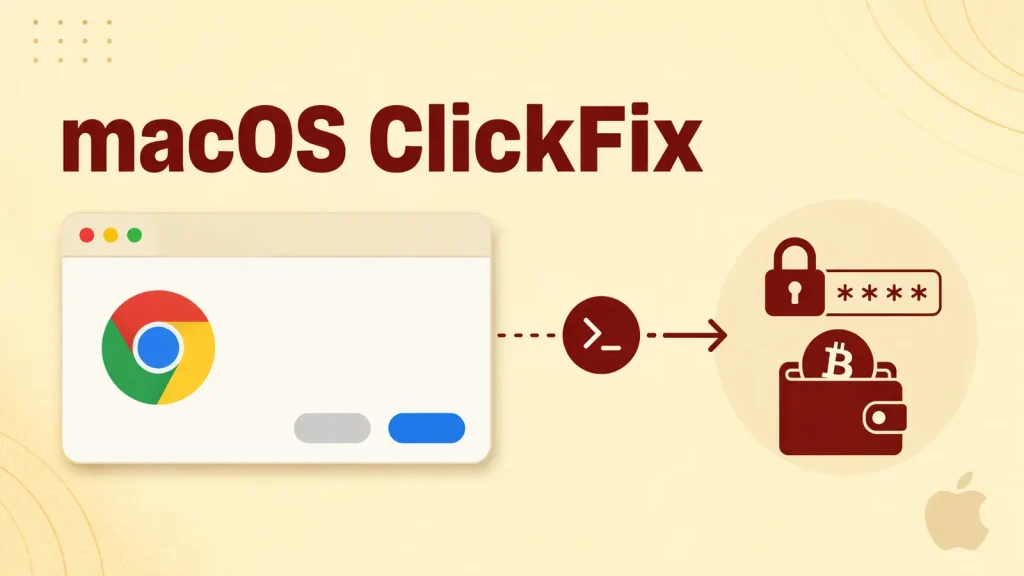
The ClickFix attack distinguishes itself by not relying on conventional software exploits or vulnerabilities in macOS itself. Instead, it ingeniously exploits human trust and the perception of routine security checks. Victims are lured into a scenario where they believe they are completing a standard CAPTCHA or verification process on a seemingly legitimate webpage. However, the prompt instructs them to execute a malicious command.
Here’s how the deception unfolds:
- Users encounter a web page displaying what appears to be a verification prompt.
- They are then instructed to copy a specific command presented on the page.
- Critically, they are told to open macOS’s built-in Terminal application.
- Finally, they are instructed to paste the copied command into the Terminal and execute it, believing they are completing a necessary security step.
This process circumvents many traditional security layers because the user is actively consenting to run the command, albeit under false pretenses. The elegance of the attack lies in its simplicity and its exploitation of user behavior rather than relying on complex code vulnerabilities.
The Threat: Atomic Stealer
Once the malicious command is executed, it covertly installs Atomic Stealer on the victim’s macOS system. Atomic Stealer is a highly capable information-stealing malware known for its ability to exfiltrate a wide array of sensitive data. Its primary targets include:
- Login Credentials: Stored passwords from web browsers, password managers, and other applications.
- Cryptocurrency Wallets: Private keys, seed phrases, and other critical information for various crypto wallets, leading to potential significant financial loss.
- Browser Data: Cookies, browsing history, and autofill information that can be used for session hijacking or further social engineering.
- System Information: Details about the macOS system that can be used for profiling or subsequent attacks.
The stealthy nature of Atomic Stealer means that users often remain unaware of its presence until significant damage has been done or their accounts are compromised.
Remediation Actions and Prevention
Protecting against the macOS ClickFix attack and Atomic Stealer requires a combination of technical awareness and vigilant user behavior. Here are critical remediation and preventative actions:
- Never Execute Unverified Commands in Terminal: This is paramount. The Terminal is a powerful tool; inputting unknown commands can grant attackers full control over your system. Always verify the source and purpose of any command before execution.
- Be Skeptical of Verification Prompts: Exercise extreme caution with any web page asking you to perform unusual steps like opening Terminal for a CAPTCHA or verification. Legitimate verification processes rarely, if ever, require direct command-line interaction from users.
- Employ Robust Endpoint Protection: Utilize reputable antivirus and endpoint detection and response (EDR) solutions that offer real-time scanning and behavioral analysis for macOS. These tools can often detect and block known malware like Atomic Stealer.
- Regularly Update macOS and Applications: While this attack doesn’t rely on OS vulnerabilities, keeping your operating system and all applications up-to-date ensures you have the latest security patches against other potential threats.
- Use a Password Manager: A strong, reputable password manager can help generate and store unique, complex passwords, reducing the impact if one set of credentials is stolen. Often, these managers have features to detect compromised websites.
- Enable Multi-Factor Authentication (MFA): For all critical accounts, especially financial services and cryptocurrency exchanges, enable MFA. This adds an extra layer of security, making it harder for attackers to access accounts even with stolen passwords.
- Backup Your Data: Regularly back up important files and cryptocurrency wallet information to secure, offline storage. This can mitigate losses in the event of a successful data exfiltration.
Tools for Detection and Mitigation
| Tool Name | Purpose | Link |
|---|---|---|
| Malwarebytes for Mac | Endpoint protection, malware detection, and removal. | https://www.malwarebytes.com/mac |
| ESET Cyber Security Pro | Antivirus, anti-phishing, and firewall for macOS. | https://www.eset.com/us/home/cyber-security-pro-mac/ |
| Little Snitch | Monitors network connections, alerts on outgoing connections from unknown applications. | https://www.obdev.at/products/littlesnitch/index.html |
| BlockBlock (Objective-See) | Monitors common persistence locations, alerts when new items are added. | https://objective-see.com/products/blockblock.html |
Key Takeaways
The macOS ClickFix attack serves as a stark reminder that social engineering remains one of the most effective tools for threat actors. By masquerading as a routine security check, this campaign bypasses traditional defenses and deploys Atomic Stealer to compromise sensitive user data. User vigilance is the strongest defense. Always question unusual requests, especially those involving the Terminal, and maintain a proactive security posture with updated software and robust endpoint protection. Protecting your digital identity on macOS, much like any other platform, demands constant awareness and adherence to best security practices.




