
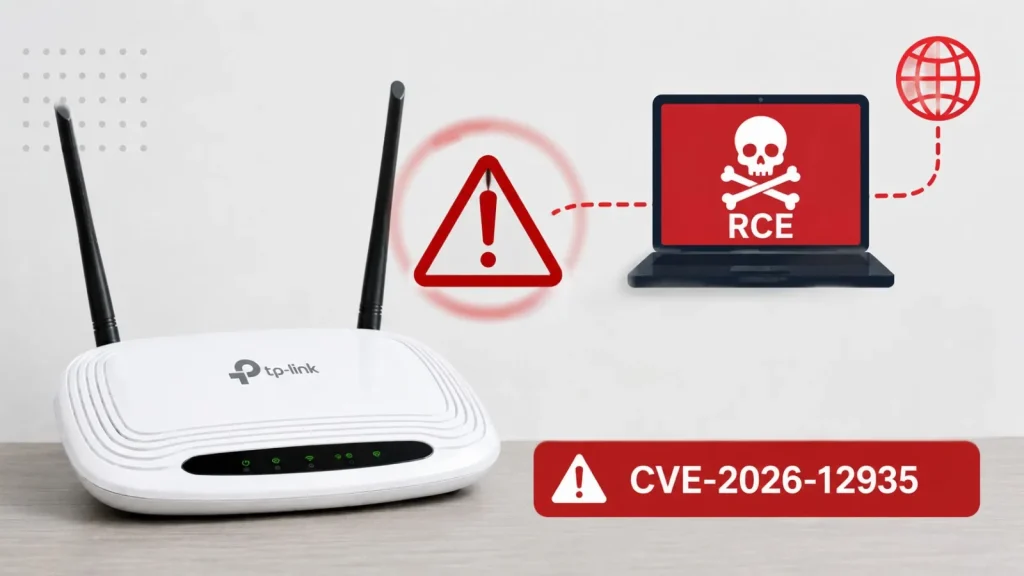
TP-Link TL-WR940N Vulnerability Enables Remote Code Execution Attacks
TP-Link TL-WR940N Vulnerability: A Critical Threat to Your Network Security
The digital landscape is constantly under siege, and the latest alarm comes from a widely used piece of home networking equipment. TP-Link has recently issued a crucial security advisory concerning a high-severity vulnerability impacting its popular TL-WR940N V6 wireless router. This flaw, officially identified as CVE-2026-12935, presents a significant risk, potentially allowing unauthenticated attackers to initiate denial-of-service (DoS) conditions or, more alarmingly, achieve remote code execution (RCE) on affected devices under specific circumstances. Understanding this vulnerability and taking immediate action is paramount for safeguarding your network.
Understanding CVE-2026-12935: The RTSP Connection Tracking Flaw
At the heart of this critical TP-Link TL-WR940N vulnerability is an issue residing within the router’s Real-Time Streaming Protocol (RTSP) connection tracking (conntrack) feature. RTSP, often utilized for streaming media content, relies on robust connection management. A weakness in how the router handles these connections can be exploited. Attackers could craft malicious RTSP requests that overwhelm or improperly interact with the conntrack mechanism, leading to system instability or, in the worst-case scenario, opening a pathway for arbitrary code execution.
- Denial-of-Service (DoS): An attacker could flood the router with malformed RTSP requests, causing it to crash or become unresponsive, effectively taking your network offline.
- Remote Code Execution (RCE): This is the more severe consequence. RCE allows an attacker to run their own malicious code on the compromised router. This could lead to a complete takeover of the device, enabling them to:
- Monitor network traffic.
- Redirect internet requests.
- Install further malware.
- Launch attacks against other devices on your local network.
Affected Devices and Impact
The vulnerability specifically targets the TP-Link TL-WR940N V6 wireless router. While this model is popular for its affordability and performance, its widespread adoption also means a larger attack surface for malicious actors. Users of this particular router model must be acutely aware of the risks. The impact of successful exploitation ranges from temporary network disruption to a complete compromise of the router and, by extension, the entire local network it serves.
Remediation Actions: Securing Your TP-Link Router
Addressing CVE-2026-12935 is critical. TP-Link typically releases firmware updates to patch such vulnerabilities. Here’s how you can protect your device:
- Check for Firmware Updates: This is the most crucial step. Visit the official TP-Link support website for your specific region and product model (TL-WR940N V6). Download and install the latest available firmware. Firmware updates often contain essential security patches.
- Isolate Your Router: If an immediate patch isn’t available, consider isolating your router from direct internet exposure as much as possible. This might involve placing it behind another router or firewall if your network configuration allows.
- Monitor Network Activity: Keep an eye on unusual network traffic or unexpected behavior from your router. Tools like network intrusion detection systems (IDS) can help with this.
- Change Default Credentials: Always ensure your router’s administrative password is strong and unique, not the default factory setting.
- Disable Unused Features: If you’re not using RTSP or other advanced features, disable them in the router’s settings to reduce your attack surface.
Recommended Tools for Network Security
While direct patching is the primary solution, various cybersecurity tools can aid in overall network hygiene and detection of suspicious activity:
| Tool Name | Purpose | Link |
|---|---|---|
| Nmap | Network discovery and security auditing | https://nmap.org/ |
| Wireshark | Network protocol analyzer for traffic inspection | https://www.wireshark.org/ |
| Snort | Open-source intrusion prevention system (IPS) and intrusion detection system (IDS) | https://www.snort.org/ |
| OpenVAS | Vulnerability scanner for network devices | https://www.openvas.org/ |
| Router Firmware Checkers | Online tools to check for known vulnerabilities in firmware versions | (Often provided by security vendors or communities) |
Staying Vigilant: A Continuous Effort
The TP-Link TL-WR940N vulnerability underscores the importance of consistent vigilance in cybersecurity. Router vulnerabilities are particularly dangerous because these devices act as the gateway to your entire network. Regular firmware updates, strong security practices, and staying informed about the latest threats are not just recommendations—they are essential components of a robust cybersecurity posture. Don’t delay; check your TP-Link TL-WR940N V6 router today and ensure it’s protected against CVE-2026-12935 and other potential attacks.




