
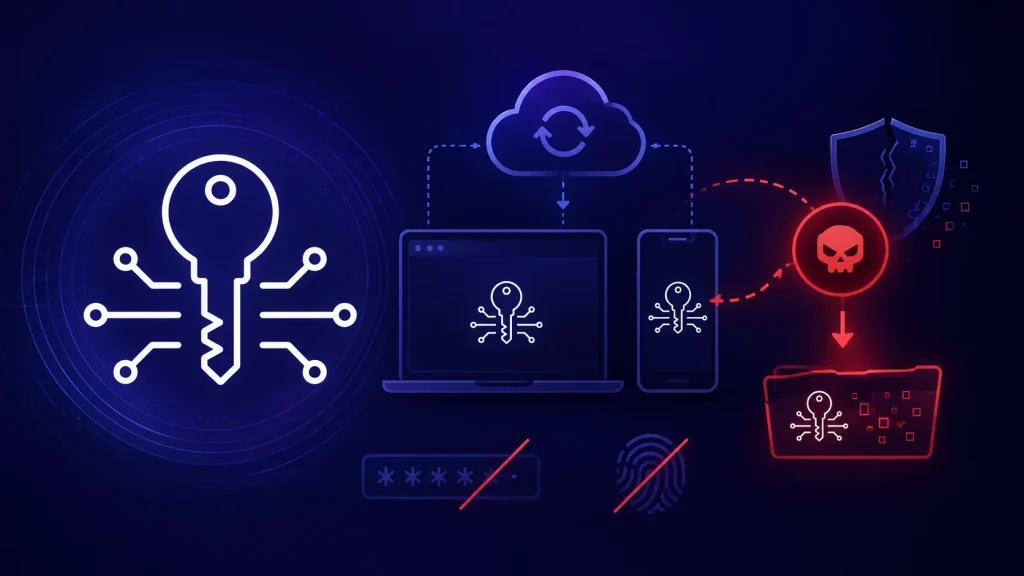
Malware Can Steal Your Google Synced Passkey Without Asking for Your Password or Fingerprint
The promise of passkeys was simple: a more secure, password-less future. Designed to replace vulnerable passwords with cryptographic key pairs, they offered a robust defense against phishing and credential stuffing attacks. However, recent research has unveiled a concerning crack in this seemingly impenetrable armor, specifically regarding Google’s implementation of synced passkeys. It turns out, even without your explicit permission via a password, PIN, or fingerprint, malware on a compromised Windows PC can surreptitiously snatch your Google synced passkeys, leading to full account takeover.
The Alarming Vulnerability: Google Synced Passkeys at Risk
New findings, detailed in the third part of a comprehensive series examining passkey security, highlight a critical weakness in how Google’s Cloud Authenticator manages device trust. This isn’t about passkeys themselves being inherently broken; rather, it exposes a flaw in the synchronization mechanism that Google employs. If malware already resides on a Windows machine, it can exploit this trust model to extract synced passkeys without any user interaction or authentication prompt.
Imagine the scenario: you’ve adopted passkeys, feeling confident in their security. But if your Windows PC is compromised by sophisticated malware, that same malware can silently exfiltrate your synced passkeys. This means an attacker gains access to your Google account, and potentially all associated services, entirely bypassing the very authentication steps passkeys were designed to streamline and secure. The traditional safeguard of a password, PIN, or even a fingerprint, which is typically required to access a passkey, is simply not triggered in this attack vector.
Understanding the Attack Vector: Cloud Authenticator and Device Trust
The core of this vulnerability lies in how Google’s Cloud Authenticator handles “device trust.” When a passkey is synchronized across devices via Google’s ecosystem, there’s an implicit trust established between these devices and your Google account. The research suggests that malware, having achieved a certain level of privilege on a compromised Windows system, can effectively “impersonate” or leverage this established device trust. This allows it to access the synced passkey material without needing the user’s direct confirmation. This bypasses typical user authentication mechanisms that would otherwise prevent unauthorized access.
While the specific technical details of the exploitation are complex, the implication is clear: the convenience of passkey synchronization, when coupled with a compromised endpoint and certain architectural decisions, can become a significant security liability. This is not a CVE-ID-HERE (as none has been publicly assigned to this specific finding as of the publication of the research), but it represents a critical security oversight in the broader passkey ecosystem.
Why This Matters: Beyond Passwords
The digital landscape is constantly shifting, and passkeys represent a significant leap forward in user authentication. However, this research serves as a crucial reminder that no security solution is a silver bullet. While passkeys protect against common threats like phishing, their effectiveness can be undermined by vulnerabilities in their implementation or underlying infrastructure. This particular attack vector emphasizes the importance of endpoint security, as a compromised device can become the weakest link, even when using advanced authentication methods.
For IT professionals and security analysts, this highlights the need for a holistic security approach that doesn’t solely rely on authentication mechanisms. Robust endpoint detection and response (EDR), strong network segmentation, and vigilant monitoring for suspicious activity remain paramount, even as we move towards a password-less future.
Remediation Actions: Securing Your Digital Frontier
Given this newly identified risk, a multi-faceted approach is essential for both individuals and organizations:
- Strong Endpoint Security: Ensure all Windows PCs are protected with up-to-date antivirus/antimalware software, EDR solutions, and host-based firewalls. Regularly scan for malware and apply security patches promptly.
- Principle of Least Privilege: Limit user privileges on all devices. Running as a standard user instead of an administrator can significantly hinder malware’s ability to operate and extract sensitive data.
- Monitor for Suspicious Activity: Implement robust logging and monitoring for anomalous behavior on user endpoints and within Google Workspace/Cloud environments. Look for unusual access patterns or data exfiltration attempts.
- Device Health Attestation: Explore and implement device health attestation policies where feasible. This ensures that only trusted, compliant devices can access sensitive resources and sync authentication data.
- Review Passkey Sync Settings: Understand and periodically review the synchronization settings for your passkeys. While convenient, automatic synchronization across all devices might present a larger attack surface.
- Educate Users: Emphasize the importance of not downloading or executing untrusted files, avoiding suspicious links, and practicing good cyber hygiene to prevent initial malware compromise.
Tools for Detection and Mitigation
Implementing the remediation actions above can be greatly aided by the right security tools. Here are some categories and examples:
| Tool Category | Purpose | Examples |
|---|---|---|
| Endpoint Detection & Response (EDR) | Detect and respond to advanced threats on endpoints, including malware and suspicious processes. | CrowdStrike Falcon, Microsoft Defender for Endpoint, SentinelOne |
| Antivirus/Antimalware | Prevent, detect, and remove malicious software from systems. | Malwarebytes, Sophos Intercept X, Bitdefender |
| Security Information and Event Management (SIEM) | Centralized logging and analysis of security events to identify threats and compliance issues. | Splunk, IBM QRadar, Elastic Security |
| Vulnerability Management Solutions | Identify and manage vulnerabilities across the IT infrastructure, including OS and application weaknesses. | Tenable.io, Qualys, Rapid7 InsightVM |
Conclusion: The Ongoing Journey of Passkey Security
The revelation that malware can steal Google synced passkeys from compromised Windows PCs without direct user intervention is a stark reminder that security is a continuous process. While passkeys significantly enhance authentication, their implementation and the surrounding ecosystem must be rigorously scrutinized. This research underscores the enduring importance of endpoint security and a layered defense strategy. As we embrace password-less authentication, vigilance against new attack vectors and proactive security measures will remain crucial for safeguarding digital identities and sensitive data.




