
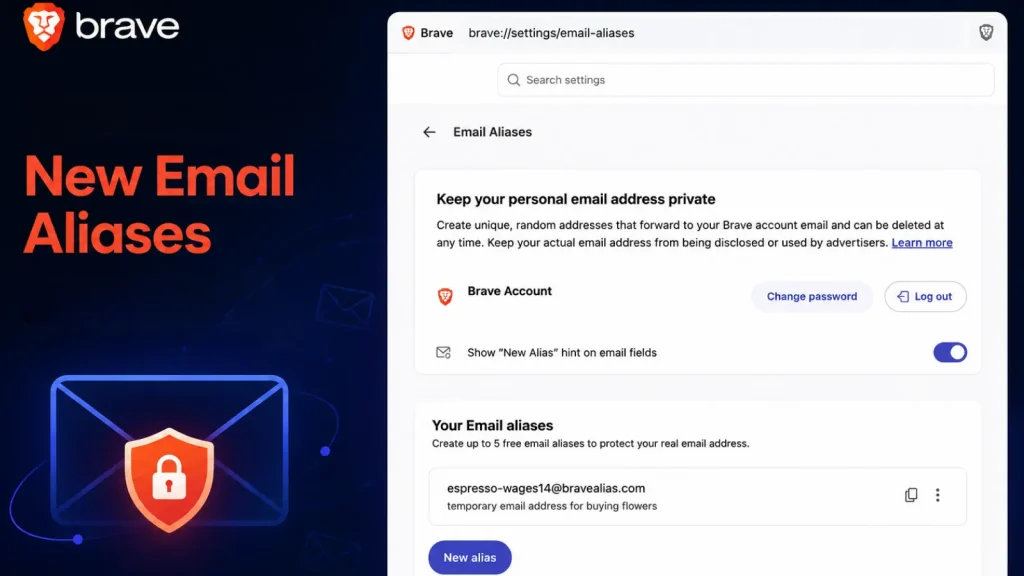
Brave Unveils New Email Aliases to Keep Your Personal Email Address Private
The Silent Guardian: Brave’s New Email Aliases Feature Explained
In an increasingly interconnected digital landscape, safeguarding personal information is paramount. Every online signup, newsletter subscription, or forum registration typically demands one crucial piece of data: your email address. This seemingly innocuous requirement often leads to a deluge of spam, targeted advertising, and, in worst-case scenarios, exposes users to data breaches. Recognizing this pervasive privacy concern, Brave, a browser renowned for its privacy-first approach, has introduced a significant new feature: Email Aliases.
What Are Brave Email Aliases?
Brave’s new Email Aliases feature, rolled out in desktop browser version 1.94, fundamentally changes how users interact with online services that require an email address. Instead of providing your real, primary email, Brave generates a unique, disposable forwarding address. This alias acts as a secure intermediary, receiving messages on your behalf and then seamlessly delivering them to your actual inbox, all while keeping your primary address completely hidden from the originating online service.
Consider it a digital decoy. When you sign up for a new website, instead of revealing your personal email (e.g., [email protected]), Brave provides an alias like [email protected]. Any emails sent to this alias are then forwarded to your designated primary inbox. The website you signed up for only ever sees the alias, ensuring your true identity remains shielded.
The Privacy Imperative: Why Email Aliases Matter
The introduction of Email Aliases by Brave is a direct response to several critical privacy challenges:
- Spam Reduction: By providing a unique alias for each service, users can easily identify the source of unwanted emails. If a particular alias starts receiving spam, it can be disabled or deleted without affecting other aliases or your primary email.
- Data Breach Mitigation: In the event of a data breach at an online service, only the alias is exposed, not your real email address. This significantly reduces the risk of your primary email being compromised and used for further attacks like phishing or credential stuffing.
- Tracking Prevention: Email addresses are often used as unique identifiers for tracking user behavior across different websites. Aliases break this link, making it harder for advertisers and data brokers to build comprehensive profiles of your online activity.
- Maintaining Anonymity: For users who prioritize online anonymity, Email Aliases offer a powerful tool to engage with online content and services without revealing personal identifiers.
How Brave’s Email Aliases Work Under the Hood
The mechanism behind Brave’s Email Aliases is straightforward yet effective. When a user opts to use an alias for a signup, Brave’s service generates a unique, randomized email address. This alias is then associated internally with the user’s primary email address. Any email sent to the alias is first processed by Brave’s secure servers, which then forward the message to the user’s actual inbox. The critical point is that the online service sending the email never sees the primary address; it only interacts with the Brave-generated alias.
This functionality mirrors similar privacy-enhancing services, but its direct integration into the Brave browser offers unparalleled convenience and a seamless user experience, making privacy accessible to a broader audience.
Securing Your Inbox: Key Takeaways
Brave’s new Email Aliases feature represents a significant step forward in empowering users to reclaim their digital privacy. By offering a robust shield for your primary email address, it effectively combats spam, reduces exposure to data breaches, and limits online tracking. As digital interactions continue to expand, tools like Email Aliases become indispensable for maintaining control over personal information.
Users of Brave’s desktop browser version 1.94 and later can now leverage this powerful feature to enhance their online security posture and enjoy a cleaner, more private internet experience.




