
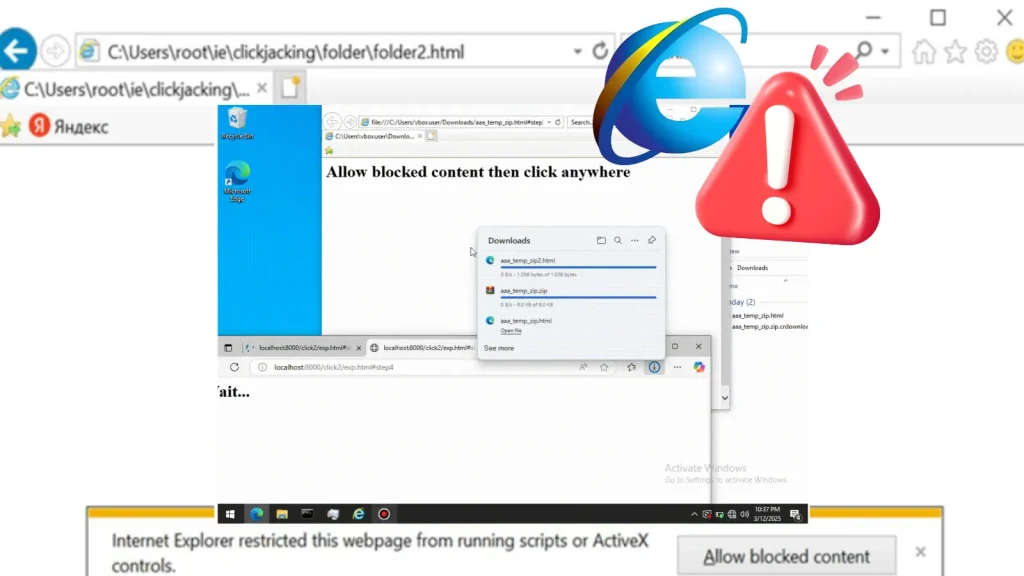
Internet Explorer WebBrowser Control Attack Chain Turns Clicks Into RCE
The Undead Web: When Retired Internet Explorer Controls Still Haunt Windows Systems with RCE
Despite its official retirement, the ghost of Internet Explorer continues to linger within Windows operating systems, posing a stealthy and significant threat. Recent observations by security researchers reveal a critical attack chain leveraging Internet Explorer’s legacy WebBrowser control. This exposure can turn a single user click into full-blown Remote Code Execution (RCE), proving that even decommissioned software components can harbor potent vulnerabilities. For IT professionals, security analysts, and developers, understanding this persistent risk is paramount to securing modern environments.
Deconstructing the Attack Chain: IE’s Lingering Vulnerabilities
The core of this unsettling attack lies in the continued presence and interaction of the WebBrowser control within Windows. PT Security’s findings highlight a multi-faceted approach where attackers exploit several foundational elements:
- IE’s Zone Model Abuse: Internet Explorer’s security zone model, intended to segregate content based on trust levels, can be manipulated. Attackers craft malicious webpages or documents that, when accessed, trick the system into classifying them within a less restrictive zone than appropriate.
- Mark of the Web (MOTW) Handling Bypass: MOTW is a security feature that flags files downloaded from the internet, prompting warnings or imposing restrictions. The attack chain can find ways around or through MOTW, allowing untrusted content to execute with elevated privileges or fewer limitations.
- Powerful COM/ActiveX Components: The WebBrowser control, as a COM object, can interact with other potent COM and ActiveX components within the operating system. These components, designed for functionality, can be weaponized to achieve arbitrary code execution.
Together, these elements create a pathway for attackers to essentially re-enable the functionality of the WebBrowser control in a malicious context, transforming an innocent-looking click into a system compromise.
The Persistent Threat: Why Old Software Matters
The ability to achieve RCE through a single user click is a severe concern for several reasons:
- Phishing & Social Engineering: This attack vector is a prime candidate for sophisticated phishing campaigns. A user clicking on a seemingly innocuous link in an email or a document could unwittingly trigger the RCE chain.
- Bypassing Modern Protections: Many current security solutions focus on active, up-to-date threats. Legacy components like the WebBrowser control might operate under older security paradigms, creating blind spots for modern endpoint detection and response (EDR) systems.
- Wide Attack Surface: Given that the WebBrowser control is deeply integrated into Windows, a vast number of systems could be vulnerable, even those running the latest versions of the OS, if not properly configured or patched for related issues.
While a specific CVE for this exact attack chain is not provided in the source, similar vulnerabilities in the past, such as those related to ActiveX controls or IE’s rendering engine, often fall under categories like CVE-YYYY-XXXXX (placeholder for example, actual CVE would be required for specific instances). This illustrates how seemingly old attack vectors continue to be relevant.
Remediation Actions: Securing Your Windows Environment
Mitigating this threat requires a multi-layered approach, focusing on endpoint hardening, user education, and proactive security measures.
- Endpoint Hardening & Configuration:
- Disable WebBrowser Control (If Possible): For environments where legacy applications do not strictly require it, consider disabling or severely restricting the WebBrowser control’s functionality through Group Policy or registry edits. However, exercise caution as this may impact legitimate applications.
- Application Control: Implement robust application control solutions (e.g., Windows Defender Application Control – WDAC, AppLocker) to restrict which applications and scripts can execute on endpoints, especially those that might leverage COM/ActiveX objects maliciously.
- Enhanced Security Configuration: Ensure that all workstations and servers have Microsoft’s recommended security baselines applied, which often include tighter controls around scripting and object instantiations.
- User Education & Awareness:
- Phishing Awareness Training: Continuously train users to identify and report suspicious emails, links, and attachments. Emphasize the dangers of clicking on links from untrusted sources.
- Document Handling Best Practices: Educate users on the risks associated with opening unusual or unexpected documents, even if they appear to originate from legitimate sources.
- Patch Management:
- Stay Up-to-Date: While IE is retired, ensure that the underlying operating system and all installed software are fully patched. Microsoft frequently releases security updates that address vulnerabilities in core Windows components, which might indirectly mitigate aspects of this attack.
- Network Edge Protection:
- Email and Web Filtering: Deploy advanced email and web filtering solutions to block known malicious links, attachments, and domains before they reach end-users.
- Intrusion Detection/Prevention Systems (IDS/IPS): Ensure your IDS/IPS are updated with the latest signatures to detect and block suspicious network traffic that might indicate an attempted exploit.
Relevant Tools for Detection and Mitigation
| Tool Name | Purpose | Link |
|---|---|---|
| Windows Defender Application Control (WDAC) | Application whitelisting and code integrity enforcement. | Microsoft Learn: WDAC |
| Microsoft Defender for Endpoint | Endpoint Detection and Response (EDR), vulnerability management. | Microsoft Defender for Endpoint |
| Group Policy Management Console (GPMC) | Centralized configuration of security policies across systems. | Microsoft Learn: GPMC |
| PowerShell Dissect | Advanced scripting and analysis for identifying risky configurations. | GitHub: PowerShell Dissect |
Conclusion
The discovery of attack chains leveraging Internet Explorer’s retired WebBrowser control serves as a stark reminder: components that are no longer actively developed or supported can still harbor critical security risks. The ability to achieve Remote Code Execution with a single click underscores the ongoing need for vigilant security practices. By understanding the mechanisms of these attacks, implementing robust endpoint hardening, educating users, and maintaining strong situational awareness, organizations can significantly reduce their exposure to such persistent and potentially devastating threats. The digital landscape demands continuous vigilance, even over its most retired inhabitants.




