
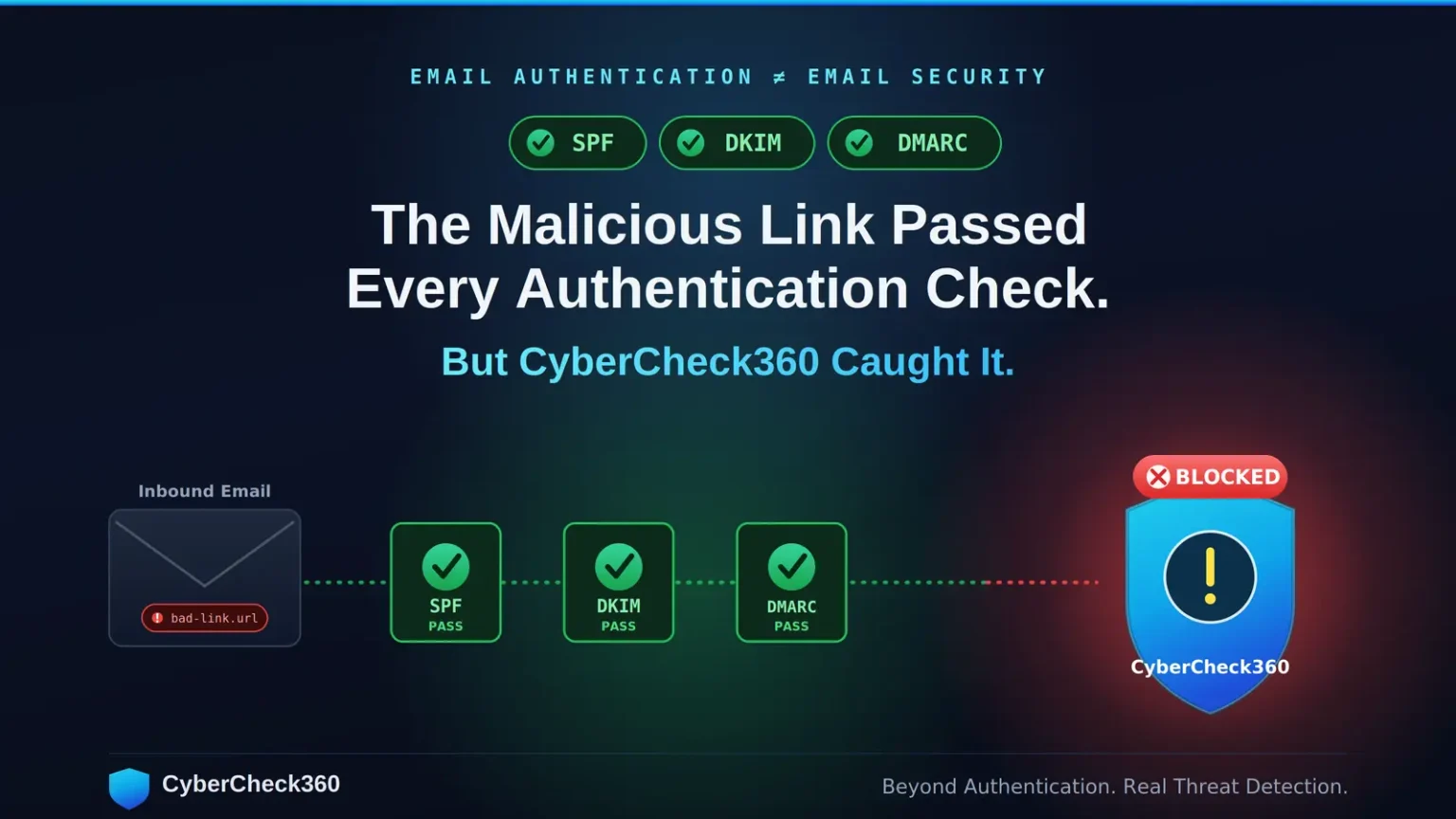
SPF, DKIM, DMARC Passed. Malicious Link Passes Every Authentication Check, But CyberCheck360 Caught It
Email authentication protocols like SPF, DKIM, and DMARC are the bedrock of modern email security, designed to verify sender identity and prevent spoofing. Organizations invest heavily in configuring these safeguards, often believing that “Passed” status on these checks equates to a secure inbox. However, a stark and increasingly common reality is demonstrating a critical gap: malicious links are bypassing these very authentications, leading to devastating breaches. This post delves into how a sophisticated attacker can leverage a simple, cheap domain and a bit of patience to trick even the most diligent security measures, highlighting why relying solely on authentication is a dangerous oversight.
The Deceptive Simplicity: How Authentication Fails to Protect
Consider a scenario: a new domain is registered on a Monday. By Tuesday, it’s hosting a meticulously crafted, pixel-perfect clone of a Microsoft 365 login page. This isn’t theoretical; it’s a common, effective tactic. The initial registration and swift deployment of a convincing phishing site demonstrate an attacker’s agility and low cost of entry. The crucial point here is that SPF, DKIM, and DMARC are designed to verify the sender’s identity – essentially, “who sent this email.” They do not, and cannot, authenticate the destination of embedded links.
When an email with a malicious link arrives, if it originates from a legitimately registered, albeit newly acquired and weaponized, domain, it will often pass all standard authentication checks. The email gateway, relying predominantly on these protocols and reputation, might see “SPF: Pass,” “DKIM: Pass,” and “DMARC: Pass,” and conclude the email is legitimate. The danger isn’t in the sender attempting to spoof an established brand; it’s in the sender creating a new, seemingly innocuous identity to host their sophisticated phishing campaign.
Understanding the Authentication Pillars: SPF, DKIM, and DMARC
- SPF (Sender Policy Framework): SPF allows domain owners to specify which mail servers are authorized to send email on their behalf. It helps prevent spammers from sending messages with forged sender addresses from a specified domain. If a mail server not listed in the SPF record tries to send an email using that domain, recipient servers can flag it as suspicious or reject it.
- DKIM (DomainKeys Identified Mail): DKIM adds a digital signature to outgoing emails, allowing the receiving server to verify that the email was indeed sent by the domain it claims to be from and that the email content hasn’t been tampered with in transit. This cryptographic signature provides a strong assurance of message integrity and sender authenticity.
- DMARC (Domain-based Message Authentication, Reporting, & Conformance): DMARC builds upon SPF and DKIM, providing a policy framework for email receivers to handle messages that fail authentication. It allows domain owners to instruct receiving servers how to treat non-compliant emails (e.g., quarantine, reject) and provides reporting mechanisms to identify and mitigate various email-borne threats like spoofing and phishing.
While these protocols are vital for email security, their scope is limited to verifying the sender. They do not inspect the content of embedded links or assess the reputation of the linked destination. This is precisely the critical gap that advanced phishing and social engineering attacks exploit.
The Live Threat: Malicious Links and Unseen Vulnerabilities
An attacker meticulously crafts a phishing email, perhaps masquerading as an urgent financial request or an IT alert. The email contains a link to the fake login page hosted on their newly acquired domain. Because the sending domain itself might be generic and has no negative reputation yet, and its email configurations (SPF, DKIM) are correctly set up, the email glides past traditional email gateways and lands directly in an employee’s inbox. The “72 hours of patience” mentioned in the source material highlights the attacker’s strategic waiting period, allowing the new domain to gain some initial legitimacy or simply avoid immediate red flags associated with brand-new registrations.
The victim, often under pressure or distracted, clicks the link. The “pixel-perfect Microsoft 365 login clone” then efficiently harvests their credentials. This scenario exposes a significant vulnerability: the assumption that a “Passed” status for email authentication means the email, and critically, its embedded content, is safe. This assumption proves costly to organizations, leading to compromised accounts, data breaches, and financial fraud. The finance team’s credentials are a prime target, underscoring the high-value nature of these attacks.
Remediation Actions: Closing the Gap with Click-Time Detection
Since email authentication checks the sender, not the destination of a link, a different layer of defense is desperately needed. The solution lies in detection at the point of interaction – at the click.
- Advanced Link Rewriting and Scanning: Implement email security solutions that rewrite and scan all embedded URLs in real-time when a user clicks on them. This “detonation chamber” approach allows the solution to analyze the live content of the linked page for phishing indicators, malware, or other threats, even if the domain was pristine at the time the email was received.
- User Education and Awareness Training: Continuously train employees to recognize phishing attempts, regardless of how legitimate the email may appear. Emphasize vigilance for unusual requests, generic greetings, and odd-looking URLs. Encourage reporting of suspicious emails.
- Multi-Factor Authentication (MFA): Enforce MFA across all critical accounts, especially for cloud services like Microsoft 365. While MFA isn’t foolproof against all phishing (e.g., real-time phishing via Adversary-in-the-Middle attacks), it significantly raises the bar for attackers and prevents credential reuse.
- Domain Reputation Analysis Beyond Initial Delivery: Employ solutions that continuously monitor domain reputation, especially for newly registered domains that appear in user inboxes. Attackers often use fresh domains precisely because they lack established negative reputations.
- Behavioral Analytics: Leverage security tools that monitor user and entity behavior (UEBA). Anomalous login attempts, unusual data access patterns, or emails sent from compromised accounts can indicate a successful phishing attack, even if the initial email bypassed traditional defenses.
CyberCheck360: A Solution for the Post-Authentication Threat
As the referenced article implies, tools like CyberCheck360 are designed to address this critical blind spot. They fulfill the role of “detection at the click,” acting as a crucial secondary layer of defense that traditional gateways miss. By inspecting the actual link destination at the moment of access, these solutions can identify and block threats that sailed through SPF, DKIM, and DMARC checks. This proactive, real-time analysis protects users from sophisticated phishing sites and malicious downloads that are only activated or become apparent after the initial email delivery.
Conclusion: Beyond Authentication – The Imperative of Real-Time Click Protection
The incident where a malicious link passed every email authentication check, only to be caught by a solution like CyberCheck360, serves as a powerful reminder: email security extends far beyond the initial delivery. While SPF, DKIM, and DMARC are indispensable for verifying sender identity, they offer no guarantee against the integrity of embedded links or the true nature of their destinations. Organizations must recognize this inherent limitation and invest in layered defenses that include robust, real-time click-time protection. Without it, even the most compliant email environment remains susceptible to a simple, cheap domain and a well-executed phishing campaign, putting critical assets like financial credentials at severe risk.




