
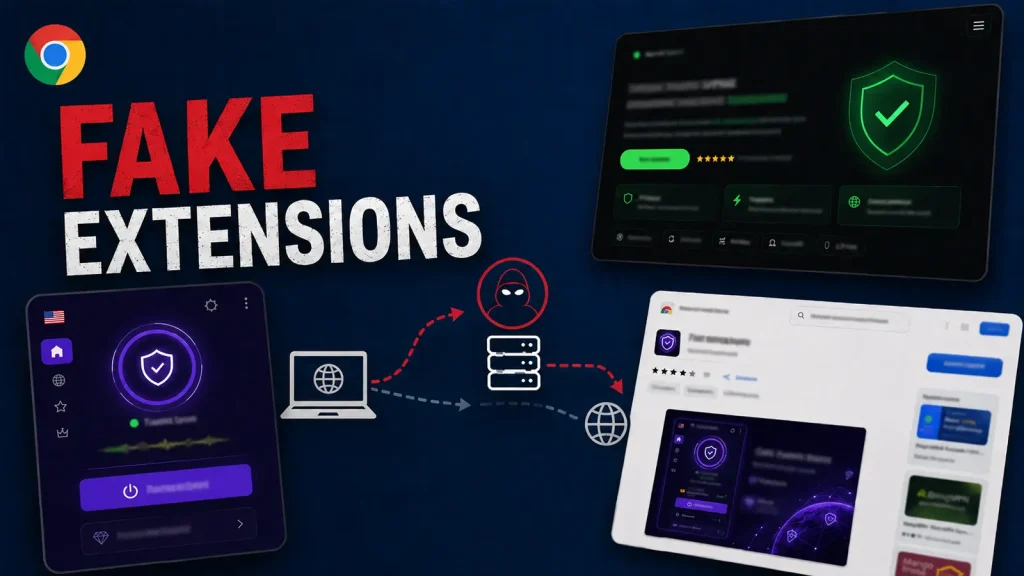
737 Fake Chrome VPN Extensions Hijack Browser Traffic Through Attacker-Controlled SOCKS5 Proxies
The promise of enhanced privacy and unrestricted access to online content often drives users toward VPN and proxy services. However, a recent, extensive discovery highlights a severe compromise lurking behind seemingly benign Chrome extensions. Researchers have unearthed a massive traffic-redirection operation involving 737 fake Chrome VPN extensions. These malicious extensions, masquerading as free VPN or proxy tools, have been found to hijack browser traffic by routing it through attacker-controlled SOCKS5 proxy servers.
This widespread campaign underscores the critical need for vigilance when installing browser extensions and the inherent risks associated with unregulated software. While offering the illusion of privacy, these extensions actively undermine user security and data integrity, potentially exposing sensitive information and facilitating further malicious activities.
The Deceptive Lure of “Free VPN” Extensions
The operation’s success hinges on a common user desire: free access to VPN or proxy functionalities. Many legitimate users seek these tools to bypass geographical restrictions, access blocked services, or simply enhance their online privacy. The fake Chrome extensions capitalize on this demand, advertising themselves with compelling promises of anonymity and unfettered internet access.
However, the underlying code of these 737 extensions reveals a far more nefarious purpose. Instead of providing secure and private connections, they are designed to intercept and redirect browser sessions. This redirection is achieved by forcing user traffic through SOCKS5 proxy servers that are under the direct control of the attackers. This setup grants the operators an alarming degree of control over the user’s internet activities.
Understanding SOCKS5 Proxy Hijacking
SOCKS5 (Sockets Secure 5) is an internet protocol that routes network packets between a client and a server via a proxy server. While SOCKS5 can be used legitimately, in this context, its implementation is malicious. When a fake VPN extension forces a browser to use an attacker-controlled SOCKS5 proxy, the following can occur:
- Traffic Interception: All browser traffic, including potentially sensitive data like login credentials, financial information, and browsing history, passes through the attacker’s servers.
- Data Exfiltration: Attackers can analyze, collect, and potentially exfiltrate any data flowing through their proxy.
- Content Manipulation: The proxy can be used to inject malicious code, advertisements, or alter the content of web pages viewed by the user.
- IP Address Obfuscation (for attackers): By routing traffic through their own proxies, attackers can mask the true origin of their operations, making attribution and detection more challenging.
The sheer scale of 737 distinct extensions amplifies the potential impact, indicating a sophisticated and well-resourced operation designed to maximize reach and compromise a vast number of users.
Remediation Actions and Proactive Security Measures
Given the pervasive nature of this threat, it is imperative for all internet users to take immediate and proactive steps to secure their browsing environment. This specific incident highlights the dangers of unchecked browser extensions, but the principles apply broadly to software installation.
- Audit Existing Extensions: Immediately review all installed Chrome extensions. Remove any extensions that are not strictly necessary, those with low ratings, few reviews, or suspicious permissions. Be especially wary of “free VPN” or “free proxy” extensions.
- Prefer Reputable Sources: Only install extensions from well-known, trusted developers and always download them directly from the official Chrome Web Store. Even then, exercise caution.
- Check Extension Permissions: Before installing any extension, carefully review the permissions it requests. An extension that claims to be a PDF viewer, for instance, should not require access to “read and change all your data on all websites.”
- Utilize Security Software: Employ robust antivirus and anti-malware solutions that can detect and block malicious software, including potentially unwanted programs (PUPs) often bundled with such extensions.
- Implement Network Monitoring: For organizations, monitor network traffic for unusual SOCKS5 connections or traffic routing anomalies. This can help identify compromised systems.
- Educate Users: Conduct regular cybersecurity awareness training to inform users about the risks of deceptive software and the importance of critical thinking before installing anything.
- Consider Enterprise Browser Management: For IT professionals, leverage tools that allow for centralized management of browser extensions, enabling blacklisting of known malicious extensions and whitelisting of approved ones.
Tools for Detection and Mitigation
While direct detection of this specific threat via CVEs is unlikely as it concerns malicious extensions rather than a software vulnerability in Chrome itself, several tools and practices aid in general browser security and anomaly detection.
| Tool Name | Purpose | Link |
|---|---|---|
| Browser Security Extensions (e.g., uBlock Origin, Privacy Badger) | Block malicious scripts, ads, and trackers; enhance general browsing privacy. | uBlock Origin |
| Endpoint Detection and Response (EDR) Solutions | Monitor endpoints for suspicious activities, including unusual network connections or process behavior initiated by browsers. | (Provider Dependent – e.g., CrowdStrike, SentinelOne) |
| Network Intrusion Detection/Prevention Systems (NIDS/NIPS) | Monitor network traffic for anomalies, known attack signatures, and unauthorized SOCKS5 proxy usage. | (Provider Dependent – e.g., Snort, Suricata) |
| Web Application Firewalls (WAFs) | Protect web applications from various attacks, though less directly relevant to client-side extension compromise. | (Provider Dependent – e.g., Cloudflare, Imperva) |
The Pervasive Threat of Supply Chain Attacks on Browser Extensions
This incident is a stark reminder of the growing threat of supply chain attacks targeting browser extensions. The Chrome Web Store, like other application marketplaces, is a massive ecosystem. While Google implements security measures, malicious actors constantly evolve their tactics to bypass these safeguards. The sheer volume of compromised extensions in this case points to either an automated generation process for these fake extensions or a sophisticated, coordinated effort to infiltrate the marketplace.
Users must internalize that “free” online services often come with hidden costs, frequently paid in the form of privacy and security compromises. Trusting third-party software, especially browser extensions that operate with elevated privileges, requires a high degree of scrutiny.
The discovery of 737 fake Chrome VPN extensions actively hijacking user traffic through attacker-controlled SOCKS5 proxies represents a significant cybersecurity concern. This widespread operation exploits user desire for privacy and access, instead delivering a profound compromise of data and security. Users and organizations must adopt rigorous security practices, including thorough vetting of browser extensions, regular security audits, and continuous user education. The digital landscape demands constant vigilance; otherwise, seemingly innocuous tools can become conduits for sophisticated cyberattacks.




