
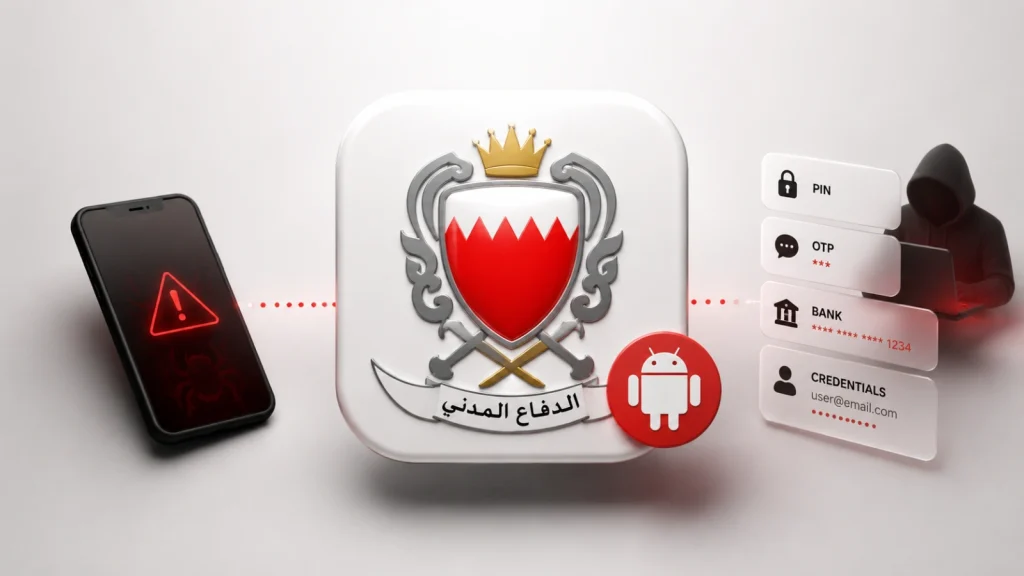
Fake Bahrain Civil Defense App Deploys Android RAT to Steal PINs, OTPs, and Banking Credentials
The digital landscape is a battleground, constantly evolving with new threats designed to exploit human trust and technological vulnerabilities. Recent intelligence reveals a particularly sinister campaign targeting users in the Gulf region, masquerading as a critical public safety application. This sophisticated attack leverages heightened geopolitical tensions, deploying a malicious Android application that meticulously steals sensitive personal and financial data.
Security researchers have uncovered a fake “BH Alert” app, deceptively branded as an official Bahrain Civil Defense emergency alert tool. Far from providing safety, this imposter application is a conduit for a multi-stage Remote Access Trojan (RAT), engineered to harvest nearly every piece of valuable user information, from lockscreen PINs and one-time passwords (OTPs) to SMS messages and even banking credentials. Understanding the mechanics of this threat is crucial for both individuals and cybersecurity professionals.
The Deceptive Lure: Fake Bahrain Civil Defense App
The attackers behind this campaign exhibit a clear understanding of social engineering tactics and regional sensitivities. By impersonating a Bahrain Civil Defense emergency alert application, they tap into a legitimate need for reliable information during potential crises. Users, seeking to stay informed and protected, are far more likely to download and trust an app that appears to offer essential public services. This initial trust is the critical entry point for the attack.
Once installed, the fake “BH Alert” app doesn’t immediately reveal its malicious intent. It likely attempts to mimic a legitimate emergency alert interface, perhaps even displaying static, fabricated alerts to maintain the illusion of functionality. This period of feigned legitimacy is essential for the malware to establish persistence and begin its data exfiltration routines discreetly.
Anatomy of the Android RAT: Multi-Stage Data Theft
The core of this attack is a sophisticated Android-based Remote Access Trojan (RAT). Unlike simpler malware, this RAT operates in a multi-stage fashion, allowing it to gradually escalate privileges and exfiltrate a wide array of sensitive data without immediate detection. Key capabilities include:
- Lockscreen PIN Harvesting: Gaining access to a user’s lockscreen PIN effectively hands over control of the device, bypassing a fundamental security layer.
- One-Time Password (OTP) Interception: OTPs are the cornerstone of two-factor authentication (2FA). By intercepting these, the RAT can defeat 2FA on banking apps, email accounts, and other critical services, even if the user has enabled it.
- SMS Message Access: SMS messages often contain verification codes, personal communications, and banking alerts. Access to these allows the attackers to gather intelligence and bypass SMS-based authentication.
- Banking Credential Exfiltration: The ultimate goal for many financially motivated attackers, directly stealing usernames, passwords, and other sensitive information used to access online banking services.
- Call Logs and Contact List Theft: Provides a rich source of interpersonal data, useful for further social engineering attacks or identity theft.
- Device Information Collection: Includes IMEI, device model, OS version, which can be used for profiling or planning future attacks.
The multi-stage nature suggests that different components of the RAT may be downloaded after the initial installation, making it harder for static analysis tools to fully detect its capabilities upfront. This dynamic payload delivery allows the attackers to continually evolve their tactics and avoid detection.
Geopolitical Context and Digital Espionage
The targeting of users in the Gulf region and the impersonation of a Bahraini government entity strongly suggest a motive beyond simple financial gain. While financial theft is clearly a component, the broader context of “heightened geopolitical tensions” points towards potential state-sponsored activity or politically motivated cyber espionage. Collecting comprehensive personal data, including communications and contact lists, can be invaluable for intelligence gathering, surveillance, or even disinformation campaigns.
This incident underscores how real-world political dynamics increasingly manifest in cyberattacks, transforming seemingly innocuous applications into tools for espionage and disruption.
Remediation Actions and Cybersecurity Best Practices
Protecting against sophisticated Android RATs requires a multi-layered approach. For individuals, vigilance is paramount. For IT professionals and organizations, robust security policies and proactive detection are essential.
- Source Only from Official App Stores: Always download apps exclusively from official sources like the Google Play Store. Avoid third-party app stores or direct APK downloads from untrusted websites, especially for critical applications like emergency alerts or banking.
- Verify Developer Identity: Before downloading any app, carefully check the developer’s name, ratings, reviews, and the number of downloads. Legitimate government applications will typically be published by official government accounts.
- Scrutinize App Permissions: Pay close attention to the permissions an app requests during installation. An emergency alert app, for instance, has no legitimate reason to access your call logs, SMS messages, or banking information. Deny unnecessary permissions.
- Enable and Mandate 2FA (Including OTP Alternatives): While OTPs can be intercepted by this RAT, enabling 2FA on all accounts (banking, email, social media) adds a crucial layer of defense. Consider hardware security keys or authenticator apps for critical accounts, which are more resilient to SMS interception.
- Keep Operating System and Apps Updated: Regularly update your Android operating system and all installed applications. These updates often include critical security patches that address known vulnerabilities.
- Install Reputable Mobile Security Software: Implement a well-regarded mobile antivirus or security solution on your Android device. These tools can help detect and block known malware before it causes harm.
- Regularly Back Up Data: In the event of a successful compromise, having recent backups of your important data can minimize the impact.
- Educate Users: For organizations, conduct regular cybersecurity awareness training for employees, emphasizing the dangers of phishing, social engineering, and the importance of verifying app sources.
- Monitor Network Traffic for Anomalies: Organizations should employ network monitoring tools to detect unusual outbound connections or data exfiltration from mobile devices connected to their corporate networks.
Detection and Mitigation Tools
Several tools and techniques can assist in detecting and mitigating Android malware, including RATs.
| Tool Name | Purpose | Link |
|---|---|---|
| Virustotal | Online service for analyzing suspicious files and URLs to detect malware and other threats. | https://www.virustotal.com/ |
| AndroGuard | Reverse engineering, malware analysis, and visualization tool for Android applications. | https://github.com/androguard/androguard |
| MobSF (Mobile Security Framework) | Automated, all-in-one mobile application (Android/iOS/Windows) pen-testing, malware analysis, and security assessment framework. | https://opensecurity.in/Mobile-Security-Framework-MobSF/ |
| Adb (Android Debug Bridge) | Command-line tool that communicates with an Android-powered device. Useful for debugging and extracting application packages for analysis. | https://developer.android.com/studio/command-line/adb |
| Wireshark | Network protocol analyzer that can capture and analyze network traffic from infected devices to identify command-and-control communications. | https://www.wireshark.org/ |
Conclusion
The fake “BH Alert” app serves as a potent reminder of the sophisticated and targeted nature of modern cyber threats. By exploiting trust in public services and leveraging geopolitical sensitivities, attackers aim to compromise users at their most vulnerable. The deployment of a multi-stage Android RAT to steal PINs, OTPs, and banking credentials highlights the comprehensive data exfiltration capabilities these threats possess.
Staying secure demands constant vigilance, adherence to best practices, and a critical eye towards any unsolicited or suspicious application. Cybersecurity is an ongoing commitment, and understanding the tactics of adversaries is the first step in defending against them. Prompt detection, informed user behavior, and robust security measures are essential to safeguarding personal and financial data against such insidious attacks.




