
Fake Microsoft Security Scan Tells You to Remove Antivirus—Then Scammers Ask for Remote Access
The Deceptive Lure: Fake Microsoft Security Scans and the Antivirus Trap
In the complex landscape of digital threats, a new web-based scam has emerged, preying on users’ trust in established brands. This sophisticated phishing tactic leverages fake Microsoft-branded security scan pages to manipulate individuals into compromising their system security. The core of this deception is to convince users their existing antivirus software is a liability, leading them to remove it and subsequently grant malicious actors remote access. Understanding this threat is crucial for maintaining robust cybersecurity posture.
Anatomy of the Deception: How the Scam Unfolds
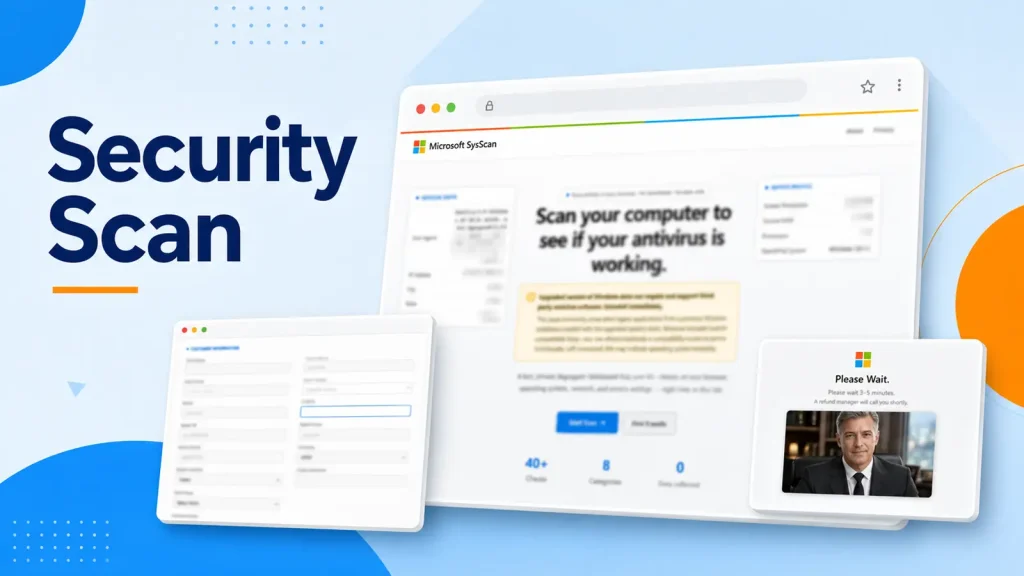
The scam begins with a seemingly legitimate web page, meticulously crafted to mimic the aesthetic of official Microsoft security portals. These pages often appear through deceptive pop-ups, malicious advertisements, or compromised websites. Upon loading, the fake page initiates what appears to be a system scan. This “scan” is entirely fabricated, designed to generate alarming, but false, reports of critical security failures and malware infections.
A particularly insidious element of this scam is its directive to remove legitimate third-party antivirus software. The fake scan page displays messages falsely claiming that current antivirus products are incompatible with or no longer supported by Windows. This message is engineered to create a sense of urgency and panic, pushing users to disable or uninstall their primary defense mechanisms, making their systems vulnerable to subsequent attacks.
The Remote Access Gambit: The Ultimate Goal
Once a user is convinced their system is compromised and their antivirus is removed, the scammers pivot to their primary objective: gaining remote access. They typically prompt the user to call a “support” number or click a link that initiates a remote desktop session. Under the guise of fixing the alleged security issues, these malicious actors gain full control over the victim’s computer. This access can be exploited for a myriad of nefarious activities, including:
- Installation of additional malware, such as ransomware or spyware.
- Theft of sensitive personal and financial data.
- Manipulation of system settings to facilitate persistent access.
- Use of the compromised system as a botnet node.
Remediation Actions and Proactive Defense
Protecting against these sophisticated social engineering attacks requires a combination of vigilance, technical understanding, and adherence to best practices. Here are key remediation actions and preventative measures:
- Verify Authenticity: Always scrutinize the URL of any security scan or warning page. Genuine Microsoft security warnings will originate from official Microsoft domains. Be wary of unusual subdomains, typos, or unfamiliar URLs.
- Never Remove Antivirus on Demand: Legitimate security software will never instruct you to remove your existing, reputable antivirus product without strong, verifiable reasons directly from the vendor. If a website or pop-up demands this, it’s a significant red flag.
- Maintain Up-to-Date Security Software: Ensure your operating system, web browser, and antivirus software are always updated to the latest versions. These updates often include patches for newly discovered vulnerabilities and enhanced detection capabilities.
- Educate Yourself and Others: Awareness is a powerful defense. Understand common phishing tactics, social engineering techniques, and the warning signs of scam attempts. Share this knowledge with colleagues, friends, and family.
- Use a Robust Endpoint Protection Platform (EPP): Modern EPP solutions offer advanced threat detection, including behavioral analysis that can flag suspicious activities, even from seemingly legitimate web pages.
- Implement Multi-Factor Authentication (MFA): For critical accounts, MFA adds an extra layer of security, making it harder for attackers to gain access even if they manage to steal credentials.
- Backup Your Data Regularly: In the event of a successful compromise, having recent backups can significantly reduce the impact of data loss or ransomware attacks.
- Report Suspicious Activity: If you encounter a fake security scan or a similar scam, report it to relevant authorities and cybersecurity organizations. This helps in tracking and mitigating these threats.
Relevant Tools for Enhanced Security
Employing a suite of robust cybersecurity tools is paramount in defending against evolving threats like this fake Microsoft security scan scam. While no tool is a silver bullet, their combined efficacy provides comprehensive protection.
| Tool Name | Purpose | Link |
|---|---|---|
| Microsoft Defender Antivirus | Built-in endpoint protection for Windows, providing real-time threat detection. | https://www.microsoft.com/en-us/microsoft-365/microsoft-defender-for-individuals |
| Malwarebytes | Advanced malware detection and removal, often catching threats missed by traditional antivirus. | https://www.malwarebytes.com/ |
| Browser Security Extensions | Extensions like uBlock Origin or Privacy Badger can block malicious ads and trackers. | https://ublockorigin.com/ |
| YubiKey | Hardware security key for strong multi-factor authentication (MFA). | https://www.yubico.com/ |
| Common Vulnerabilities and Exposures (CVE) Database | Official repository for publicly disclosed cybersecurity vulnerabilities. | https://cve.mitre.org/cve/cve.html |
Key Takeaways: Staying Ahead of Deception
The “Fake Microsoft Security Scan” scam highlights a critical trend in cybercrime: the increasing sophistication of social engineering tactics. Attackers are leveraging brand impersonation and psychological manipulation to bypass technical security controls. Users must cultivate a healthy skepticism towards unsolicited security warnings, especially those that demand immediate action or the removal of legitimate security software. Always verify the source, trust your established security tools, and remember that no legitimate entity will ever pressure you into disabling your primary defenses or granting unfettered remote access without proper, secure, and verifiable channels. Vigilance and education remain the strongest bulwarks against these deceptive schemes.




