
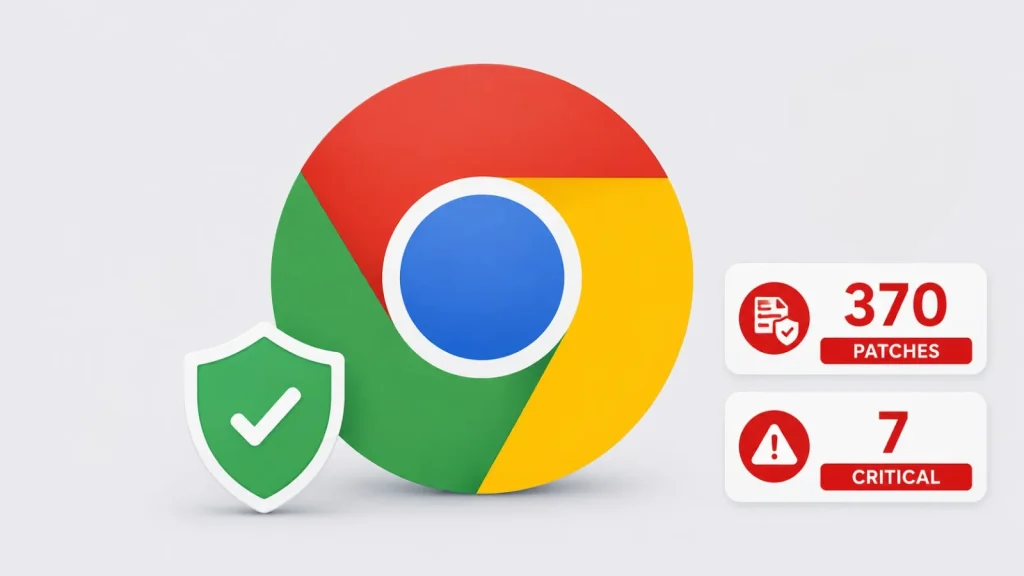
Google Chrome 151 Patches 370 Security Flaws, Including Seven Critical Vulnerabilities
In a critical development for web security, Google has rolled out a significant update to its Chrome browser, version 151.0.7922.71.72 for Windows and macOS, and 151.0.7922.71 for Linux. This update addresses an astonishing 370 distinct security flaws, including seven critical vulnerabilities, underscoring the continuous threat landscape faced by everyday users and organizations alike. As a cybersecurity analyst, the sheer volume of remediated issues in this release demands immediate attention, highlighting the importance of timely browser updates.
Understanding the Scope of Google Chrome 151 Update
The latest Google Chrome 151 update is far more than a routine patch. Google’s security advisory reveals a comprehensive overhaul, targeting weaknesses across various core components of the browser. This includes vulnerabilities spanning:
- Core Browser Components: Fundamental elements that govern the browser’s basic operations.
- Graphics: Flaws related to how Chrome renders visual content, which can often be exploited for memory corruption.
- Networking: Security holes in the browser’s communication protocols and data transfer mechanisms.
- Platform-Specific Features: Vulnerabilities unique to how Chrome interacts with different operating systems (Windows, macOS, Linux).
The phased rollout over the coming days and weeks means that users should proactively check for and install this update to ensure their browsing environment is secure.
Critical Vulnerabilities Addressed
Among the 370 security fixes, the presence of seven critical vulnerabilities is particularly alarming. While specific CVEs for all 370 vulnerabilities were not immediately disclosed in the initial advisory due to Google’s standard practice of withholding access to vulnerability details until a majority of users are updated, their critical classification indicates their potential for severe impact. Typically, critical vulnerabilities in browsers can lead to:
- Remote Code Execution (RCE): Allowing an attacker to execute arbitrary code on a victim’s machine simply by visiting a malicious website.
- Sandbox Escapes: Bypassing Chrome’s robust security sandbox, which is designed to isolate browser processes and prevent compromise of the underlying operating system.
- Information Disclosure: Leaking sensitive user data or system information.
- Denial of Service (DoS): Causing the browser or even the operating system to crash.
The proactive patching of these critical flaws by Google is a testament to their continuous commitment to user security.
The Importance of Timely Browser Updates
This update serves as a stark reminder of why keeping your web browser updated is not merely a recommendation, but a critical security imperative. Browsers are the primary gateway to the internet, processing vast amounts of data and interacting with countless web services. Unpatched vulnerabilities offer attackers an easily exploitable entry point into your system. Every new patch closes avenues that malicious actors might have already discovered or are actively seeking to exploit.
For IT professionals and system administrators, orchestrating timely updates across an organization’s endpoints is paramount. Automated update mechanisms should be prioritized, and user education on the importance of these updates is also crucial.
Remediation Actions
Given the extensive nature of this security update, immediate action is required for all Google Chrome users. Follow these steps to ensure your browser is protected:
- Update Google Chrome Manually:Open Chrome, click the three-dot menu in the top-right corner, go to “Help” > “About Google Chrome.” The browser will automatically check for and download the update. You will then be prompted to relaunch Chrome.
- Verify Version Number:After relaunching, confirm that your Chrome version is 151.0.7922.71.72 (Windows/macOS) or 151.0.7922.71 (Linux) or higher.
- Enable Automatic Updates:Ensure that automatic updates are enabled within your Chrome settings to receive future patches promptly.
- Educate Users:For organizations, disseminate information about the update and its importance to all users, encouraging them to update their browsers without delay.
Tools for Detecting and Managing Browser Security
While Chrome’s built-in update mechanism is robust, organizations can leverage additional tools to monitor and manage browser security across their networks.
| Tool Name | Purpose | Link |
|---|---|---|
| Google Admin Console | Centralized management of Chrome browser policies and updates for enterprise environments. | https://admin.google.com/ |
| Endpoint Detection and Response (EDR) Solutions | Detecting and responding to exploits targeting browser vulnerabilities. | (Provider-specific links, e.g., CrowdStrike, SentinelOne) |
| Vulnerability Scanners | Identifying unpatched software, including browsers, across networks. | (Provider-specific links, e.g., Tenable.io, Qualys) |
Conclusion
The Google Chrome 151 update is a pivotal release, addressing an unprecedented number of security vulnerabilities, including seven critical flaws. As cybersecurity professionals, acknowledging the scale of these patches reinforces the continuous need for vigilance and proactive security measures. Updating to the latest version of Chrome should be a top priority for all users and organizations. Staying current with browser updates is a fundamental practice in maintaining a secure digital posture against the ever-evolving landscape of cyber threats.




