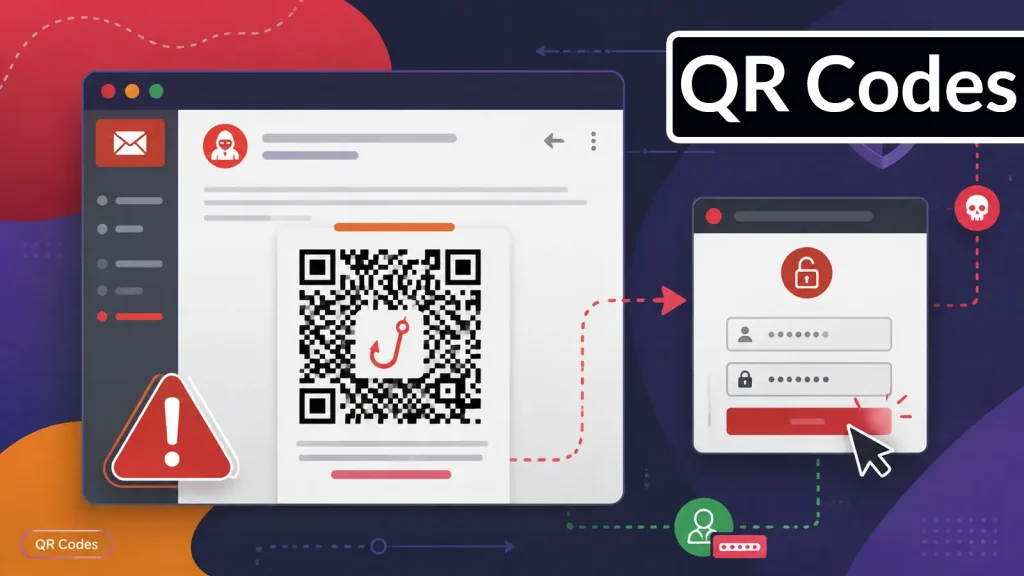
Hackers Use QR Codes in Phishing Emails to Steal Login Credentials
The digital landscape is constantly evolving, and with it, the tactics employed by cybercriminals. A particularly insidious new method, dubbed “quishing,” is rapidly gaining traction, exploiting a common user habit to steal sensitive login credentials. This post delves into how hackers are weaponizing QR codes within phishing emails, turning what appears to be a convenient shortcut into a direct path to compromise.
The Rise of Quishing: QR Codes as Phishing Lures
In an era where everyone is accustomed to scanning QR codes for everything from restaurant menus to product information, hackers have identified a critical vulnerability: trust. Unlike suspicious links, which many users are trained to scrutinize, a QR code often bypasses initial skepticism. This is the core of quishing: embedding malicious QR codes in phishing emails to trick recipients into scanning them with their mobile devices.
The process is deceptively simple yet highly effective. An email arrives, often impersonating a legitimate service or organization – a bank, an IT department, a delivery service. Within this email, instead of a clickable hyperlink, there’s a QR code. The accompanying text typically urges the user to scan the code for a seemingly urgent reason: to verify an account, reset a password, access an important document, or complete a transaction. Upon scanning, the user is redirected to a sophisticated spoofed login page designed to capture their credentials.
Why QR Codes Are So Effective for Credential Theft
The efficacy of quishing stems from several psychological and technical factors:
- Bypassing Traditional Email Security: Many email security solutions are adept at detecting malicious URLs and attachments. However, a QR code is an image. The embedded malicious URL is not directly readable by URL-scanning technologies, allowing these phishing attempts to slip past initial defenses.
- Exploiting Mobile Device Trust: Users often feel a false sense of security when interacting with their mobile devices. They might be more prone to quickly scan a QR code on their phone than to meticulously examine a link on a desktop.
- Social Engineering at its Best: The compelling narratives used in quishing emails often create a sense of urgency or fear, pressuring recipients to act without thinking critically. The perceived convenience of a QR code reinforces this pressure.
- Obfuscation: The true destination of the QR code is hidden until scanned. This lack of transparency allows attackers to conceal highly malicious domains that would otherwise be flagged instantly.
Recognizing and Reporting Quishing Attempts
Awareness is the first line of defense against quishing. Users and organizations must be equipped with the knowledge to identify these sophisticated attacks.
- Unexpected QR Codes: Be extremely wary of any QR code in an unsolicited email, especially if it requests sensitive information or urgent action.
- Verify Sender Identity: Always check the sender’s email address for any discrepancies. Even if the name looks legitimate, the domain might reveal a fraud.
- Hover Before You Scan (if possible): Some mobile devices might preview the URL when you attempt to scan a QR code. Always review the destination URL for legitimacy before proceeding. Look for secure connections (HTTPS) and legitimate domain names.
- Report Suspicious Emails: If you suspect a quishing attempt, do not interact with the QR code. Instead, report the email to your IT security department or email provider.
Remediation Actions and Protective Measures Against Quishing
Protecting against quishing requires a multi-layered approach, combining technological safeguards with robust user education.
For Organizations:
- Implement Advanced Email Security: Deploy email gateways with advanced threat protection that can analyze image content for embedded QR codes and their destinations.
- Conduct Regular Security Awareness Training: Educate employees about the dangers of quishing, emphasizing the importance of verifying unexpected QR codes and reporting suspicious emails. Simulating quishing attacks through controlled phishing campaigns can be highly effective.
- Enforce Multi-Factor Authentication (MFA): Even if credentials are compromised, MFA provides an additional layer of security, making it significantly harder for attackers to gain access.
- Maintain Patch Management: Ensure all systems and applications are up-to-date to mitigate known vulnerabilities.
- Adopt a “Zero Trust” Approach: Always verify, never trust. Assume any access request or link could be malicious until proven otherwise.
For Individuals:
- Think Before You Scan: If an email contains a QR code, especially one that demands immediate action or login, treat it with extreme suspicion. Navigate directly to the organization’s official website instead of scanning the code.
- Use Reputable QR Code Scanners: Some third-party QR code scanner apps offer security features that check for malicious URLs.
- Enable MFA Everywhere: Activate multi-factor authentication on all your critical accounts (email, banking, social media, etc.).
- Keep Software Updated: Ensure your mobile device and computer operating systems, browsers, and security software are always up-to-date.
Tools for Detection and Mitigation
While quishing is a relatively new vector, several existing security tools and practices can aid in its detection and mitigation.
| Tool Name | Purpose | Link |
|---|---|---|
| Proofpoint Email Security and Protection | Advanced email threat protection, including image analysis and URL sandboxing. | https://www.proofpoint.com/us/products/email-protection |
| Microsoft Defender for Office 365 | Email and collaboration threat protection, includes safe attachments and safe links. | https://www.microsoft.com/en-us/security/business/microsoft-365-defender/microsoft-defender-for-office-365 |
| Mimecast Email Security | Comprehensive email security, including URL protection and content inspection. | https://www.mimecast.com/products/email-security/ |
| PhishMe (Cofense) | Security awareness training and phishing simulation, including new attack vectors like quishing. | https://cofense.com/product-solutions/phishing-simulation-security-awareness-training/ |
Conclusion
The emergence of quishing underscores the adaptive nature of cyber threats. By leveraging the seemingly innocuous QR code, attackers bypass traditional defenses and exploit inherent user trust. Protecting against this vector demands constant vigilance, robust email security, and comprehensive security awareness training. Organizations and individuals must understand that a QR code in an email is not just a convenience; it’s a potential gateway for credential theft. Stay informed, stay suspicious, and always verify before you scan.