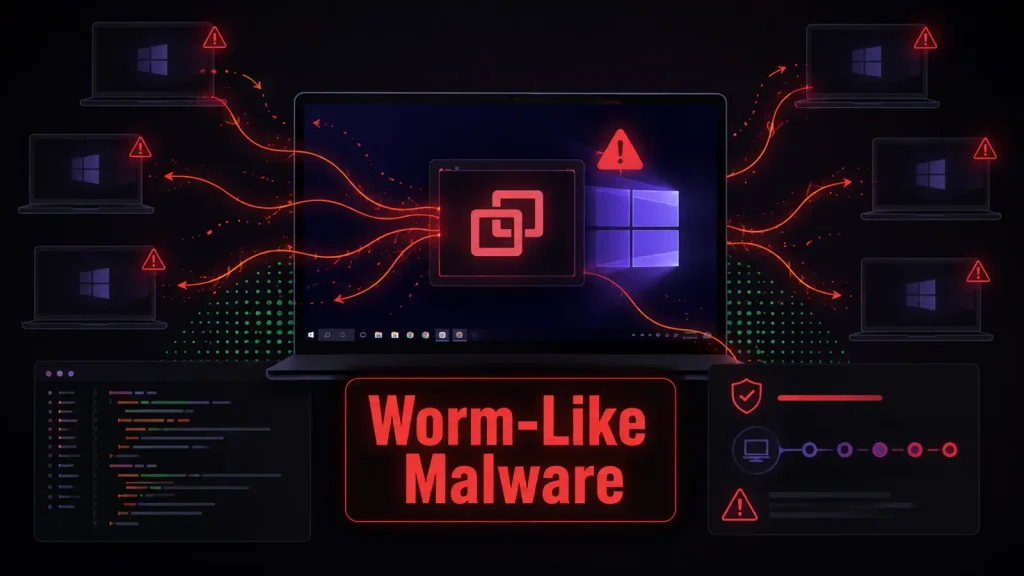
Hackers Weaponize ScreenConnect to Spread Worm-Like Malware Across Windows Systems
A disturbing new trend has emerged in the cybersecurity landscape: attackers are weaponizing legitimate remote support tools, specifically ConnectWise ScreenConnect, to propagate worm-like malware across Windows systems. This sophisticated campaign leverages trusted infrastructure to bypass traditional security measures, presenting a significant challenge for organizations relying on remote access solutions.
The ScreenConnect Exploitation: A New Vector for Lateral Movement
The core of this attack lies in the compromise of ScreenConnect installations. Unlike typical phishing or direct exploit campaigns, this strategy turns an infected remote-access client into a conduit for further intrusion. Once a ScreenConnect instance is compromised, attackers can use it to push staged payloads to other connected systems. This method is particularly insidious because it eliminates the need for repeated social engineering lures for each new victim, allowing for rapid and widespread infection within a network.
The initial breach often stems from classic social engineering tactics, including convincing fake technical support interactions and targeted phishing campaigns. Once attackers gain access to a ScreenConnect client, they can then leverage its inherent trust within the network to move laterally, deploying their malicious payloads.
Understanding the Worm-Like Spread
What makes this campaign particularly concerning is its worm-like propagation capability. Traditional malware often requires individual user interaction or a new exploit for each system compromise. However, by weaponizing ScreenConnect, attackers can achieve a seamless, automated spread. An infected ScreenConnect client, designed for legitimate system management, becomes a tool for distributing malicious code. This allows for rapid expansion of the intrusion footprint, transforming a single point of entry into a widespread network compromise.
This method significantly reduces the operational overhead for attackers, making large-scale corporate network breaches more efficient and stealthy. The malicious code can be deployed to numerous endpoints connected via the compromised ScreenConnect server, turning the remote support infrastructure against the organization it was designed to serve.
Remediation Actions for ScreenConnect Users
Organizations using ConnectWise ScreenConnect must take immediate and proactive steps to secure their installations and mitigate the risk of such attacks. Timely action is crucial to prevent lateral movement and data exfiltration.
- Isolate and Audit Compromised Systems: If a ScreenConnect instance is suspected or confirmed to be compromised, immediately isolate all systems that have connected to it. Conduct a thorough audit of all endpoints that have interacted with the suspicious ScreenConnect server.
- Update and Patch ScreenConnect: Ensure all ScreenConnect installations are running the latest version and have all security patches applied. Regularly check for updates from ConnectWise and implement them promptly. While this specific campaign might not exploit a direct CVE in ScreenConnect, keeping software updated is a fundamental security best practice against known vulnerabilities.
- Implement Multi-Factor Authentication (MFA): Enforce strong MFA for all ScreenConnect accounts, especially administrative ones. This significantly reduces the impact of compromised credentials obtained through phishing or other social engineering tactics.
- Network Segmentation: Implement robust network segmentation. ScreenConnect servers and clients should reside in isolated network segments, limiting their access to critical systems and reducing the potential for lateral movement in case of compromise.
- Principle of Least Privilege: Configure ScreenConnect accounts with the principle of least privilege. Grant users only the necessary permissions to perform their job functions and no more.
- Monitor ScreenConnect Activity: Implement comprehensive logging and monitoring for all ScreenConnect activities. Look for unusual connection patterns, unauthorized access attempts, or deployment of unexpected scripts or applications.
- Endpoint Detection and Response (EDR): Utilize EDR solutions on all endpoints. EDR tools can detect and respond to suspicious activity, including the execution of malicious payloads, even if they are delivered via trusted channels like ScreenConnect.
- User Education and Awareness: Continuously educate users about social engineering tactics, phishing, and the dangers of interacting with unsolicited technical support. A vigilant workforce is the first line of defense.
Detection and Mitigation Tools
Effective detection and mitigation require a combination of robust security tools and processes. Here’s a table outlining relevant tools that can assist in combating such threats:
| Tool Name | Purpose | Link |
|---|---|---|
| ConnectWise ScreenConnect (Official Updates) | Ensure the core remote support software is patched and secure. | ConnectWise Control Release Notes |
| Endpoint Detection and Response (EDR) Solutions | Detect and respond to malicious activity on endpoints, regardless of delivery method. Examples: CrowdStrike Falcon, SentinelOne, Microsoft Defender for Endpoint. | (Specific vendor links vary) |
| Network Intrusion Detection/Prevention Systems (NIDS/NIPS) | Monitor network traffic for anomalies, known malware signatures, and suspicious communication patterns. | (Specific vendor links vary) |
| Security Information and Event Management (SIEM) | Aggregate and analyze security logs from various sources to identify potential threats and aid in incident response. Examples: Splunk, Elastic SIEM, IBM QRadar. | (Specific vendor links vary) |
| Vulnerability Scanners | Identify potential vulnerabilities in systems, including unpatched software and misconfigurations that attackers could exploit. Examples: Nessus, Qualys, OpenVAS. | (Specific vendor links vary) |
Key Takeaways for a Secure Posture
The weaponization of ConnectWise ScreenConnect underscores a critical shift in attacker methodologies. Relying on trusted remote administration tools to spread malware presents a formidable challenge, blurring the lines between legitimate and malicious activity. Organizations must move beyond perimeter defenses and adopt a holistic security strategy that emphasizes layered security, proactive monitoring, and robust incident response capabilities. Regular patching, strong authentication, network segmentation, and continuous employee training are not just best practices; they are essential defenses against increasingly sophisticated and adaptive threats.
Vigilance and a proactive approach to security are paramount in mitigating the risks posed by such advanced campaigns.