
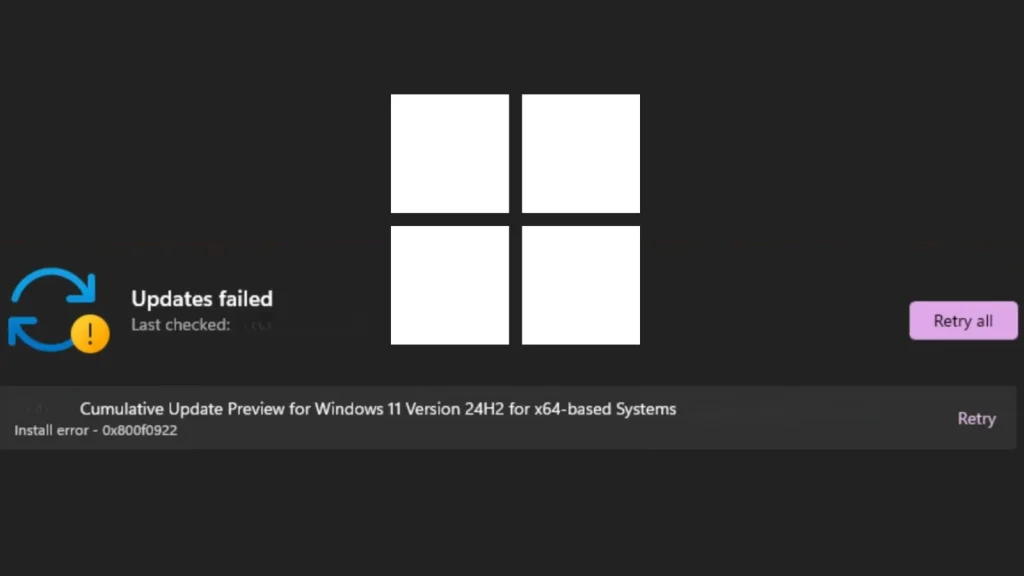
Microsoft Confirms Windows 11 Update Fails With Error 0x800f0922
Windows 11 users, brace yourselves. Microsoft has officially acknowledged a significant hurdle in the deployment of its May 2026 Patch Tuesday cumulative update. If you’ve been grappling with error code 0x800f0922, or perhaps its companions 0x80240069 and 0x80240031, during your recent update attempts, you’re not alone. This critical installation failure impacts a crucial update, leaving many systems vulnerable and administrators scrambling for solutions.
The acknowledgment, formally noted on May 15, 2026, just three days after the release of the KB5089549 update, underscores a pressing issue for Windows 11 environments. For IT professionals and security analysts, understanding the scope and potential remediation of such broad-reaching update failures is paramount to maintaining system integrity and operational continuity. This post will delve into the details of this specific update failure, explore its potential implications, and offer actionable advice for navigating the issue.
The Heart of the Problem: Error Code 0x800f0922
At the center of this update debacle lies error code 0x800f0922. While often associated with various Windows update failures, in this context, it specifically points to problems with the May 2026 Patch Tuesday cumulative update for Windows 11, identified as KB5089549. This error typically indicates that the Windows Update Standalone Installer encountered an issue during the installation process, preventing the update from completing successfully.
Beyond 0x800f0922, some users are also reporting occurrences of 0x80240069 and 0x80240031. These errors often suggest broader issues within the Windows Update component itself, ranging from corrupted update files to problems with the underlying servicing stack.
Impact and Implications for Windows 11 Environments
A failed cumulative update carries significant weight. For one, it means that the security patches included in KB5089549, which are likely designed to address newly discovered vulnerabilities, are not being applied. This leaves affected Windows 11 systems exposed to potential exploits. While specific CVEs addressed by KB5089549 haven’t been detailed in the provided source, the very nature of a Patch Tuesday update implies the remediation of critical security flaws. Failure to implement these updates can lead to:
- Increased susceptibility to malware and ransomware attacks.
- Compromise of sensitive data due to unpatched exploits.
- Non-compliance with security policies and regulatory requirements.
- System instability and performance degradation.
Beyond security, a stalled update process can also disrupt user productivity and IT operations, requiring significant time and resources to diagnose and resolve.
Microsoft’s Acknowledgment and Next Steps
The official acknowledgment by Microsoft, added to the update’s change log on May 15, 2026, is a crucial step. It confirms that the issue is widespread and not isolated to a few individual systems. While this acknowledgment brings clarity, it also places the onus on Microsoft to provide a timely and effective resolution. Users and administrators will be closely watching for further communications from Microsoft regarding workarounds, diagnostic tools, or a revised patch.
Remediation Actions and Troubleshooting
While Microsoft works on a definitive fix, IT professionals and system administrators can take several proactive steps to mitigate the impact of this Windows 11 update failure. These actions aim to troubleshoot the update process and potentially bypass the encountered errors.
- Windows Update Troubleshooter: Run the built-in Windows Update troubleshooter. This tool can often identify and automatically fix common update-related issues.
- SFC and DISM Scans: Utilize the System File Checker (SFC) and Deployment Image Servicing and Management (DISM) tools to check for and repair corrupted system files.
- Open Command Prompt as administrator.
- Type
sfc /scannowand press Enter. - After it completes, type
DISM /Online /Cleanup-Image /RestoreHealthand press Enter.
- Clear Windows Update Cache: Corrupted update files in the cache can cause installation failures.
- Stop the BITS, Cryptographic, MSI Installer, and Windows Update services.
- Delete the contents of
C:\Windows\SoftwareDistributionandC:\Windows\System32\catroot2. - Restart the services.
- Manual Installation: Attempt to download and install the KB5089549 update manually from the Microsoft Update Catalog. This can sometimes bypass issues with the automatic update mechanism.
- Check for Drive Space: Ensure there is sufficient disk space on the system drive for the update to install. Lack of space can sometimes trigger error 0x800f0922.
- Disable VPN/Proxy: Temporarily disable any VPN connections or proxy servers, as these can interfere with Windows Update communication.
- Review Update Logs: For advanced troubleshooting, examine the Windows Update logs (
C:\Windows\Logs\CBS\CBS.log) for more detailed error messages that might pinpoint the root cause.
Staying Secure While Awaiting a Permanent Fix
Should the update remain unapplied, it’s critical to ensure other security measures are robust. Maintain strong endpoint protection, ensure firewalls are configured correctly, and educate users on phishing and social engineering threats. Regular backups are always a cornerstone of disaster recovery, especially when facing systemic update issues.
Conclusion
The confirmation of Windows 11 update failures with error 0x800f0922 for KB5089549 highlights the ongoing challenges in maintaining a secure and up-to-date operating environment. While Microsoft works on a definitive solution, IT professionals must employ diligent troubleshooting and bolster existing security practices. Proactive monitoring and adherence to best practices can help mitigate the immediate risks, ensuring systems remain as protected as possible during this period of uncertainty.




