
Researchers Claim LG Monitors are Silently Installing Adware on Windows Using App
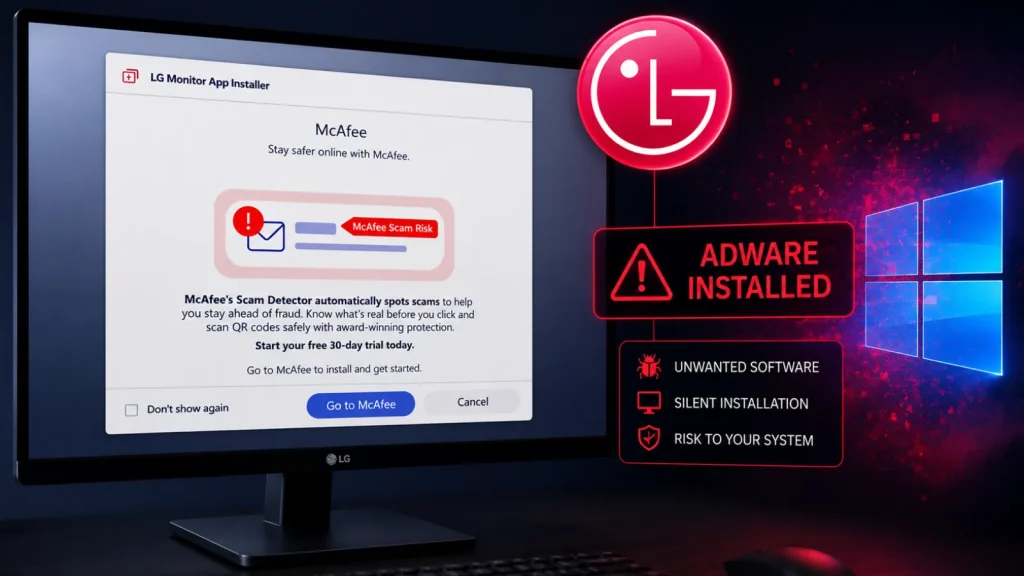
In an era where digital security is paramount, the trust placed in hardware manufacturers to provide clean, uncompromised software is fundamental. Recent reports, however, suggest a concerning development for users of LG monitors on Windows systems. Cybersecurity researchers have reportedly uncovered evidence that LG’s companion application, designed to manage monitor settings and profiles, may be silently installing advertising-related components on Windows operating systems without explicit user consent or clear notification.
This revelation raises significant questions about user privacy, software transparency, and the potential for device manufacturers to introduce unwanted software onto personal computers. For IT professionals and everyday users alike, understanding the implications of such practices is crucial for maintaining a secure and efficient computing environment.
The Hidden Payload: Adware via Monitor Software
The core of the concern lies with LG’s monitor management application. Ostensibly designed to enhance user experience through features like display profile adjustments and settings management, the software is allegedly installing components that exhibit characteristics of adware. This installation reportedly occurs in the background, often unnoticed by the user, during or after the primary application’s setup.
Adware, short for advertising-supported software, is a type of software that displays unwanted advertisements on your computer. While some adware is benign, merely displaying pop-ups, others can be more intrusive, altering browser settings, collecting user data, and even leading to more serious malware infections. The insidious nature of this particular report is the presumption of trust users place in official hardware companion applications, making such an installation particularly deceptive.
Unpacking the Implications for Windows Users
The alleged silent installation of adware-like components via LG monitor software carries several serious implications for Windows users:
- Privacy Concerns: Adware often tracks browsing habits and collects personal data, which can then be sold to third-party advertisers. This raises significant privacy red flags, as users are not explicitly consenting to this data collection.
- System Performance Degradation: Adware can consume system resources, leading to slower boot times, decreased application responsiveness, and overall degradation of PC performance.
- Security Risks: While the reports do not label this as a direct vulnerability, adware can sometimes act as a gateway for more malicious software. It can lower a system’s security posture, making it more susceptible to other threats if vulnerabilities are present within the adware itself or its distribution mechanism.
- Loss of Trust: Such practices erode user trust in manufacturers, making consumers wary of installing essential drivers and companion software for their hardware.
- Violation of User Expectations: Users expect that software provided by device manufacturers will enhance, not degrade, their computing experience, and certainly will not install unwanted programs without consent.
Remediation Actions and Best Practices
Given these reports, users of LG monitors on Windows systems, and indeed all users, should adopt a proactive stance on software installation and system hygiene. While a specific CVE number associated with this specific behavior has not been broadly published at the time of these reports (as it pertains to potentially unwanted software rather than a direct vulnerability allowing unauthorized access), the principles of security remain.
For Users Potentially Affected:
- Review Installed Programs: Regularly check your “Programs and Features” or “Add or Remove Programs” in Windows Control Panel. Look for any unfamiliar applications, especially those that appear to be related to LG or have generic-sounding names that you don’t recall installing.
- Utilize Anti-Malware Software: Run comprehensive scans with reputable anti-malware and anti-adware tools. These tools are often adept at detecting and removing potentially unwanted programs (PUPs) and adware.
- Monitor Background Processes: Use Task Manager (Ctrl+Shift+Esc) to identify any suspicious processes consuming significant CPU or memory, particularly those starting automatically with Windows.
- Check Browser Extensions: Adware frequently manifests as unwanted browser extensions. Review and remove any extensions you don’t recognize or trust.
- Re-evaluate LG Monitor Software Needs: If you use the LG monitor companion app, consider if all its features are essential. If not, evaluate whether uninstalling it is a viable option if concerns persist.
General Best Practices:
- Download Software from Official Sources: Always download drivers and applications directly from the manufacturer’s official website. Avoid third-party download sites that often bundle legitimate software with adware.
- Read EULAs Carefully: While often lengthy, End User License Agreements (EULAs) can sometimes contain clauses about installing additional software or data collection. Pay attention during installation processes, especially for custom or advanced options where bundled software is often presented as an opt-out.
- Maintain System Updates: Keep your operating system and all software up-to-date. This ensures you have the latest security patches.
- Use a Firewall: A well-configured firewall can help prevent unwanted outbound connections that adware might attempt to make.
Detection and Removal Tools
For individuals looking to detect and remove potentially unwanted programs (PUPs) or adware, several reliable tools are available:
| Tool Name | Purpose | Link |
|---|---|---|
| Malwarebytes Anti-Malware | Comprehensive anti-malware and anti-PUP detection and removal. | https://www.malwarebytes.com/ |
| AdwCleaner (by Malwarebytes) | Specifically designed to remove adware, PUPs, toolbars, and browser hijackers. | https://www.malwarebytes.com/adwcleaner |
| Zemana AntiMalware | Cloud-based anti-malware solution offering real-time protection and PUP removal. | https://www.zemana.com/ |
| HitmanPro (by Sophos) | Behavioral scanning and cloud-assisted technology for detecting advanced threats and PUPs. | https://www.sophos.com/en-us/products/free-tools/hitmanpro |
Looking Ahead: The Need for Transparency
This incident, if substantiated, underscores a growing challenge in the digital ecosystem: the convergence of hardware, software, and unforeseen third-party integrations. Manufacturers have a responsibility to be transparent with their users about what software is being installed on their systems, what data is being collected, and for what purpose. Hidden installations of adware or any form of potentially unwanted program erode user confidence and can lead to significant security and privacy risks.
Users, in turn, must remain vigilant. The default assumption that software from reputable brands is always clean and innocuous is no longer safe to hold. A proactive and questioning approach to every software installation, coupled with regular security hygiene, is essential for navigating the complexities of modern computing securely.




